.svg)
.svg)
.svg)
.svg)
.svg)


.svg)


Our Apps Have Driven
5X AOV | 2X Conversions | $30M+ Additional Revenue
5X AOV | 2X Conversions | $30M+ Additional Revenue
.svg)


5.0 (3000+ Reviews)


Shopify Apps





.svg)

Gifting has become a default feature in most Shopify stores, and for good reason — considering the global gift market is valued at $62 billion. When customers enjoy your product, they share that experience with friends and family, either through word-of-mouth or by gifting. So, providing a smooth gifting experience is not just about offering convenience to your customers; it's powerful business tool as well.
Imagine your customers easily finding and sending the perfect gift from your store with a few clicks. This ease of gifting leaves a lasting impression and make them return for more, not just for themselves but also for others. And, when the recipients of these gifts enjoy your products, you gain new customers without any Customer Acquisition Cost(CAC).
With Shopify Plus now offering checkout extensibility, you're presented with a strategic decision - should gifting be an option at Shopify checkout or in the cart? We'll address this question and explain how to enable gifting at the checkout stage.
If you haven't migrated your Shopify Checkout yet, we will suggest this video that will help you migrate your Shopify Checkout in 6 easy steps:
When comparing Shopify gifting options on the cart versus Checkout, there are some unique advantages that the checkout stage offers:
Gift messaging must be the first gifting feature you add on your Shopify Checkout. It allows your customers to personalize their gifts and you gain a recipient email, providing an extra contact for your future marketing efforts. Not only it’s an effective way to better the gifting experience, but can be easily incorporated, even if you're not a Shopify Plus user.
To enable gift messaging on Shopify checkout(for a plus user migrated to checkout.extensions):
1. Install Checkout Wiz app on your store.

2. Add a custom field on your Shopify checkout that let customer’s to add a gift message.
3. Add some text to compel you customers for adding a gift message.
4. Bonus Tip - You can use our Klaviyo integration to automate the process of sending the gift message on the recipient’s email.
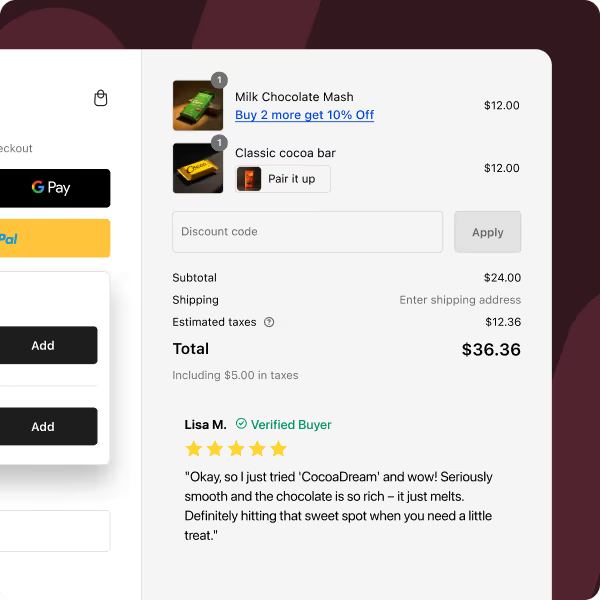
Here’s a store example for you. They have even mentioned it on the product page- “Is this a gift? Perfect, that is what we're known for! Add a thoughtful gift note at checkout.”

The gift-wrapping market is expected to hit $24.9 billion by 2025. It shows that customers prefer easy gifting options. They don’t want to wrap and send gifts by themselves. By adding a gift-wrapping option to your Shopify Checkout, you can meet this growing demand.
Additionally, you can offer special gift wraps for occasions like Christmas and birthday, and charge a small fee for this convenience. It will increase your Average Order Value (AOV), as many customers are willing to pay for a gift wrap.
Gift wrap is only possible with checkout extensions. So, you must be a Shopify plus customer using checkout.extensions to implement it. Here’s how**:**

Offering Greeting Cards is another effective method to increase your AOV. Add them to your product lineup for a nominal fee, and customize for different occasions. A unique benefit of greeting cards is the opportunity to brand them. So, they not only enhances the gift but also introduces your brand to new customers.
You can also let customers personalize these cards. For example, let them add a specific name to a card instead of a generic message, for just a dollar or two extra. The more customization options you offer, the more you can charge.
This feature is also exclusive to merchants migrated to checkout.extensions. Here’s how you can enable it on your Shopify checkout:
Gifting options at Shopify checkout is a strategic move to create a win-win situation for your customers and your business. These features not only please your customers but also help attract new ones and increase your Average Order Value (AOV). By implementing these options, your Shopify Checkout becomes a more engaging and profitable experience.
Ready to make your Checkout gifting ready?
Explore Checkout Wiz Now!
And if you face any problem, implementing any of these strategies. You can book a call with us here.


.avif)