The blog reviews the 7 leading Shopify Analytics app options: Report Pundit, Microsoft Clarity, MIDA, Propel, TrueProfit, Mipler, and Lifetimely. These apps were evaluated for reporting depth, profit tracking, heatmaps, attribution, dashboards, pricing tiers, reviews, and reliability.
A Shopify Analytics app helps merchants go beyond native reports with custom dashboards, cohort analysis, session replays, multi-channel attribution, and real-time profit insights.
Some apps specialize in custom reporting (Report Pundit, Mipler), others focus on behavioral analytics (Microsoft Clarity, MIDA, Propel), while profit-focused tools (TrueProfit, Lifetimely) emphasize LTV, P&L, and ad spend tracking.
Shopify’s built-in analytics and Sidekick provide dashboards and ShopifyQL queries, but lack advanced attribution, predictive modeling, unlimited history, and deep profit breakdowns.
Based on overall depth, flexibility, integrations, and scalability, Lifetimely Profit Analytics stands out as the strongest all-around Shopify Analytics app for growth-focused brands.
In this blog, I’ll compare & evaluate the best Shopify Analytics apps such as Report Pundit, Microsoft Clarity, MIDA, Propel, TrueProfit, Mipler Advanced Reports, and Lifetimely.
I have assessed them for reporting depth, dashboards, heatmaps, session replays, profit tracking, LTV modeling, attribution, reviews, ratings, and pricing tiers. Shopify’s native analytics and Sidekick offer solid dashboards, but they still have limits in attribution, predictive modeling, and multi-channel reporting. The objective here is to do a clear side-by-side comparison and help you choose the Shopify Analytics app that best fits your store’s needs. Let’s dive in.
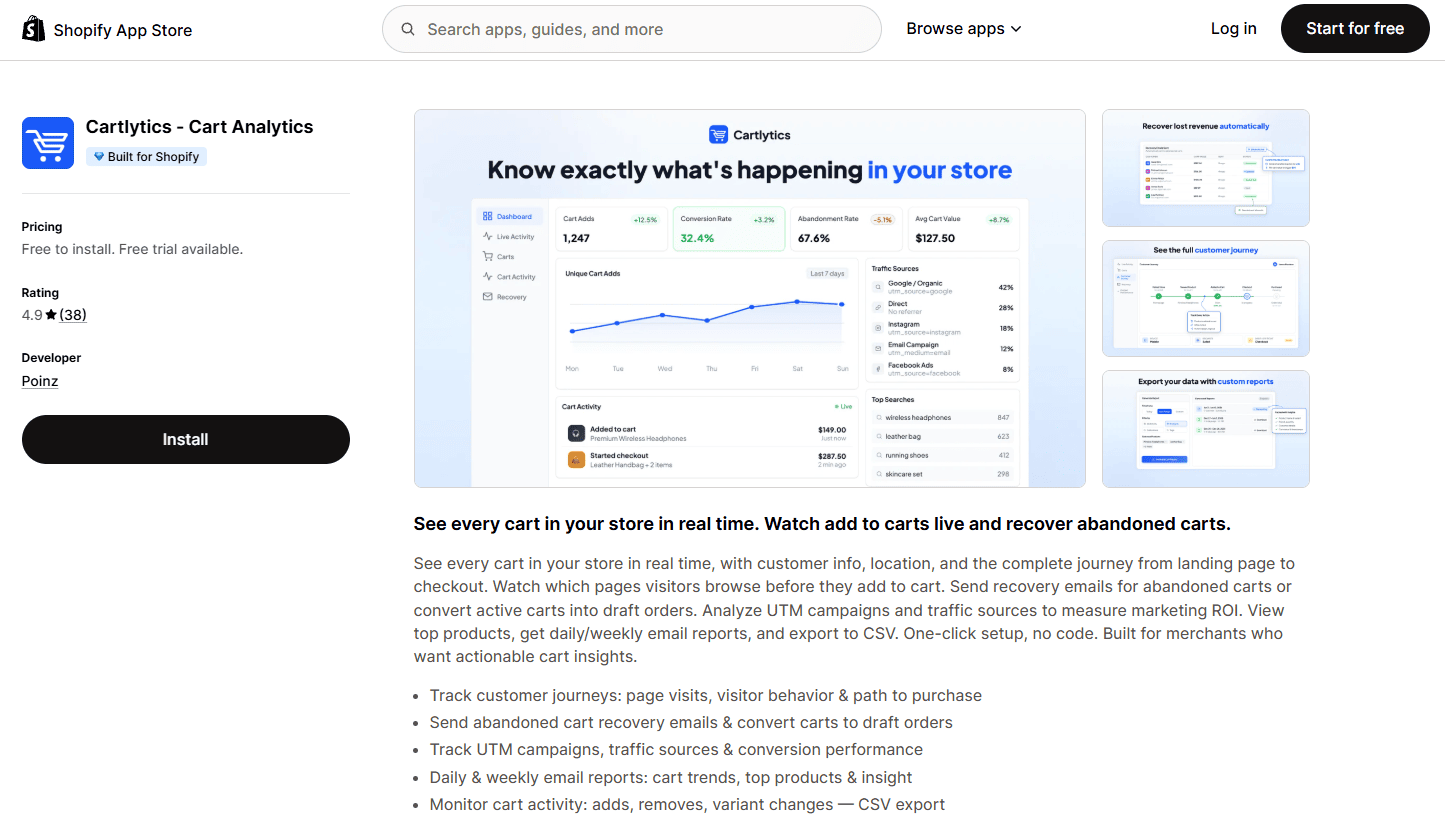
Cartlytics is a Shopify cart analytics app built for merchants who want to see exactly what's happening in their store's carts in real time: not just aggregate totals, but individual carts, their contents, and the full customer journey from landing page to purchase.
While most Shopify analytics apps focus on revenue reporting and behavioral heatmaps, Cartlytics fills a specific, often-overlooked gap: live cart tracking and abandoned-cart analytics at the individual-visitor level. Shopify's native Live View shows aggregate visitor counts, but not what's inside each cart. Cartlytics adds that missing layer.
Key Features of Cartlytics
Live cart tracking to see individual carts and their contents in real time
Add and remove event tracking
Abandoned cart analytics
Abandoned cart recovery that converts abandoned carts into draft orders
Full customer journey tracking with traffic source (UTM) attribution
Pros
Real-time individual cart visibility that Shopify's native analytics doesn't provide
No setup or coding required: one-click install, tracking starts automatically
Built for Shopify badge: native integration and reliable data
Free plan available for smaller stores
A 4.9-star rating on the Shopify App Store
Cons
Focused specifically on cart analytics, so it works best alongside a broader reporting or profit-tracking tool rather than as a standalone analytics suite
Pricing
Free plan with up to 25 orders per month
Paid plans from $9/month (Starter)
Free trial available on all paid plans
1. Report Pundit: Custom Reports
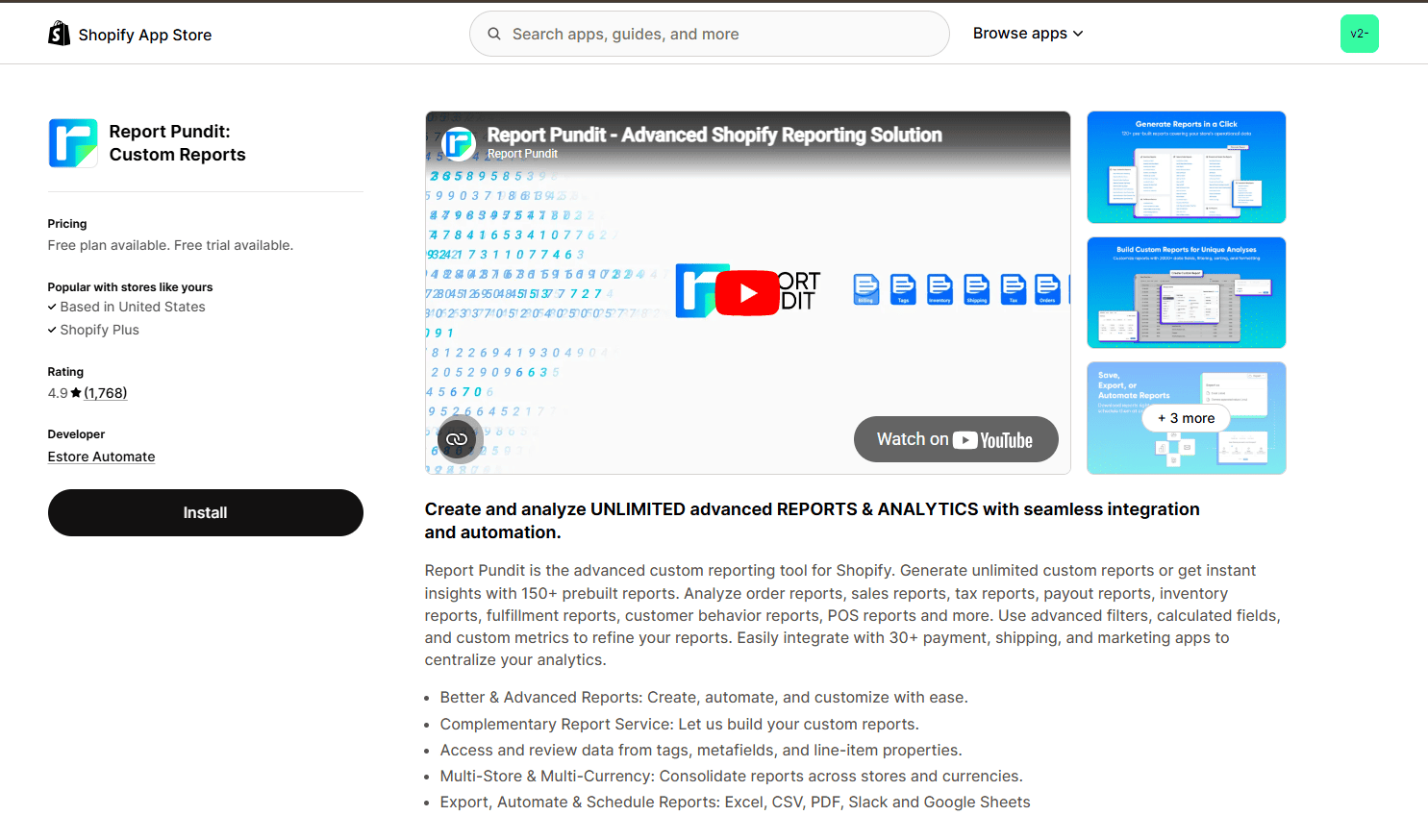
Report Pundit is a powerful Shopify Analytics app designed for merchants who need unlimited custom reports, advanced filtering, and multi-store dashboards.
Key Features of Report Pundit
150+ pre-built reports across sales, inventory, customers, taxes, refunds, and finance
Unlimited custom report builder with advanced field selection
Custom columns and calculated metrics using formulas
Advanced filtering with nested logic across orders, products, variants, and customers
Pivot tables with grouping by SKU, vendor, region, or channel
Multi-store reporting with automatic currency conversion
30+ third-party app integrations
Scheduled report automation via email, Slack, S3, or Google Sheets
Real-time Google Sheets synchronization
Role-based report access and permissions
Staff performance and commission tracking
Secure public report sharing links
Pros
Extremely flexible reporting engine
Deep integration library (30+ apps)
Strong export & automation options
Multi-store consolidation
Cons
Some complaints about scheduled report reliability
Pricing not clearly transparent
Can feel complex for beginners
Pricing
Free plan available
Paid tiers scale by order volume
Custom pricing for advanced usage
2. Microsoft Clarity: AI Insights
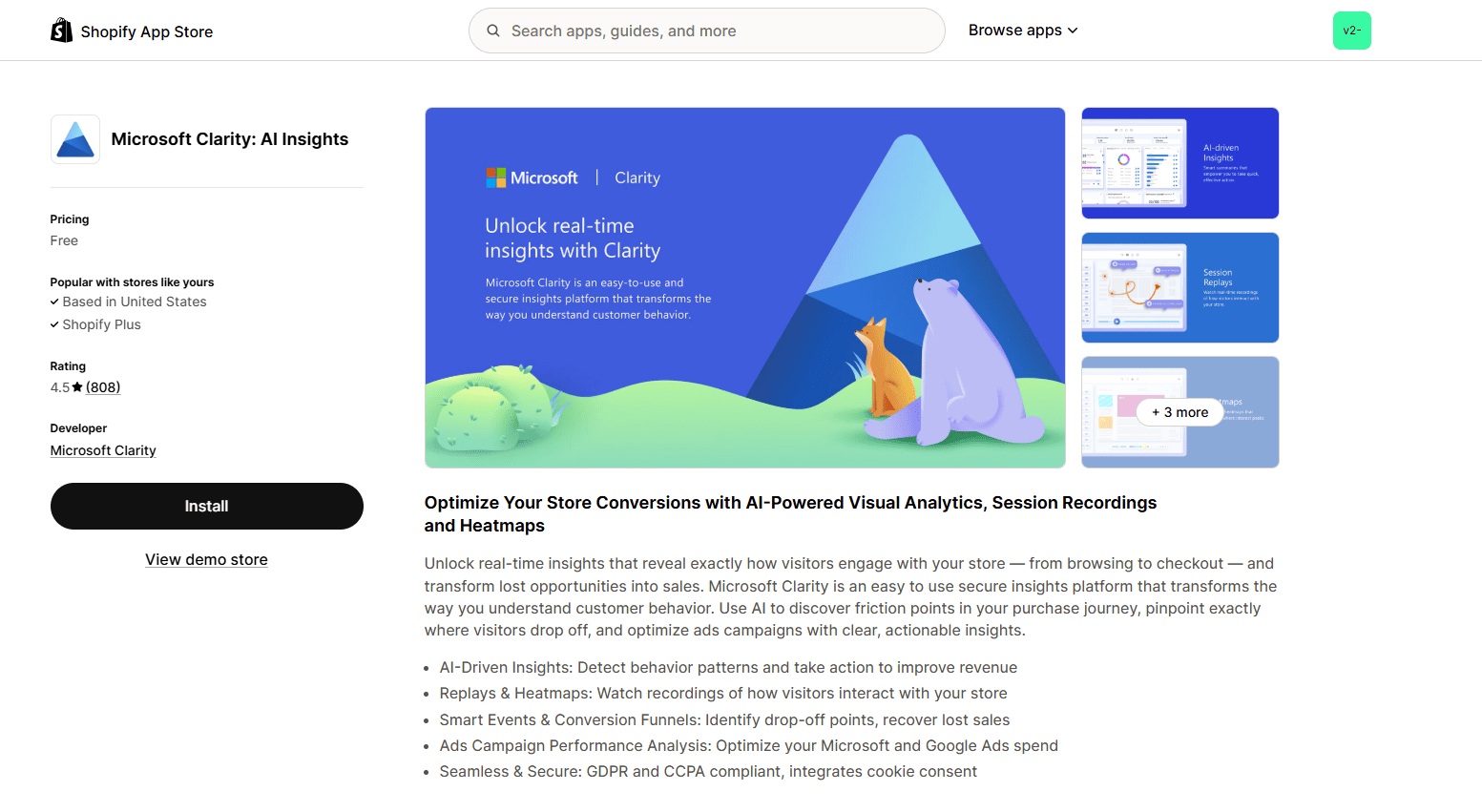
Microsoft Clarity is a free Shopify Analytics app focused on visual behavior insights and UX diagnostics. It records full visitor sessions, generates heatmaps for clicks and scroll behavior, and identifies key interaction patterns such as rage clicks and friction points.
Key Features of Microsoft Clarity
Full session replay of visitor journeys
Click, scroll, and area heatmaps
AI-detected smart events and friction signals
Conversion funnel drop-off tracking
Marketing attribution and ROAS visibility
Broken link and JavaScript error detection
Cohort segmentation by device, region, and traffic source
Google Ads and Microsoft Ads integration
GDPR and CCPA compliance
Pros
Completely free
Easy installation
Visual behavioral insights
Cons
Some mobile heatmap misalignment issues
Occasional recording glitches
Limited financial analytics
Pricing
Free to install
3. MIDA: Heatmap, Replay Checkout
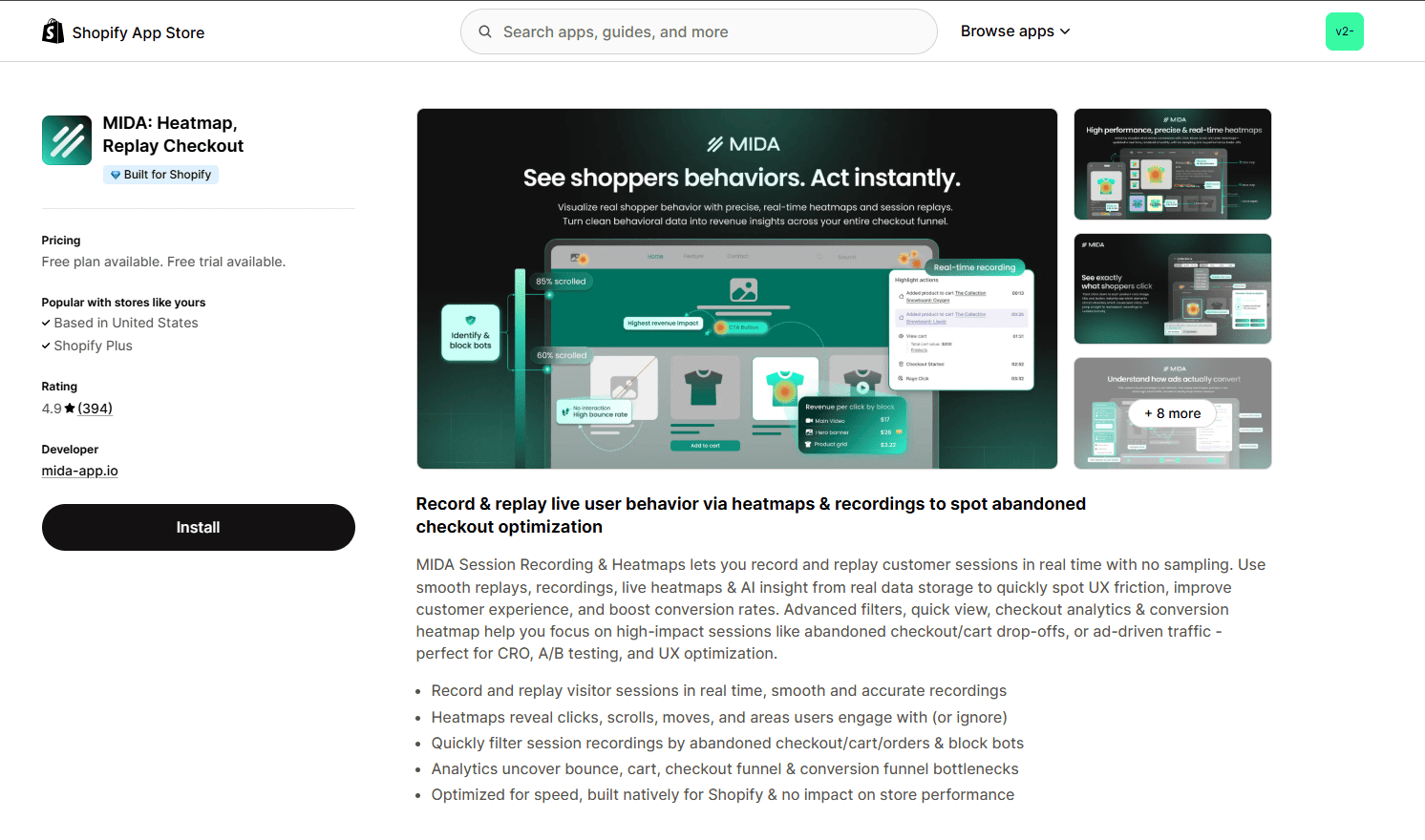
MIDA is a Shopify Analytics app focused on behavioral conversion analysis and funnel diagnostics, built to help merchants pinpoint exactly where visitors encounter friction and abandon purchase flows. It captures real user session recordings, detects rage clicks and dead clicks, maps visitor journeys through checkout steps, and links behavior directly to specific orders and customers.
Key Features of MIDA
Real-time session recording without sampling
Rage click and dead click detection
Checkout funnel visualization from product to payment
Customer-level journey linked to orders
Abandoned cart and checkout filtering
Cross-device behavior comparison
UTM tracking and campaign attribution
AI-powered weekly performance email reports
Bot traffic blocking
Multi-store reporting
API access and data export on higher tiers
Targeted on-site visitor surveys
Pros
Strong free plan
Detailed checkout insights
Native Shopify integration
Cons
Bot traffic issues reported
Heatmap limits on free tier
Occasional missing recordings
Pricing
Free (250 sessions)
$9.90/month – 3,000 sessions
$19.90/month – 10,000 sessions
$39.90/month – 20,000 sessions + API
4. Propel: Replay, Survey, Heatmap
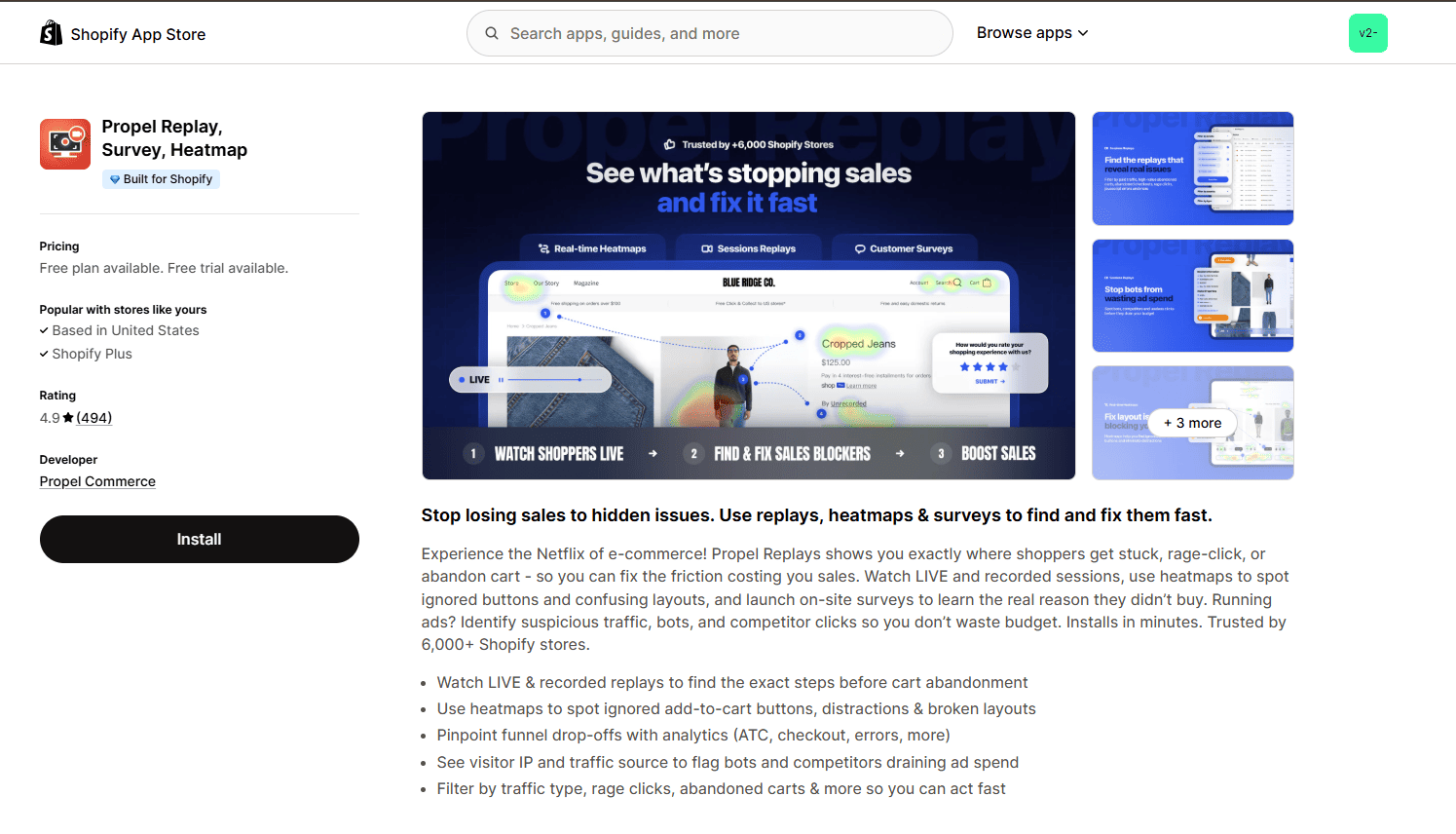
Propel is a Shopify Analytics app focused on conversion behavior and UX optimization, combining session replays with targeted visitor feedback to help merchants diagnose friction points quickly. Rather than just reporting numbers, Propel shows real user interactions, highlights where customers drop off in the funnel, and collects on-site survey insights to understand why visitors don’t convert.
Key Features of Propel
Live & Historical Session Replays
Conversion Funnel Drop-Off Tracking
IP Address Tracking & Bot Identification
Rage Click & Error Filters
On-Site Exit Surveys
Traffic Source Filtering
Checkout Step Diagnostics
Error Monitoring & Broken Element Detection
Pageview Quota Controls
Pros
Survey + replay combo
Useful traffic filtering
Responsive support
Cons
Occasional missing sessions
Pageview limits on lower plans
Pricing
Free plan
$9.90/month – 20K pageviews
$14.90/month – Plus
$39.90/month – Premium
$44.90/month – Enterprise
5. TP: TrueProfit Analytics
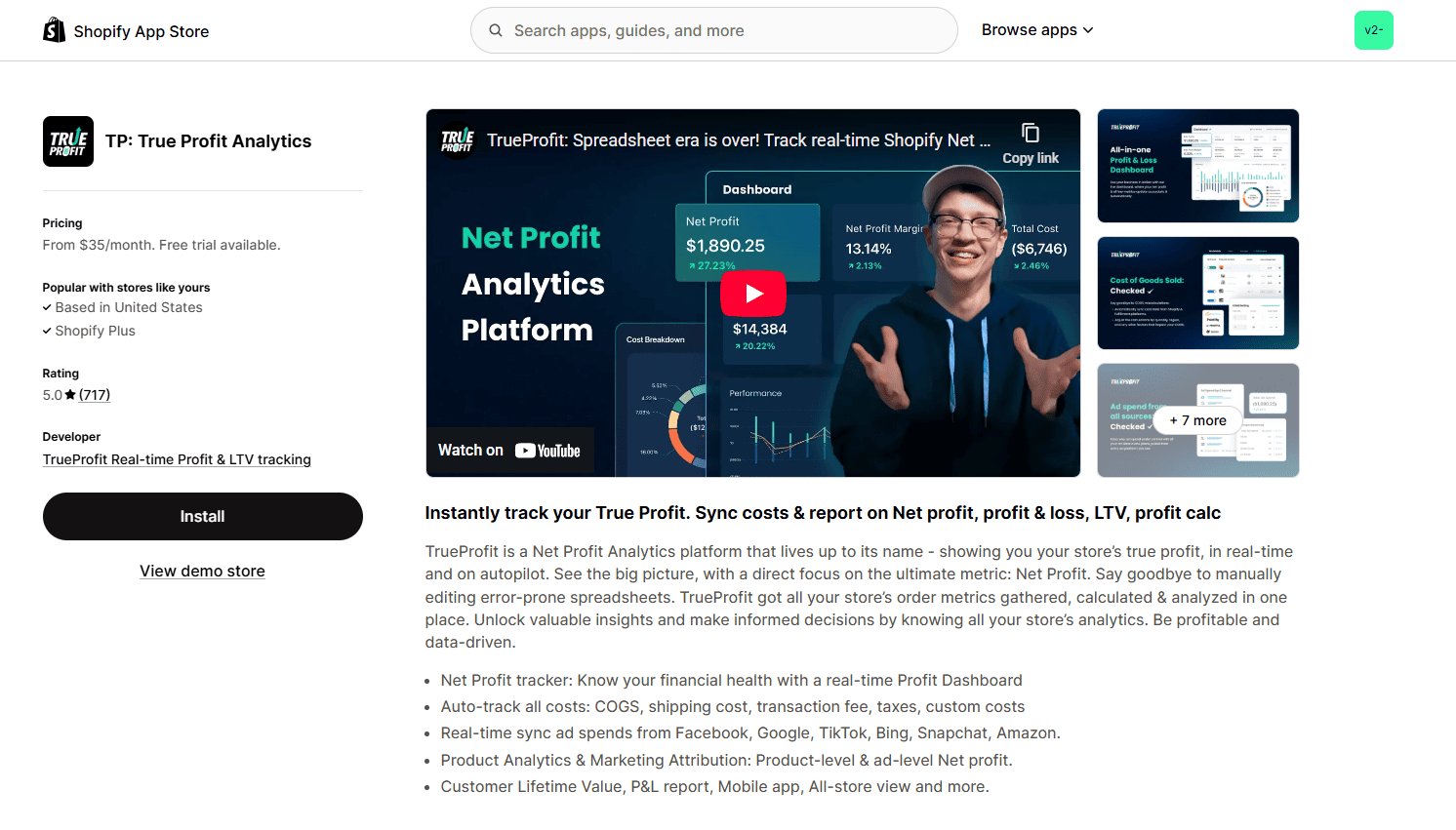
TrueProfit Analytics is a profit-focused Shopify Analytics app that replaces spreadsheets with real-time P&L dashboards.
Key Features of TrueProfit
Real-time net profit dashboard
Automatic COGS tracking
Shipping cost sync with zone-based configuration
Transaction fee tracking
Ad spend sync across Meta, Google, TikTok, Bing, Snapchat, and Amazon
SKU-level profitability analysis
Product-level margin visibility
Customer lifetime value tracking
Dynamic profit and loss reporting
Multi-store dashboard view
Custom cost configuration and tiered pricing logic
Performance charts and visual dashboards
Stripe integration
Pros
Deep cost tracking
Multi-channel ad integration
Eliminates manual spreadsheets
Cons
Pricing jumps reported
Data accuracy complaints
Overage charges during sales spikes
Pricing
$35/month – 300 orders
$60/month – 600 orders
$100/month – 1,500 orders
$200/month – 3,500 orders
6. Mipler – Advanced Reports
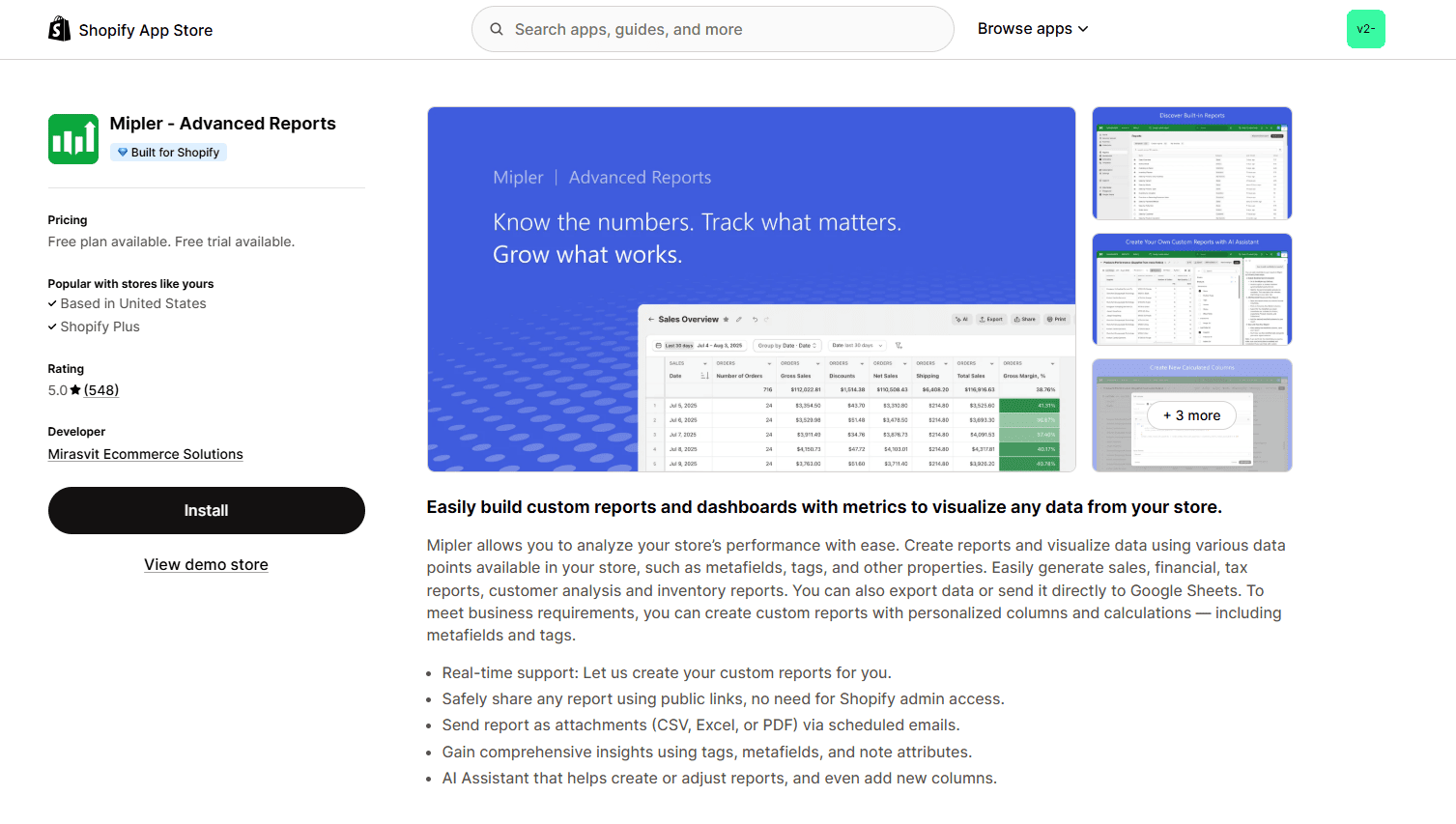
Mipler is a Shopify Analytics app focused on customizable operational and financial reporting, built for merchants who need structured insights without the complexity of enterprise BI systems. It empowers users to generate highly tailored dashboards, export real-time data into Google Sheets, track financial health, and share automated reports without manual intervention.
Key Features of Mipler
100+ built-in report templates
Custom column and formula builder
Metafield and tag-based reporting
Financial reports including income, tax, cash flow, and COGS
Inventory and payout reporting
Real-time Google Sheets integration
Scheduled email report automation
Public dashboard sharing links
Multi-store reporting support
AI-assisted report builder on advanced plans
Data access API
Forecasting and historical trend analysis
Pros
Affordable entry pricing
Strong export functionality
Excellent support
Cons
Some data discrepancies reported
Limited mobile experience
Filter issues in rare cases
Pricing
Free (<1,000 lifetime orders)
$9.99/month – Basic
$15.99/month – Optimal
$19.99/month – Advanced
7. Lifetimely Profit Analytics
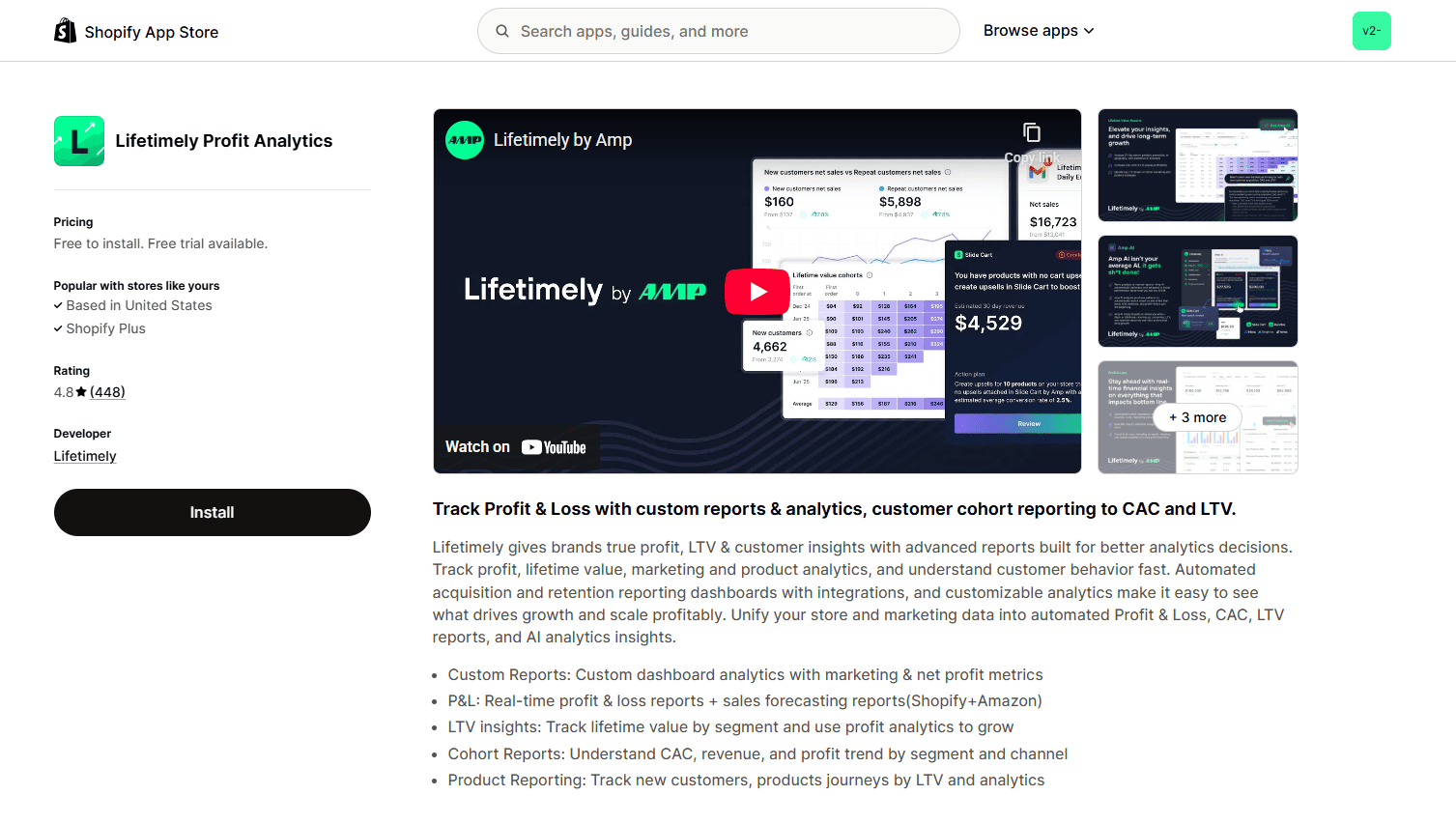
Lifetimely is a comprehensive Shopify Analytics app focused on LTV, cohort analysis, and profit tracking for scaling brands.
Key Features of Lifetimely
Real-time income statement dashboard
Automated daily profit and loss reports
Customer acquisition cost tracking
Predictive lifetime value modeling
Cohort analysis by channel, product, or campaign
LTV drivers and retention reporting
Product-level profit contribution analysis
Multi-channel attribution dashboard
Consolidated ad spend and ROAS tracking
Revenue and growth forecasting
Custom dashboard builder
Amazon integration
Amp AI conversational analytics
Slack channel support on higher tiers
Dedicated account manager on enterprise plans
Pros
Advanced LTV analytics
Multi-channel attribution
Powerful forecasting
Dedicated account support on higher tiers
Cons
Higher starting price
Pricing increase concerns after acquisition
Amazon add-on cost complaints
Pricing
Free – up to 50 orders
$149/month – 3,000 orders
$299/month – 7,000 orders
$499/month – 15,000 orders
8. Lebesgue AI CMO
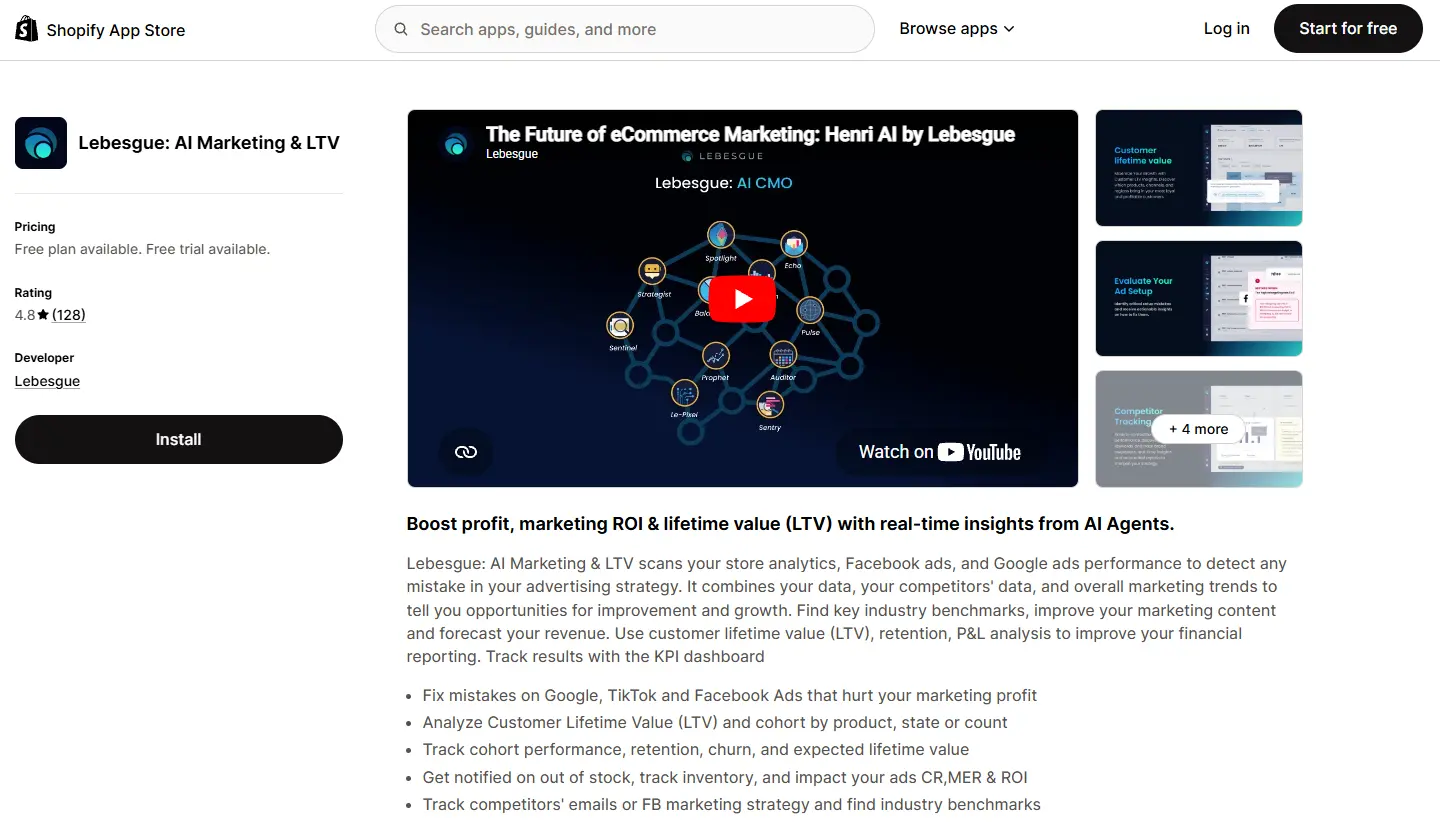
Lebesgue AI CMO is a Shopify analytics and AI marketing platform built for merchants who want to move beyond reporting and make faster marketing decisions. Instead of simply showing performance metrics, it combines advertising, store, and customer data into a single dashboard. The platform also includes Le Pixel, a first-party tracking pixel that provides more accurate marketing attribution across channels. It uses AI to identify opportunities, explain performance changes, and recommend next steps. It's particularly useful for brands looking to improve marketing efficiency without switching between multiple analytics tools.
Key Features
AI-powered marketing recommendations
Unified dashboard for Shopify, Meta, Google Ads, Klaviyo, and other marketing channels
Marketing attribution with first-party data
AI-generated performance insights and anomaly detection
Competitor benchmarking and industry benchmarks
Profitability and marketing efficiency reporting
Creative performance analysis
AI Visibility tracking for monitoring how AI search engines mention your brand
Marketing Mix Modeling (MMM) for budget allocation and incremental revenue analysis
Pros
Combines analytics and AI recommendations in one platform
Strong integration across advertising and ecommerce channels
How to Do Analytics in Shopify Without an Analytics App
Before installing a Shopify Analytics app, it’s important to understand what you can already do inside Shopify using native analytics and Sidekick.
Shopify’s built-in analytics has evolved significantly, especially with ShopifyQL and AI-powered Sidekick. For small and early-stage stores, this may be sufficient. Let’s break it down properly.
1. What You Can Do with Shopify’s In-Built Analytics
Shopify Analytics provides a centralized dashboard and report library inside the admin.
Core Capabilities
Sales reports (total sales, sales by product, sales by channel)
Customer reports (new vs returning, location, first-time vs repeat)
Marketing reports (sessions by referrer, campaign tracking)
Behavior reports (landing pages, cart analysis)
Acquisition reports (sessions by device, referrer, location)
Financial reports (taxes, payments, refunds)
Inventory reports
POS reports
Customizing the Dashboard
Add or remove metric cards
Rearrange and resize dashboard sections
Create custom sections
Compare date ranges
Change currency display
View multi-store data (Advanced/Plus plans)
This allows merchants to build a performance overview without using a Shopify Analytics apps.
2. Using ShopifyQL for Custom Reporting
ShopifyQL powers Shopify’s reports. With ShopifyQL, you can:
Modify existing reports
Create custom metrics
Add filters and dimensions
Compare time periods
Use product, variant, order, and customer metafields as filters
Generate tables, heatmaps, and histograms
You can write queries manually or use Sidekick to generate them. For example, you can ask for 1) Sales by variant over the last 60 days 2) Revenue segmented by customer metafield 3) First-time vs returning customers by region. This gives you moderate flexibility without installing a Shopify Analytics app.
3. What You Can Do with Shopify Sidekick for Analytics
Sidekick turns analytics into a conversational interface. Some key features:
A. Natural Language Reporting
“Show total sales from California customers in the last 90 days.”
“Break down revenue by product category.”
“Compare last month vs this month conversion rate.”
Sidekick automatically writes the ShopifyQL query and generates the report.
B. Proactive Insights (Sidekick Pulse)
Shopify Sidekick also proactively shares suggestions & highlights action points:
Detecst anomalies in conversion rate
Alerts you when performance drops
Compares metrics against benchmarks
Suggests improvements
Offers to update product descriptions or layouts
This moves analytics from passive reporting to proactive recommendations.
C. Workflow & Automation Creation
Shopify Sidekick can:
Create Shopify Flow automations
Tag customers based on purchase behavior
Send discount workflows
Create recurring reporting tasks
Build mini-app logic using plain language instructions
For Example: “Send a 10% discount to customers who purchased once but haven’t ordered in 60 days.”
D. Data Editing & Store Operations
Shopify Sidekick can add metafields, create customers, modify product data, edit theme sections and create custom workflows. This makes Shopify analytics actionable, not just informational.
4. When is Shopify’s In-Built Analytics Enough?
Shopify’s native setup may be enough if:
You’re under 1,000–2,000 monthly orders
You don’t need multi-touch attribution
You don’t require predictive LTV
You’re not calculating granular COGS & shipping profitability
You don’t need session replay or heatmaps
For early-stage DTC brands, Shopify + Sidekick can handle core reporting
Why Do You Need a Shopify Analytics App?
Despite the capabilities, there are certain limits to what ShopifyQL and Sidekick can do:
1. No Advanced Cohort or RFM Analysis
You cannot build deep retention segmentation, RFM scoring, or advanced LTV cohort modeling natively.
2. Limited Multi-Channel Attribution
Attribution inside Shopify is basic and often does not reconcile with Meta, Google, or TikTok ad platforms.
3. No Full Behavioral Analytics
Shopify does not provide full session replay, rage click detection, or cross-device journey tracking.
4. No Predictive LTV Modeling
There is no native predictive lifetime value forecasting engine.
5. Data Retention Limits
Historical data retention is capped (typically 13 months for detailed analysis).
6. No Granular SKU-Level Profit Tracking
Shopify does not automatically calculate:
COGS
Shipping zones
Payment processing fees
Marketing spend integration
Net profit per SKU
For scaling D2C brands, these gaps often require a dedicated Shopify Analytics app like Lifetimely, TrueProfit, Report Pundit, or Mipler.
Conclusion
We reviewed Report Pundit, Microsoft Clarity, MIDA, Propel, TrueProfit, Mipler, and Lifetimely; each serving a different analytics need.
To determine the best Shopify Analytics app, we evaluated them across five core dimensions:
Depth of analytics (cohorts, LTV, SKU-level profit)
Unified data visibility (revenue, costs, ad spend, attribution)
Differentiation from Shopify’s native analytics and Sidekick
Behavior-focused tools like Clarity, MIDA, and Propel excel in UX diagnostics.Report Pundit and Mipler are strong in customizable operational reporting. TrueProfit is built specifically for real-time net profit tracking.
However, for scaling brands that need predictive LTV modeling, cohort retention analysis, unified marketing + finance dashboards, attribution, and forecasting; Lifetimely delivers the most complete strategic layer.
There is no universal “best” Shopify Analytics app. But for brands optimizing for long-term profitability and retention at scale, Lifetimely stands out as the strongest all-around option.
Hurrify customers to buy within a given timeframe with a sales countdown timer & improve conversions
Another popular Shopify checkout app is Checkout Promotions. The app comes with the ability to leverage a collection of highly robust visibility rules that help show customers one-click post purchase upsell promotions after an order payment has been made. Some of its key features include:
Features
AI recommended and manual recommendations for upselling.
Complete branding control.
Checkout Upsell for increasing AOV.
AI recommended and manual recommendations for upselling.
Pricing
Development
Free
Monthly Plan
$99/ month
Plus Plan
$99/ month
Plus Plan
$99/ month
FAQ- Best Shopify Analytics App
What is the best Shopify Analytics app overall?
Which Shopify Analytics app is best for profit tracking?
How does a Shopify Analytics app improve behavioral tracking?
What are the key differences in Shopify Analytics for sessions and heatmaps?
When should you upgrade from native Shopify Analytics to an app?
Does Shopify Analytics replace Google Analytics or other tools?
Sid B
Sid is the founder of Skai Lama and The Indian Dream Podcast. He is passionate about building SaaS and talks about eCommerce Growth, 0-1 Startups, Building Businesses and Brands, and Shopify.

.svg)
.svg)

.svg)
.svg)



%20(1).jpg)
.jpg)
.svg)









.svg)



.avif)