
.svg)
.svg)

.svg)
.svg)



%20(1).jpg)
.jpg)
Our Apps Have Driven
5X AOV | 2X Conversions | $30M+ Additional Revenue
5X AOV | 2X Conversions | $30M+ Additional Revenue
.svg)


5.0 (3000+ Reviews)


Shopify Apps





.svg)

Shop Pay vs PayPal at a glance: Shop Pay is faster, cheaper to process, and converts better for returning customers on Shopify. PayPal's global trust and formal buyer protection make it essential for first-time buyers and international orders. Use both.
On fees, PayPal is more expensive: Shop Pay via Shopify Payments costs 2.9% plus 30 cents on the Basic plan. PayPal's standard checkout rate is 3.49% plus 49 cents, and if Shopify Payments is not active on your store, Shopify's third-party transaction fee applies on top of that.
The buyer protection difference matters: Shopify Protect covers merchants against fraudulent chargebacks on Shop Pay orders (US only). PayPal Purchase Protection gives buyers a formal dispute process for items not received or not as described, with claims open up to 180 days after payment.
Shop Pay is available in around 50 countries: That includes Australia, New Zealand, Canada, the UK, and most of Europe. India is not supported. PayPal operates in 200-plus countries, making it the only option for merchants selling into markets where Shopify Payments is unavailable.
The right answer is both: Lead with Shop Pay for speed and conversion, keep PayPal visible for trust and international buyers. Removing either will cost you sales at checkout.
Choosing between Shop Pay and PayPal for your Shopify store is not a binary decision, and the answer is rarely one or the other. Both payment methods serve different buyer personas, and understanding where each one wins is the real question worth answering. Shop Pay is Shopify's native one-click checkout, built for speed and repeat purchase conversion. PayPal is a globally recognised third-party processor with formal buyer protection and trust across 200-plus countries. In a direct Shop Pay vs PayPal comparison, the results depend entirely on who your customer is and where they're buying from.
The checkout experience is one of the most measurable levers in ecommerce. According to Shopify's internal data, Shop Pay achieves a 1.72x higher conversion rate compared to standard checkout and completes the process 70% faster1. PayPal reaches over 430 million active accounts globally2, meaning a significant share of your customers may already prefer it by default. And according to the Baymard Institute, 17% of US shoppers have abandoned a checkout specifically because their preferred payment method was not available3. Offering both is not optional if you want to capture every sale.
This guide covers everything you need to decide: fees, checkout flow, security, buyer protection, global reach, and which option works best for each type of Shopify store. If you're thinking about checkout optimisation more broadly, the payment method decision is one part of a wider set of choices that affect your overall conversion rate.
Shop Pay, formerly known as Shopify Pay, is a lightning-fast checkout solution built into the Shopify ecosystem. It allows customers to securely store shipping and billing info, making future checkouts nearly instant with a single tap.
Key Features:
One-click checkout across all stores using Shop Pay
Supports installment payments (Shop Pay Installments)
Order tracking via the Shop app
Eco-friendly deliveries via carbon offsetting
It's designed to reduce friction at checkout, something that directly improves conversion rates. If you're using Checkout Wizard, you can even layer upsells, post-purchase surveys, and discounts on top of Shop Pay to maximize every transaction.
Shop Pay is also the checkout layer behind the Shop app — Shopify's consumer mobile app used for order tracking, package notifications, and discovering new brands. Customers who have shopped with Shop Pay on any Shopify store can reuse their saved details across all participating merchants through the Shop app.
Shop Pay accepts all major credit and debit cards: Visa, Mastercard, American Express, and Discover. Shoppers can also save a debit card directly to their Shop Pay wallet. For larger purchases, Shop Pay Installments (powered by Affirm) allows eligible customers in the US to split payments into four interest-free instalments or longer monthly payment plans.
Shop Pay does not function as a standalone payment processor. It works as a checkout accelerator on top of Shopify Payments or other Shopify-compatible gateways. The payment method the customer uses is stored securely in their Shop Pay wallet, so returning shoppers can complete checkout in two taps without re-entering card details.
If you are a Shopify merchant looking to promote Shop Pay Installments to your customers, Shopify provides approved marketing banners, product page badges, and messaging guidelines through the Shopify Partner Portal.
PayPal is one of the oldest and most trusted third-party payment processors in the game. It's widely recognized globally, and over 430 million users actively use it to send and receive payments.
Key Features:
Global acceptance across currencies
No need to enter card details, just login and pay
Buyer protection and dispute resolution
Options for PayPal Credit and Pay in 4
PayPal is also compatible with Shopify and can be used alongside Shop Pay. However, it redirects customers to an external page during checkout, which might increase drop-offs if not optimized properly.
Fees for Shop Pay and PayPal are more nuanced than a simple rate comparison suggests. Getting this wrong leads to real budgeting errors, so here are the accurate figures.
Basic plan: 2.9% plus $0.30 per transaction
Grow plan (formerly Shopify): 2.7% plus $0.30
Advanced plan: 2.5% plus $0.30
Shopify Plus: negotiated directly, starting around 2.15% for high-volume merchants
Currency conversion for international orders adds 1.5% for US-based stores. There is no separate Shopify transaction fee on top of the processing rate when you use Shopify Payments.
PayPal Checkout (standard button): 3.49% plus $0.49 per transaction
Standard credit or debit card payments via PayPal: 2.99% plus $0.49
International or cross-border transactions: add 1.5% to the applicable rate
Buy Now Pay Later (Pay Later): 4.99% plus $0.49
Shopify charges an additional transaction fee (2% on Basic, 1% on Grow, 0.6% on Advanced) when merchants use a payment provider other than Shopify Payments. There is one critical exception: if you have Shopify Payments activated, PayPal transactions are excluded from this third-party fee. You pay PayPal's own processing rates, but no Shopify surcharge on top.
If Shopify Payments is not available in your country and you use PayPal as your primary gateway, the third-party fee does apply. This is when PayPal becomes significantly more expensive.
Shop Pay via Shopify Payments: $3.20 (2.9% + $0.30)
PayPal standard checkout: $3.98 (3.49% + $0.49)
That $0.78 difference per transaction adds up to $780 per $100,000 in revenue. For stores processing high volume, check the best Shopify checkout apps that can help you route transactions intelligently.
Read this section carefully before deciding which payment method fits your store's buyer profile.
Shop Pay runs on Shopify's Level 1 PCI DSS-compliant infrastructure, the highest certification available in the payment card industry. All transactions use AES-256 encryption. Shopify's machine learning-based fraud detection reviews every order in real time. Merchants never see a buyer's full card number.
Shopify Protect is the merchant chargeback protection programme: when a buyer disputes a legitimate Shop Pay order as fraudulent, Shopify covers the full order value and chargeback fee at no cost to the merchant. Shopify Protect is available to US merchants using Shopify Payments and Shop Pay, for physical goods fulfilled with tracking within seven days of the order date.
What Shop Pay does not have: There is no formal named buyer protection programme for consumers. If a buyer receives an item significantly different from what was listed, or an order never arrives, they must resolve the issue with the merchant directly or file a dispute through their bank or card issuer. This is a material difference from PayPal.
PayPal Purchase Protection is a formal consumer-facing programme covering two types of claims: item not received, and item significantly not as described. Eligible buyers can file a claim within 180 days of payment. PayPal investigates and typically resolves within 14 days. The full process is handled inside PayPal's Resolution Centre.
For buyers who are not familiar with your store, PayPal's named buyer protection is a genuine trust signal that reduces hesitation at checkout, particularly on higher-value or first purchases.
Summary: Shop Pay protects merchants from fraudulent chargebacks. PayPal protects buyers through a formal dispute programme. Both meet PCI DSS compliance standards. For stores with a high share of first-time or international buyers, PayPal's buyer protection is often the deciding factor in whether a hesitant customer completes the purchase.
Choosing between Shop Pay and PayPal is not about which is better overall. It is about what works best for your store's needs.
Shop Pay offers a frictionless, one-click checkout process that retains customer information for future purchases. This leads to faster checkout times and higher conversion rates, especially on mobile. According to Shopify, stores using Shop Pay see up to 1.72x higher conversion on mobile compared to regular checkout.
PayPal redirects users to its own portal to complete the payment. While still fast and familiar to millions of users, this redirection can add checkout friction and potential cart abandonment.
Shop Pay is native to Shopify: no extra setup, optimized for Shopify themes, and direct access to Shopify analytics. PayPal, while easily integrable, is a third-party solution that may require configuration and troubleshooting with certain apps.
Shop Pay via Shopify Payments: fees start at 2.9% plus $0.30 per transaction on the Basic plan. PayPal standard rate: 3.49% plus $0.49, with additional currency conversion and cross-border surcharges. On a $100 sale (US, Basic plan), Shop Pay costs $3.20 versus PayPal at $3.98.
Shop Pay via Shopify Payments offers payouts as quickly as the next business day for eligible stores. PayPal payouts range from 1 to 3 business days, with instant transfers available for a fee.
Shop Pay Installments let customers split payments into 4 interest-free installments or monthly plans up to 12 months. PayPal offers Pay in 4 and PayPal Credit with similar functionality, though approval criteria vary by region. Shopify provides approved Shop Pay Installments marketing materials, including product page badges and messaging templates, through the Shopify Partner Portal merchants can display these assets to signal instalment availability before a customer even reaches checkout.
Shop Pay uses Shopify's PCI-compliant infrastructure, AES encryption, and built-in fraud analysis. Shopify Protect covers merchants against fraudulent chargebacks (US only), but there is no formal buyer protection programme for consumers. PayPal offers Purchase Protection: buyers can file claims for items not received or not as described up to 180 days after payment.
PayPal operates in 200-plus countries and is globally recognised. Shop Pay is available in approximately 50 countries and is most established in the US, UK, Canada, and Australia.
"Shopify Payments vs PayPal" and "Shop Pay vs PayPal" are two different comparisons that are often confused.
Shopify Payments is the payment processor: it handles card authorisation, fraud analysis, and fund settlement. It is the infrastructure layer that moves money from the customer's bank to yours.
Shop Pay is the checkout wallet and accelerator: it stores a customer's payment and shipping details so they can complete future purchases in two taps, without re-entering anything. Shop Pay runs on top of Shopify Payments (or compatible gateways).
When you compare Shopify Payments vs PayPal, you are comparing two payment processors. When you compare Shop Pay vs PayPal, you are comparing a checkout experience with a digital wallet. Both comparisons are valid, but they answer different questions for different store owners.
• For payment processing rates and fund settlement: compare Shopify Payments vs PayPal.
• For checkout speed, conversion rate, and returning-customer experience: compare Shop Pay vs PayPal.
Most Shopify merchants benefit from enabling both: Shopify Payments as the primary processor and Shop Pay as the checkout method, with PayPal as a secondary option for buyers who prefer it.
1. Blazing Fast Checkout: One-click checkout drastically reduces cart abandonment, especially on mobile.
2. Built-In for Shopify: No extra setup, seamless integration, and direct access to analytics.
3. Installments Drive Conversions: With Shop Pay Installments, customers can split payments, great for boosting AOV on higher-ticket items.
4. Improved Customer Retention: Info is saved across all Shopify stores, creating frictionless repeat purchases.
5. Eco-Friendly: Shop Pay offsets carbon emissions on deliveries, which resonates with eco-conscious shoppers.
1. Shopify-Only: Not available on WooCommerce, Magento, or other platforms.
2. Limited Global Reach: Approximately 50 countries versus PayPal's 200-plus. India and many Asian markets are not supported.
3. No Formal Buyer Protection: Buyers unfamiliar with your brand may prefer the named protection PayPal offers.
1. Global Trust: Customers know and trust PayPal, making it ideal for international sales.
2. Formal Buyer Protection: Comprehensive dispute resolution process builds buyer confidence, particularly for first-time purchases.
3. Multi-Platform Support: Use it on Shopify, WooCommerce, Etsy, and more.
4. Supports More Payment Types: Credit cards, debit cards, linked bank accounts, and crypto in some markets.
1. Redirect-Based Checkout: Takes users off your site, adding friction and potential drop-off.
2. Higher Fees for Some Transactions: Cross-border and currency conversion fees can eat into margins.
3. Disputes Can Be Draining: Some merchants report challenges dealing with chargebacks despite PayPal's resolution process.
4. Limited Branding Control: Customers complete payment in PayPal's environment, not yours.
Many buyers encounter Shop Pay for the first time through the Shop app and have reasonable questions about whether it is safe and whether shop.app is a legitimate website. Here are direct answers.
Shop Pay is safe. It runs on Level 1 PCI DSS-compliant infrastructure, the highest certification in the payment card industry, requiring an annual on-site audit by a Qualified Security Assessor. Every transaction uses AES-256 encryption. Merchants never see your full card details. Shopify's fraud detection runs on every order before it processes.
shop.app is legitimate. It is an official Shopify-owned website and the home of the Shop app, Shopify's consumer shopping and order-tracking application. Shopify is publicly listed on the New York Stock Exchange (ticker: SHOP). The Shop app is used by over 150 million buyers globally. Shopify's privacy policy for app users is published at shopify.com/legal/privacy/app-users. The app does not sell your data to third parties.
Is Shop Pay the same as PayPal? No. Shop Pay and PayPal are entirely separate products owned by different companies. Shop Pay is owned by Shopify and only works on Shopify stores. PayPal is an independent payment processor owned by PayPal Holdings, Inc. and operates across hundreds of platforms worldwide. They are competitors, not affiliated in any way.
What buyers are protected against with Shop Pay: Your card details are encrypted and stored by Shopify, not by individual merchants. You verify purchases via a one-time code sent to your phone or email. If an order goes wrong, you can contact the merchant directly or dispute through your card issuer. Shopify Protect covers merchants against fraudulent chargebacks, creating an incentive for merchants to resolve genuine disputes promptly.
One specific concern merchants hear from customers is whether Shop Pay emails are genuine or phishing attempts. Legitimate Shop Pay communications come only from verified shop.app or Shopify domains and will never ask you to re-enter your full card details via email or a link. Shop Pay also uses two-factor authentication (2FA) at login, which adds a layer of protection if a customer's email is ever compromised.
For more on checkout security and what makes a high-converting checkout, see best mobile checkout examples from stores that have optimised both trust and speed.
Absolutely, and you should.
Combining Shop Pay and PayPal gives your store the flexibility to cater to different buyer personas in one seamless checkout experience. Returning customers want speed: Shop Pay's one-click checkout removes friction, boosting conversions especially on mobile. First-time or international shoppers often prefer PayPal for the trust and buyer protection it offers.
According to the Baymard Institute, 17% of US shoppers abandon cart if their preferred payment method is not offered. Enabling both costs nothing extra when Shopify Payments is active and directly reduces abandonment from payment-preference mismatch.
Go to Shopify admin, then Settings, then Payments. Under Shopify Payments, enable Shop Pay in the Express Checkout section. Scroll to Alternative Payment Methods and add PayPal. Both will appear as options at checkout simultaneously.
Most merchants think of Shop Pay as a checkout feature. It is also a distribution decision.
When you enable Shop Pay and meet Shopify's eligibility requirements, the Shop channel is automatically added to your Shopify admin, alongside your other sales channels like Facebook, Instagram, and Google. From that point, your products are discoverable on both the Shop mobile app and the shop.app website, where shoppers can find your store and buy from you without ever visiting your standalone online store. You do not have to build anything. You are opted in by default, and you can opt out if you choose not to sell through the channel.
Think of it as Shopify giving its merchants a free, ready-made additional storefront on top of their existing online store. Shop Pay has processed over $8 billion in sales, and the order-tracking predecessor (Arrive) had 16 million active users before being folded into the Shop app. PayPal has no equivalent channel. Paying through PayPal puts an order in a transaction history. Paying through Shop Pay puts your brand inside a shoppable ecosystem.
Being listed is the floor, not the ceiling. Merchants who actively work the channel have additional tools:
• Shop Campaigns — paid ads within the Shop app that drive discovery among shoppers who have not bought from you before. Note that ad eligibility is a separate track from listing eligibility, so not all merchants can run campaigns immediately.
• "Track with Shop" on the order status page — prompts customers to download the Shop app right after purchasing from you, converting one-time buyers into Shop followers.
• Post-purchase offers and posts — lets you stay engaged with customers who follow your store inside the app, similar to how you would use email or social.
• Shop product reviews — customers can leave reviews directly through the Shop app, which feed into your store's visibility on the channel.
• Shop-specific analytics — available inside your Shopify admin to track how the channel is performing separately from your online store.
The channel is expanding beyond the app itself. Products listed on Shop are now discoverable through agentic shopping experiences including the Shop App integration with ChatGPT, where AI assistants can surface and recommend your products directly in a conversation. This puts Shop in the same category as Shopify's broader move into AI-powered commerce, where your store gets distribution through channels that did not exist two years ago.
For any Shopify merchant evaluating Shop Pay purely on processing fees and checkout speed, the sales channel opportunity is the part of the decision most worth paying attention to.
Start with Shop Pay as your default: no extra fees when Shopify Payments is active and it is already built in. Add PayPal as a secondary option for buyers who prefer it. This setup costs nothing additional and covers both the speed-focused and trust-focused buyer.
Lead with PayPal. It operates in 200-plus countries and 24 currencies natively, making it the most recognisable option for buyers outside the US, UK, Canada, and Australia. Keep Shop Pay enabled for the markets where Shopify Payments is active.
Prioritise Shop Pay. Saved customer info enables one-click repurchases without re-entering payment details. For buyers who already have a Shop account, the friction of re-entering data is eliminated entirely.
Enable Shop Pay Installments (US, Canada, UK). Letting customers split a $300 bundle purchase into four interest-free payments reduces the perceived price and lowers abandonment on high-ticket orders. PayPal's Pay in 4 is an equivalent option for buyers who prefer it.
PayPal is the better fit. It offers invoicing and recurring billing features that Shop Pay does not. For B2B buyers who need to pay on net terms or via purchase order, PayPal's invoice tool handles that workflow.
For most Shopify stores, the decision is not which one to use. It is how to position both.
Lead with Shop Pay. It is cheaper to process, faster to complete, and has a measurable conversion advantage for returning customers. If your store is US-based and uses Shopify Payments, Shop Pay should be your default checkout option and the one you actively promote to repeat buyers.
Keep PayPal visible. For first-time buyers, international customers, and anyone who wants the security of a formal buyer protection programme, PayPal resolves a trust gap that Shop Pay has not yet closed globally. Removing PayPal from your checkout will reduce completed orders, particularly from buyers in markets where Shopify Payments is new or unfamiliar.
The stores that convert best are not those that pick one payment method. They are those that engineer the checkout rate from every angle: payment options, page speed, trust signals, and post-purchase flow. Shop Pay handles the speed and conversion side. PayPal handles the trust and global reach side. Together, they cover the full buyer spectrum.
Use both. Lead with Shop Pay. Audit your checkout quarterly.
[1] Shopify, Shop Pay 1.72x conversion rate and 70% faster checkout data
[2] PayPal, Active accounts and country availability
[3] Baymard Institute, Cart abandonment rate research
[4] Shopify Help Center, Shopify Payments processing rates by plan
[5] PayPal, US merchant fee schedule
[6] Shopify Help Center, Shopify Protect eligibility and coverage


.avif)

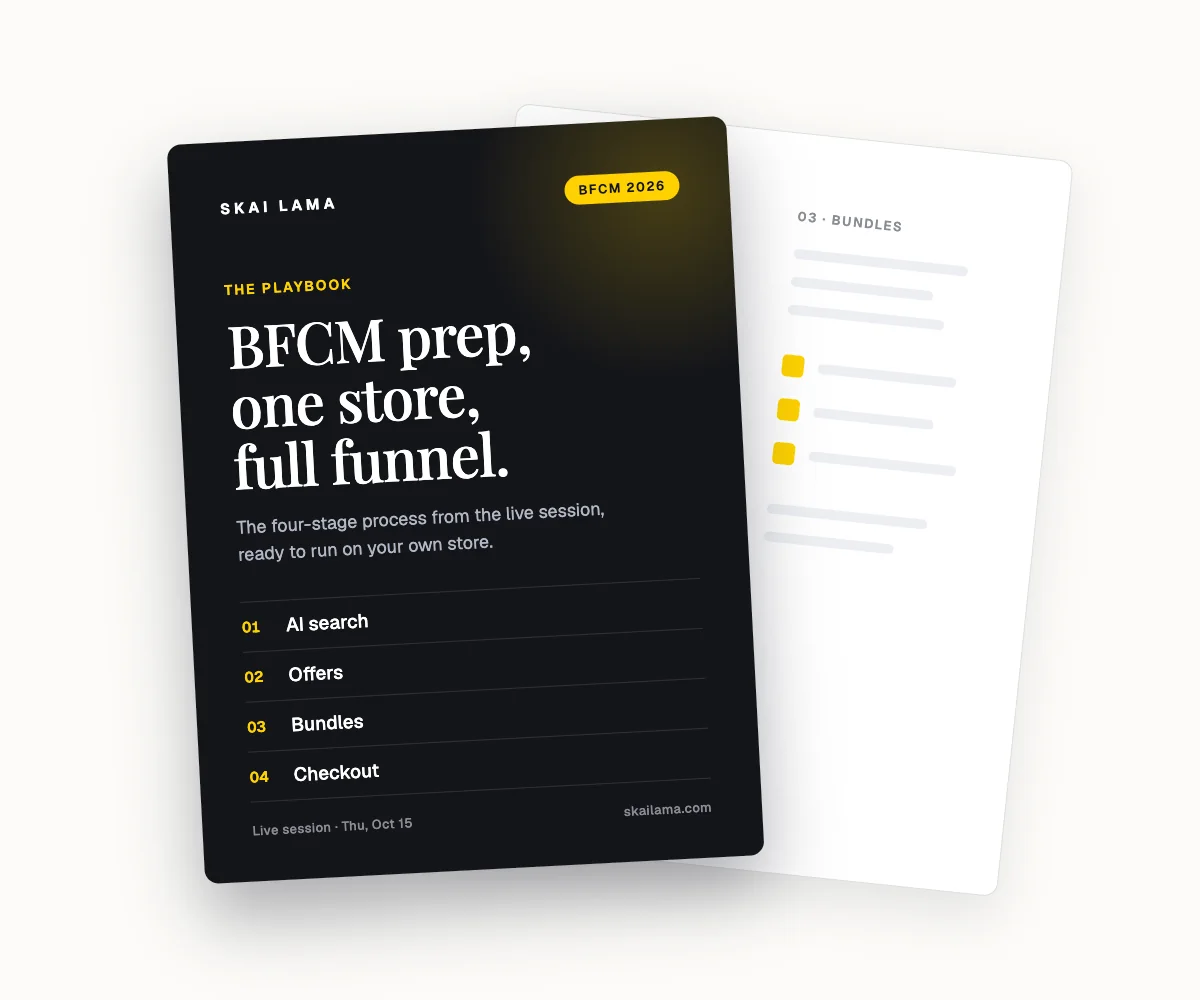
Free webinar
BFCM prep, live on one store.
We take one Shopify store through the whole BFCM funnel on screen, from AI search to checkout. You leave with the playbook to run the same on yours.
Thu, Oct 15
1 PM ET · 10 AM PT
60 minutes
Can't make it live? Register anyway. The recording and the playbook go to everyone who signs up.
Save your free seat
BFCM Prep Live. Thu, Oct 15 at 1 PM ET, 10 AM PT, 6 PM UK. 60 minutes.

