.svg)
.svg)

.svg)
.svg)





Our Apps Have Driven
5X AOV | 2X Conversions | $30M+ Additional Revenue
5X AOV | 2X Conversions | $30M+ Additional Revenue
.svg)


5.0 (3000+ Reviews)


Shopify Apps





.svg)

As a Shopify developer, implementing discount features can be a tricky process, especially when it comes to choosing between & implementing different methods.
In this article, we’ll explore what Shopify Discount Functions are, how they differ from Shopify’s native ability to run discounts, and also guide you through the migration to discount functions.
We'll also cover how you can create your own discount functions, both with code and without, using apps that integrate seamlessly with Shopify. So dive right in
To understand Shopify Discount functions, let’s first understand what Shopify Functions are.
Shopify Functions are custom server-side scripts that execute in response to specific events within the Shopify platform. They enable developers to extend or modify Shopify's discount backend logic to cater to unique business requirements.Shopify Functions were launched as the alternative to the legacy Shopify Scripts.
Shopify Functions cover six distinct customization areas. The table below shows all six at a glance, what each one does, and what it replaces from the old Scripts world:
Heads up: Shopify Scripts are being deprecated in two phases. After April 15, 2026, you can no longer edit or publish Scripts. After June 30, 2026, all Scripts stop executing permanently. If your store relies on Scripts, migration to Shopify Functions is not optional.
Discount Functions are a specific type of Shopify Function designed to calculate and apply discounts during the checkout or cart evaluation process.
Minimal Latency = Better Customer Experience: Developers do not need to manually trigger discount functions via API calls; instead, they operate inline within the checkout process, ensuring minimal latency and a smooth customer experience.
Beyond Shopify Native: By using Discount Functions, developers can introduce new discount types and promotions beyond Shopify's native capabilities. These functions execute rapidly, typically in under 5 milliseconds, on Shopify's global infrastructure, ensuring real-time performance during both cart and checkout operations.
Here’s how you go about implementing them technically:
Shopify offers three main discount function APIs as of now, corresponding to different discount scopes:
Allows discounts on specific products, variants, or individual cart lines. This creates new discount types that apply to particular items in the cart. Example use cases: “Buy 2 of this product, get 10% off those items” or "$5 off blue T-shirts" (targeting a product variant).

Allows discounts on the entire cart/order subtotal. These functions produce an order-level discount (affecting all eligible items in the cart). Example use cases: "10% off the whole order if cart total exceeds $100" or "Spend $200, get $25 off the entire order".

Allows discounts on shipping rates at checkout. These functions can modify the pricing of shipping options. Example use cases: "Free shipping on orders over $X" or "20% off Express Shipping for VIP customers".

Each discount function is deployed as an app extension. When you build a Shopify app, you use the Shopify CLI to scaffold a function of the desired type (product, order, or shipping discount). For example, to start a product discount function, you might run:
shopify app generate extension --template=product_discounts --name="volume-discount"
This creates a function project with a configuration file, a run.graphql (to define the input query for the function), and a run.js or run.rs (the function logic in JavaScript or Rust). Shopify Functions can be written in any language that compiles to WebAssembly, though Shopify provides tooling for Rust and JavaScript (TypeScript) out of the box.
Rust is recommended for better performance on large carts, but TypeScript/JavaScript templates are available for convenience.
Once the function code is written and deployed to Shopify’s servers (via the app installation on a store), it will execute automatically during checkout/cart calculations.
For example, if you created a volume discount function (a product discount type) that gives 10% off on buying 2 or more of a product, Shopify will run your function whenever a customer’s cart is updated (adding items, changing quantity) to see if the conditions are met and then apply the discount.
The function receives data like the cart lines (with product IDs, quantities, attributes), customer info, cart attributes, etc., based on the GraphQL RunInput you defined. It then returns a result specifying the discounts to apply.
After deploying a function through your app, you need to activate it by creating a discount that uses the function. Shopify provides GraphQL Admin API mutations for this. In your app (or using the Shopify GraphiQL explorer), you would call:
These mutations let you register a new discount entity in the store that links to your function by its ID. For example, you could create an automatic discount that applies your “volume discount” function site-wide or create a discount code (e.g. SAVE10) that, when entered, will trigger your function’s logic to calculate the discount.
In either case, Shopify needs a record of a discount in the admin that corresponds to your function. The API call typically includes details like the function ID, the title of the discount, the strategy for how it combines with other discounts, etc. (When registering via GraphQL, you can specify combination behavior, for instance, whether the function’s discount can stack with another discount code or if it should be exclusive.
To use these Admin API mutations, your app must have the write_discounts permission scope. Also, only Shopify Plus stores could historically use custom apps for such features, but with Shopify Functions, even non-Plus merchants can install public apps from the App Store that contain Functions. This opens up advanced discounts to all stores.
Below is a simplified example of a Product Discount Function that gives a 10% discount on any cart line where the quantity is 2 or more (a basic volume discount). This example is written in a JavaScript-style pseudocode for illustration:
/**
 * @param {RunInput} input - Shopify provides cart data as input to the function.
 * @returns {FunctionRunResult} - The function must return a result with discounts.
 */
export function run(input) {
  const result = {
    // Strategy: apply this discount first (before any others)
    discountApplicationStrategy: "FIRST",
    discounts: []  // will fill with any applicable discounts
  };
  // Loop through all cart lines in the input
  for (const line of input.cart.lines) {
    if (line.quantity >= 2) {
      // If this cart line has 2+ of the same item, apply 10% off that line
      result.discounts.push({
        targets: [
          { cartLine: { id: line.id } }  // target this specific cart line
        ],
        value: {
          percentage: { value: 10 }      // 10% off (percentage value)
        },
        message: "10% off for 2+ qty"     // text that will show in checkout
      });
    }
  }

  return result;
}
In this snippet, the function inspects each cart line; if the quantity meets the condition, it appends a discount to the result. The FunctionRunResult includes an array of discounts, each with a target (here, we target the specific cart line by ID) and a value (10% off). The message is optional and if provided, will be displayed to the customer (e.g., “10% off for 2+ qty” shown under the line item). Shopify will take this output and apply the discounts accordingly in the checkout price calculations.
Under the hood, the data structures and types (like RunInput, FunctionRunResult, Discount, CartLineTarget, etc.) are defined by Shopify’s schema. For example, a discount can target either specific cart lines or entire product variants, and you can even limit the number of items to which the discount applies by using the quantity field on the target.
In our example, we targeted each cart line individually; alternatively, one could target a product variant ID to apply a rule to all lines of that variant in the cart (useful for variant-specific promotions).
As Shopify transitions from Scripts to Functions, it's essential for developers to understand the migration process to ensure continued customization capabilities for their stores.
Shopify has announced that Scripts will be deprecated on June 30, 2026. This change necessitates migrating existing customizations to Shopify Functions, which offer enhanced performance, scalability, and flexibility.
To know more, read our detailed guide to migrating from Shopify Scripts to Shopify Functions.
Note: It's important to complete the migration before June 30, 2026, to maintain uninterrupted customization support.
For merchants who prefer not to dive into coding, several Shopify apps facilitate the creation and management of Discount Functions through intuitive interfaces. If your use case falls into standard promotional territory (tiered discounts, BOGO, free gifts, volume breaks, shipping promos), a Functions-native app gives you the same checkout-level logic without writing or deploying any code.
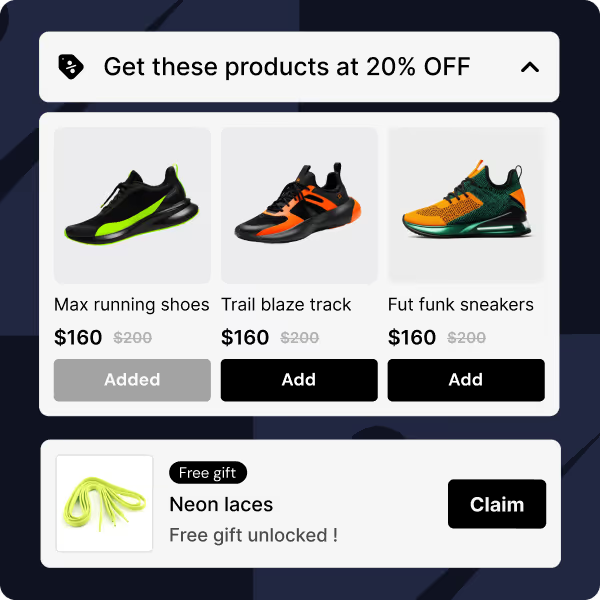
Kite: Discount & Free Gift, is built entirely on Shopify Discount Functions and handles the most common Script replacement use cases through a no-code interfaceWith Kite, you can create:
Kite is available on all Shopify plans (not just Plus) and campaigns are managed directly from the Shopify Admin, the same interface merchants already use for native discounts.
When to use Kite instead of building a custom Function:
Case Study: Read how Evelyn & Bobbie Increased AOV with Buy X Get Y Discount
Shopify offers three distinct methods for implementing discounts: Native Shopify Discounts, Shopify Scripts, and Shopify Discount Functions. Understanding the differences among these options is crucial for developers aiming to optimize discount strategies and enhance the scalability of Shopify stores.
Out of the box, Shopify provides basic discount types (like automatic discounts or discount codes for percentage, fixed amount, BOGO, etc.). Shopify Discount Functions extend this by enabling completely custom discount rules that native discounts can’t do.
For example, with a discount function you could implement volume pricing with tiered rates, “buy X get Y at 50% off” deals, customer-segment specific discounts, etc. – all of which are defined by code. When a merchant installs an app containing a discount function, the new discount type becomes available in their Shopify Admin (just like built-in discounts) and can be configured without touching code.
This means developers can create unique discount logic, and merchants can use it via the familiar Discounts interface in Shopify Admin.
Let’s learn more about the three different ways to implement Shopify Discount functions
These are built-in discount features provided by Shopify, allowing merchants to offer various promotions without additional coding and in the Shopify Admin itself.

Discount methods:
Customization:
Limited to predefined discount types such as percentage off, fixed amount off, or free shipping.
Basic rules based on minimum purchase amounts, specific products, collections, or customer segments.
Management:
Configured through the Shopify Admin interface, offering a user-friendly setup without the need for coding.
Introduced for Shopify Plus merchants, Scripts allow for customizations within the checkout process using a Ruby-based scripting language.

Functionality:
Modify line item properties, shipping rates, and payment methods during checkout and apply discounts based on complex conditions, such as customer tags or cart contents.
Customization:
Offers advanced customization capabilities, including conditional logic and personalized promotions and requires knowledge of Ruby programming.
Limitations:
Discount Functions enable developers to create custom discount logic that integrates seamlessly with Shopify's ecosystem. This is built on the latest technology and is supported to scale by Shopify.
Functionality:
Customization:
Management:
Once the app(s) built on discount functions are installed, new discount types become available in the Shopify Admin interface, allowing merchants to configure them without touching code.

The following table summarizes the key differences among Native Shopify Discounts, Shopify Scripts, and Shopify Discount Functions:
While Shopify Discount Functions offer robust customization capabilities, it's important to be aware of certain limitations, especially when dealing with large inventories and complex discount structures.
This is the most significant behavioral difference from Shopify Scripts for Plus merchants.
In Scripts, a single Ruby program had full control over the cart and could apply multiple discounts to the same line item in sequence. A loyalty discount and a volume discount could both apply to the same product in one execution.
In Discount Functions, each Function runs as a separate isolated module with no awareness of other Functions. Shopify then applies a discountApplicationStrategy to decide which discount wins per line item:
FIRST — the first matching discount appliesMAXIMUM — the highest value discount appliesALL — all matching discounts apply (available for order and delivery discounts, not product discounts as of now)The result: two product-level Discount Functions targeting the same line item cannot both apply. Only one wins. If your Scripts were stacking a loyalty discount with a promotional discount on the same product, that behavior does not directly translate to Functions.
The workaround options are: restructure campaigns so they never target the same line item simultaneously, consolidate all discount logic into a single Function with branching conditions, or use compare-at pricing for baseline discounts so a Function discount stacks on top.
To address these challenges:
As a Shopify developer, navigating discount implementations can be challenging, but Shopify Discount Functions offer a powerful, future-proof solution.
With Shopify Scripts being phased out, now is the time to transition to a more flexible and scalable approach. These functions give you full control over discount logic, ensuring better performance and a smoother customer experience.
While there might be some limitations, you can use other methods, such as Rust or even no-code apps (Kite: Discount & Free Gift App) to circumvent this.
Embracing Discount Functions now will not only keep the stores you build or maintain ahead but also unlock new possibilities for you.
As a Shopify developer, implementing discount features can be a tricky process, especially when it comes to choosing between & implementing different methods.
FAQs on Shopify Discount Functions


.avif)