Black Friday Cyber Monday can bring a sharp increase in traffic, orders, and new customers to your Shopify store. But preparing for BFCM takes more than setting up a discount code and scheduling a few promotional emails. In 2025, Shopify merchants generated a record $14.6 billion in BFCM sales, marking a 27% increase from the previous year.
You need to review previous performance, plan your offers, optimize your storefront, test checkout, prepare your marketing campaigns, and make sure your team can handle increased demand. This BFCM checklist brings the key preparation tasks into one place, along with a timeline to help you complete them before the sales weekend.
Whether you are preparing for your first BFCM or looking to improve on last year's results, use this guide to identify gaps, prioritize important fixes, and get your Shopify store ready for peak-season traffic.
BFCM Checklist: 20 Things to Prepare Before Black Friday Cyber Monday
A complete BFCM checklist should cover the entire customer journey, from planning and inventory to product discovery, checkout, marketing, support, and post-purchase retention. Work through these 20 areas before peak season, then use the readiness audit and timeline to identify what needs additional attention.
1. Start BFCM Planning With a Clear Timeline
- Start your BFCM planning several weeks before the sales weekend. Leaving strategy, store updates, and testing until the final few days can create unnecessary pressure and leave little time to fix problems.
- Begin by defining your revenue, order volume, AOV, conversion rate, and customer acquisition goals to increase Shopify BFCM sales. Include a minimum acceptable margin and a maximum discount, not just a sales target.
- Assign owners for merchandising, products, collections, discounts, inventory, fulfillment, shipping, theme changes, apps, marketing, customer support, analytics, and incident escalation. I Then create deadlines for offers, campaigns, landing pages, technical updates, QA, and launch. Having clear ownership and deadlines gives your team enough time to test important changes before traffic increases.
- Set a date for your final technical review and code freeze as well. After that date, avoid non-essential theme edits, app installations, checkout changes, tracking changes, or discount changes. The plan should also show the exact campaign start and end times in the Shopify store timezone, the time when email and advertising campaigns will begin, and the person responsible for approving any emergency changes.
2. Review Last Year’s BFCM Performance and Set Benchmarks
- Your previous BFCM performance gives you a useful baseline for this year's planning. using Shopify Analytics, available reports, Orders, Products, Customers, and your marketing platforms. Revenue, orders, conversion rate, and AOV are useful, but they are not enough to understand whether the campaign was actually healthy.
- Add contribution margin, discount cost, refund rate, payment failures, stockouts, shipping delays, hourly order volume, best and worst products, new versus returning customers, customer acquisition cost, and the performance of each discount or bundle. If your marketing numbers and Shopify numbers do not agree, document which system will be treated as the source of truth for each metric.
- Instead of deciding what to change based only on assumptions, review what actually happened during your previous campaign. Look at revenue, orders, AOV, conversion rate, customer acquisition, product performance, and channel-level results. Identify which offers generated the most orders and which campaigns or channels brought the most valuable traffic.
- Use these findings to set benchmarks for the upcoming BFCM. Having a baseline also makes your post-BFCM analysis more meaningful because you can compare actual performance against a defined target.
3. Segment Your Customers and Identify High-Value Audiences
- Your entire customer base does not need to receive the same BFCM message. Segment customers based on purchase history, engagement, value, and where they are in the buying journey.
- Consider creating segments for previous BFCM buyers, repeat customers, high-value customers, recent purchasers, inactive customers, and prospects. You can also create audiences for visitors who viewed products or abandoned their carts.
- Each segment should have a defined message, offer, timing, and exclusion rule. Customers who recently purchased may need to be suppressed from the same promotion. Customers who have unsubscribed must remain excluded. Customers who already used a promotion may not qualify for another version of it.
- These segments can inform your email, SMS, paid advertising, loyalty, and retargeting campaigns. More relevant messaging can also help you avoid sending the same promotion to every customer.
4. Plan Inventory, Fulfillment, and Supply Chain Capacity
- A strong BFCM campaign can quickly become an operational problem if your store cannot fulfill the orders it generates. Review your inventory and fulfillment capacity before finalizing your promotions.
- Identify products that are likely to see higher demand and confirm replenishment timelines. Review warehouse capacity, shipping arrangements, packaging requirements, and potential delivery delays. For high-demand products, define a safety stock level and reorder point. Decide in advance what happens when inventory becomes low or reaches zero. You may hide the product, mark it sold out, remove it from a collection, offer a waitlist, allow a backorder, or replace it with another product.
- Shopify should be treated as part of this process, not just a place where inventory is displayed. Check product availability by sales channel, inventory tracking, location assignment, product variants, bundles, free gifts, and fulfillment status. Make sure paid ads, email campaigns, recommendations, and BFCM collections stop promoting products that can no longer be fulfilled.
- Plan for sale-item returns, exchanges, damaged products, failed deliveries, address changes, refund delays, and return backlogs. Make sure customer-service staff and Shopify order managers follow the same procedure.
5. Build Your BFCM Deals, Discounts, and Bundles
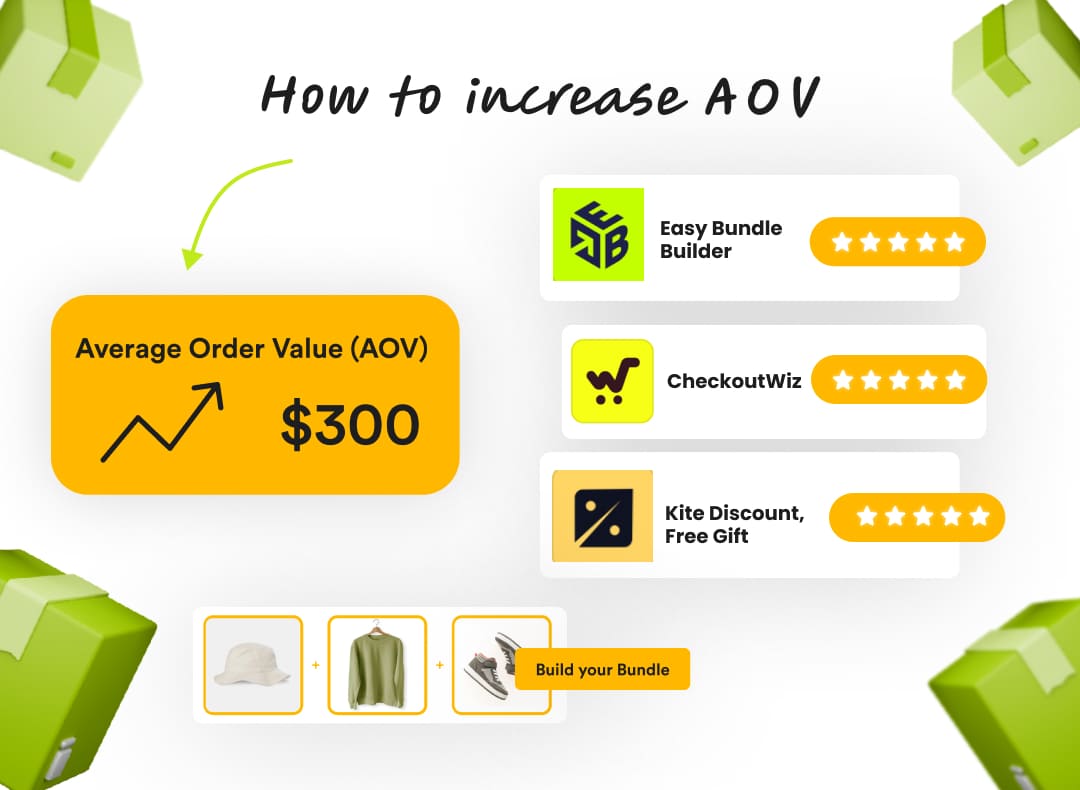
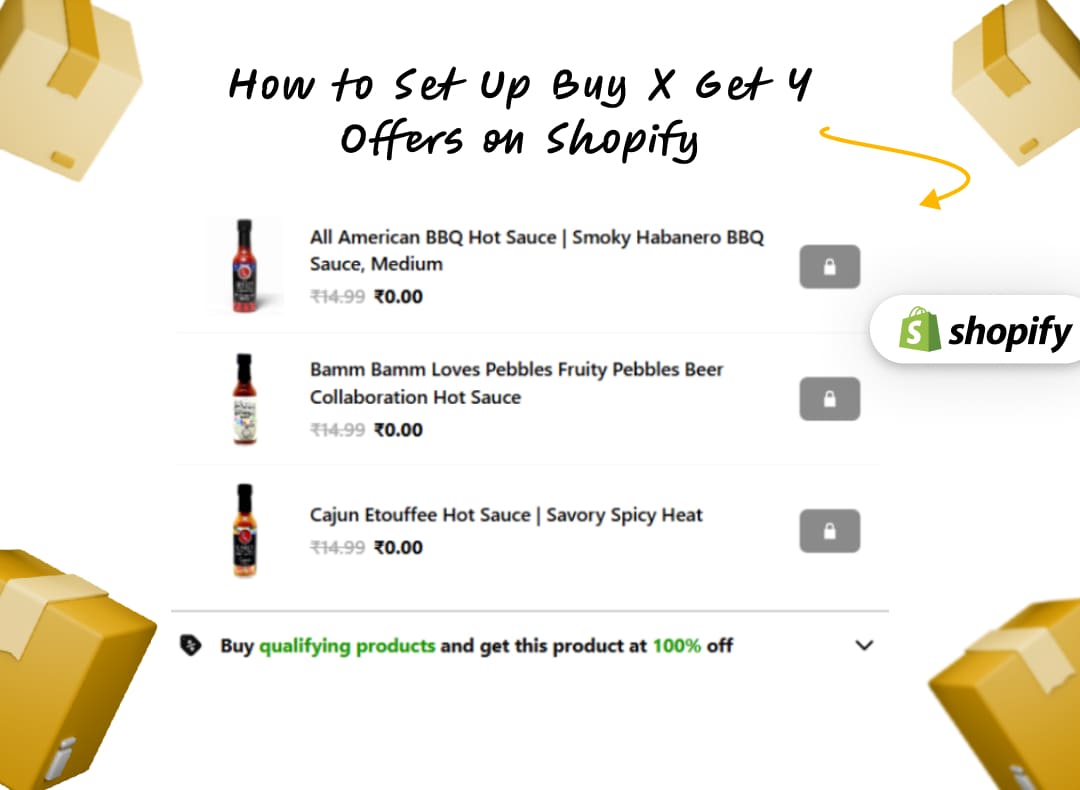
- Finalize the commercial offer before creating campaign assets. Shopify may support discount codes, automatic discounts, product or collection discounts, free shipping, and gift cards, while bundles, free gifts, and more advanced promotion logic may depend on your installed app, such as Kite Discount & Free Gift.
- Create a promotion profitability sheet for every offer. Include the full price, discount, product cost, shipping cost, payment fees, expected refund exposure, customer acquisition cost, and minimum acceptable margin. A promotion that produces more orders but loses money is not automatically a successful promotion.
- Set a minimum margin, maximum discount, maximum customer acquisition cost, and maximum acceptable refund exposure. Define the point at which an offer should be paused or changed. This prevents the team from continuing a campaign simply because it is generating revenue.
- Test discounts inside the actual customer journey. Check minimum purchase requirements, exclusions, discount stacking, automatic discounts, codes, free gifts, bundles, sale items, multiple quantities, gift cards, and customers shopping across different markets or currencies. Confirm that the offer shown in Shopify matches the offer described in your banners, product pages, emails, advertisements, and social content.
6. Optimize Your Product Pages for BFCM Traffic
Your product pages will often be where shoppers make their final purchase decision. During BFCM, they also need to communicate important information quickly because customers may be comparing several products and offers at once.
Review the products included in the campaign using Shopify’s product settings, product templates, images, reviews, metafields, recommendations, and variant configuration.. Add product videos, size charts, comparison information, or other buying aids where they can help customers make decisions.
Make your savings and promotional pricing easy to understand, especially on mobile. You should also review product recommendations, cross-sells, and related products for opportunities to increase AOV without creating unnecessary friction. Variant selection must work, inventory status must be accurate, delivery information should be visible, and size charts, specifications, FAQs, and returns information should be easy to find. If the product is part of a bundle or free-gift offer, the page should explain the terms without forcing the shopper to search elsewhere.
7. Audit Your Store’s Technical Health and Site Speed
- A Shopify store that performs well during normal traffic may still struggle during BFCM when traffic, app activity, tracking, and checkout attempts increase.
- Create a list of priority URLs including the homepage, BFCM landing page, collection pages, product pages, search results, cart, contact page, and policy pages. Test them on real mobile devices as well as desktop browsers. Review large images, app embeds, pop-ups, chat tools, tracking scripts, animations, and third-party code that may slow down the storefront.
- Check for broken pixels, cookie-consent issues, broken links, search problems, collection filters, cart drawers, product variants, 404 pages, and images that fail to load. A smooth shopping experience also supports customer retention for Shopify stores, particularly when first-time BFCM shoppers are deciding whether to return.
- Every app involved in discounts, bundles, reviews, SEO, tracking, customer support, subscriptions, or post-purchase communication should be included in the test plan. Do not assume an app is safe simply because it worked during normal traffic.
8. Improve Store Navigation and BFCM SEO
- Make it easy for shoppers to discover your BFCM offers. Customers should not have to search through multiple collection pages to find the products included in your promotion.
- Create dedicated BFCM landing pages where appropriate and link to important promotional collections from your navigation. Review collection sorting, product availability, filters, search results, promotional badges, breadcrumbs, internal links, meta descriptions, and product recommendations.
- For seasonal SEO, use a clean and consistent URL strategy. Decide whether the BFCM page will remain live after the event, be updated for another campaign, or be redirected. SEO can support discovery, but during BFCM, making the offer easy to find and easy to understand is more valuable than publishing a large amount of last-minute content. Your seasonal pages should also contain clear information about the offer and relevant products. Once the campaign ends, review which seasonal pages should remain live, be updated, or be redirected.
9. Reduce Cart and Checkout Friction
A shopper who reaches checkout has already shown purchase intent, so unnecessary friction at this stage can directly affect conversions.
Create a test matrix covering desktop and mobile, guest and logged-in customers, full-price and discounted products, free-shipping thresholds, multiple quantities, out-of-stock products, different payment methods, failed payments, address errors, tax calculations, gift cards, and order-confirmation emails. Test the complete journey from product selection to order confirmation. Check discount codes, automatic discounts, shipping calculations, payment methods, form fields, error messages, and mobile checkout.
Run multiple test orders using different products and promotional scenarios. Make sure the discount shown in the cart matches the offer promoted on your website and campaigns.
PRO-TIP: Use an app like Checkout Wiz to design & optimize your Shopify checkout
10. Finalize Payment, BNPL, Shipping, and Returns Options
- Review payment methods, payment failures, authentication requirements, fraud analysis, high-risk order handling, refunds, chargebacks, and manual review procedures. Customers should receive a useful message when a payment fails, and staff should know what to do when an order is flagged as suspicious.
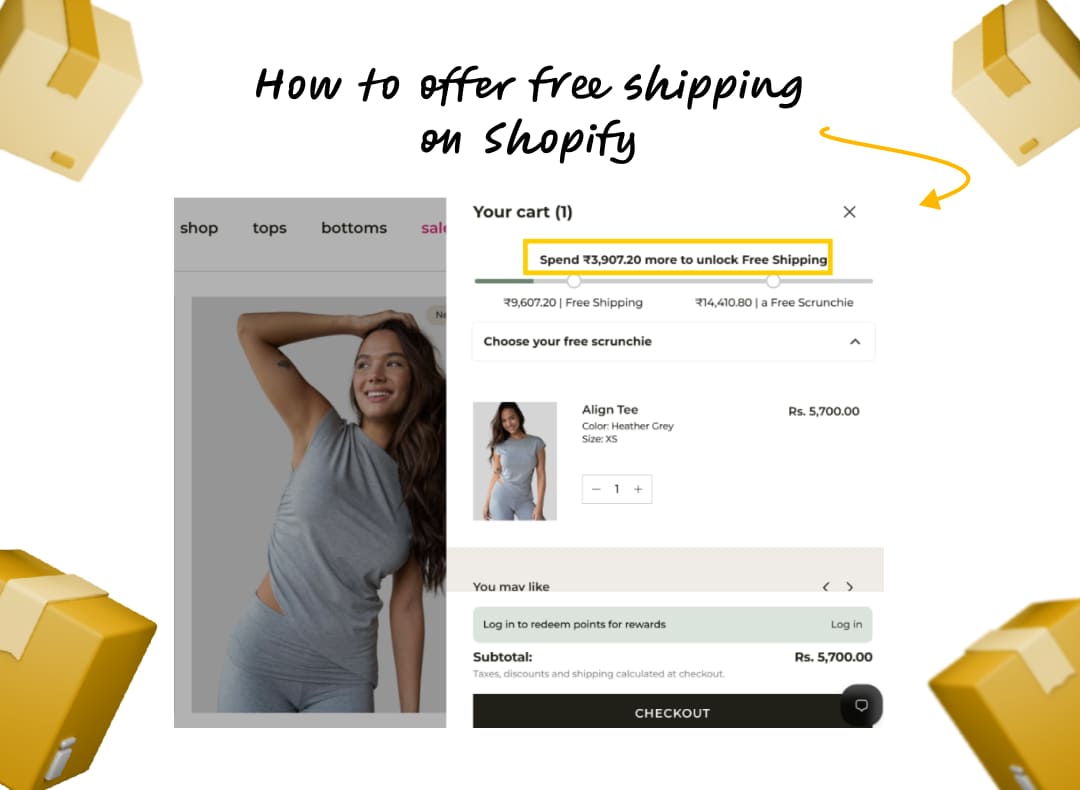
- Review Shopify shipping zones, shipping rates, shipping profiles, locations, carrier-calculated rates where used, delivery estimates, free-shipping thresholds, and processing times. Confirm that delivery promises are realistic for the BFCM order volume.
- For an India-based store, also verify that tax, invoice, payment, and delivery messaging matches the markets you serve. If the store sells internationally, review duties, taxes, currencies, and market-specific availability.
- Returns should be explicit before launch. Decide whether sale items have different return conditions, how exchanges work, how damaged orders are handled, how cancellations are processed, and how quickly refunds will be issued. Shopify’s own seasonal-sales guidance highlights promotions, abandoned checkouts, sale collections, gift cards, store policies, accelerated checkout, shipping, reviews, customer support, and fulfillment as important preparation areas.
11. Prepare Trust Signals and Purchase Confidence Elements
BFCM can introduce your brand to shoppers who have never purchased from you before. Your store should provide enough information for these customers to feel comfortable making a purchase.
Review product reviews, ratings, testimonials, and user-generated content. Make relevant shipping, returns, payment, and contact information easy to find.
Trust signals should support the purchase decision without overwhelming the page. Focus on information that answers the questions customers are most likely to have before buying.
12. Prepare Your BFCM Content and Creative Assets
- Create one master BFCM offer document containing the exact discount, dates, eligible products, exclusions, wording, shipping terms, return terms, and legal conditions.
- Every Shopify banner, collection page, product block, email, advertisement, creator brief, social post, and pop-up should be checked against that document. Inconsistency creates customer confusion and support volume.
- Create your core BFCM content before the campaign begins. This includes landing-page copy, promotional banners, product creatives, email assets, paid advertising creatives, and social content.
- Prepare variations for different audiences and channels where necessary. You should also have backup creative ready in case a product sells out, an offer changes, or a campaign needs to be adjusted.
- Consider Shopify checkout customisation to add relevant trust elements, upsells, promotional messaging, and other conversion-focused elements during BFCM. Test these changes across mobile and desktop before launch to ensure they do not introduce additional friction.
13. Build Your BFCM Email Marketing Campaigns
- Your email strategy should start before the main BFCM promotion. Build a sequence that creates awareness, introduces the offer, drives purchases, and continues the relationship after the sale.
- Plan your campaign calendar around your customer segments. Depending on your strategy, this may include early-access emails, launch announcements, promotional reminders, last-chance emails, abandoned-cart messages, and post-purchase communications.
- Test subject lines, links, promotional codes, email rendering, and mobile layouts before scheduling your campaigns. Make sure your email frequency also accounts for other channels such as SMS and paid advertising.
14. Plan SMS, RCS, and WhatsApp Campaigns by Market
- Messaging channels can complement email during BFCM, but the right approach depends on your audience, market, consent requirements, and available channels.
- Plan separate messaging for launches, reminders, and final-day promotions instead of sending identical messages across every channel. Keep messages concise and make the desired action clear.
- Coordinate your SMS, RCS, and WhatsApp campaigns with your broader marketing calendar. This helps prevent customers from receiving several versions of the same promotion within a short period.
15. Finalize Paid Marketing and Retargeting Campaigns
- Paid campaigns should be prepared before BFCM traffic starts increasing. This gives you time to verify audiences, creative budgets, and tracking instead of troubleshooting them during the busiest period.
- Prepare both prospecting and retargeting campaigns where relevant. Define audience exclusions, upload final creative, review budgets, and confirm that conversion events and tracking parameters are working.
- Use your previous performance data to determine which products, audiences, and channels deserve more attention. Prepare rules for monitoring campaigns so your team knows when a campaign requires investigation or adjustment.
- Use Shopify reporting alongside your advertising-platform data, but decide in advance how you will reconcile differences in attribution. The goal is to understand which campaigns produced profitable customers, not simply which channel claimed the most conversions.
16. Plan Social Media, Creator, and Influencer Campaigns
Social content can build awareness before your offers go live and help keep your promotion visible throughout the sales period.
Create a BFCM content calendar covering announcements, product highlights, offer reminders, creator content, and final-day messaging. If you are working with creators or influencers, provide accurate information about pricing, products, promotion dates, and campaign requirements.
Prepare responses to common questions as well. Comments and direct messages can become another source of customer support during BFCM, particularly when shoppers are asking about discounts, shipping, sizing, or product availability.
17. Set Up AI-Powered Customer Support Before BFCM
Customer support volume can increase significantly when traffic and order volumes rise. Prepare your support infrastructure before the campaign so your team is not building responses while customers are already waiting.
Update your knowledge base with BFCM-specific information about promotions, products, shipping, returns, and order status. If you use AI-powered customer support, configure the relevant agent workflows and test them before launch.
Define clear escalation rules for issues that require human assistance. Automated support should provide accurate information and make it easy to escalate complex or sensitive requests.
18. Create Your BFCM Launch-Week Operations Plan
Your launch-week plan should define what happens once the campaign is live. Assign owners for technical monitoring, marketing, customer support, inventory, and fulfillment.
Set a code freeze date for non-essential store changes. Confirm promotional start and end times, establish a schedule for checking store performance, and document escalation procedures for technical or operational issues.
The goal is to minimize unnecessary changes during peak traffic. If something does need to change, your team should already know who is responsible for making and approving that change.
19. Define Shopify BFCM Metrics, Tracking, and Reporting
- Decide what you will measure before the campaign starts. Revenue alone does not tell you whether a promotion or campaign performed as expected.
- Track gross sales, net sales, orders, conversion rate, AOV, discounts, refunds, contribution margin, new versus returning customers, product performance, stockouts, payment failures, shipping delays, support volume, marketing spend, and offer-level results.
- Make sure your Shopify analytics, marketing pixels, email revenue, advertising platforms, UTMs, discount codes, are configured correctly before launch. Define one source of truth for each metric. Shopify may be the source for orders and revenue, while an advertising platform may be used for campaign delivery and spend. Make this distinction clear before the sale so the team does not waste time debating conflicting dashboards.
- Your reporting should also connect back to the benchmarks you established during the planning stage. This will make it easier to determine whether the campaign met your goals and where improvements are needed.
20. Prepare Your Post-BFCM Retention and Measurement Plan
BFCM should not be treated as a one-week sales event. The customers you acquire during the period can become valuable repeat customers if you have a plan for continuing the relationship.
Prepare post-purchase emails and retention campaigns before BFCM ends. Identify new customers who may need additional education, product recommendations, or incentives to make another purchase.
Also plan your post-BFCM analysis. Document which offers, products, channels, and processes performed well, along with technical or operational problems your team encountered.
BFCM Readiness Audit: Find Revenue Leaks Before Peak Season
A BFCM checklist helps you cover the essential preparation tasks. A BFCM Readiness Audit goes further by showing you where your Shopify store could be losing revenue before peak traffic arrives.
We offer a free BFCM Readiness Audit that reviews four key revenue engines: AI agent visibility, CRO, bundle intelligence, and checkout intelligence. The audit runs on your live store and gives you a ranked view of the gaps and opportunities that deserve attention before BFCM.
AI Agent Visibility Audit
LLMs and agentic shopping are creating new paths for shoppers to discover and evaluate products. AI agents read your store's product information, offers, reviews, and other data when determining which products to surface or recommend.
Review what these systems currently see for your top products and identify gaps in product data that could affect how your brand and products are represented. The fixes can then be prioritized across your catalog before BFCM traffic starts flowing through AI-led discovery.
CRO Audit
More BFCM traffic only matters if your store can convert it. Product pages, offers, navigation, cart, and checkout all need to work together to turn visitors into customers.
Identify leaks across the customer journey and assess each opportunity based on its potential dollar impact. Look at both page-level and offer-level issues so you can prioritize the changes that could have the greatest effect before peak season.
Bundle Intelligence Audit
Increasing AOV does not always require a deeper discount. Your existing order data can reveal products that customers naturally purchase together and potential bundles that can increase the value of each order.
Review 8 to 12 ranked bundle opportunities and identify the top combinations to launch first. Test promising bundles before BFCM to determine which product combinations have the strongest potential to increase AOV.
Checkout Intelligence Audit
A shopper reaching the checkout is not the same as a completed sale. Missing trust signals, weak upsell opportunities, or friction in the final steps can still cause customers to drop off.
Review gaps in the final stage of the purchase journey and prioritize them for peak season. Look for opportunities to add checkout upsells, trust elements, and other improvements that can help more shoppers complete their purchases.
From BFCM Checklist to Action: How to Prioritize Your Fixes
Not every gap requires the same level of attention. Once you complete the checklist and audit, organize the findings based on their potential effect on the customer journey.
Complete the Checklist
Review all 20 preparation areas and mark each one as complete, in progress, or requiring action. This gives you a clear view of what remains before BFCM.
Identify the Gaps
Group unfinished tasks into areas such as technical performance, conversion, offers, marketing, operations, and customer support. This makes it easier to spot recurring problems.
Estimate Revenue Impact
Consider how each issue could affect traffic, conversion, AOV, order volume, or retention. A checkout problem, for example, affects customers much closer to the point of purchase than a low-priority visual change.
Prioritize High-Impact Fixes
Address problems that can directly interfere with shopping first. Broken promotions, checkout errors, inaccurate inventory, poor mobile performance, and unclear shipping or returns information deserve attention before cosmetic improvements.
Test Changes Before BFCM
Give important changes enough time to be tested. Avoid making significant updates immediately before launch unless they are necessary to resolve a critical issue.
Document What Should Not Change During BFCM
Once your store passes final QA, document which elements should remain unchanged during peak traffic. This can include theme changes, app installations, checkout modifications, tracking updates, and other non-essential technical changes.
BFCM Preparation Timeline: What to Do and When
A phased approach makes a long BFCM checklist easier to manage. The exact dates can vary by store, but the following timeline provides a practical starting point.
August–September: Analyze, Plan, and Set Benchmarks
Use this period to establish your strategy and understand your previous performance. Review last year's BFCM results, set benchmarks, segment your customers, plan inventory, decide on offers, and create your project timeline. Begin your store and technical audits so you have enough time to address major issues.
October: Optimize Your Store and Build Campaigns
BFCM marketing strategies should focus on substantial store improvements and campaign preparation throughout October. Optimize product pages, navigation, landing pages, site speed, checkout, and promotional experiences. Build your email, messaging, paid, social, and customer support infrastructure during this phase.
Early November: QA, Test, and Finalize
By early November, shift your focus from building to testing. Test discounts, checkout, payment methods, mobile performance, tracking, email campaigns, messaging campaigns, inventory processes, and customer support workflows. Complete your final technical review and confirm your code freeze date.
BFCM Week: Monitor, Respond, and Optimize
Once your campaign is live, monitor the areas that can affect customers and revenue most directly. Track revenue, orders, conversion rate, AOV, site performance, inventory, campaign performance, and customer support volume. Keep unnecessary store changes to a minimum and use your escalation plan when issues arise.
Post-BFCM: Measure, Retain, and Document Learnings
Once the promotion ends, focus on analysis and retention. Compare your results against your original benchmarks, review offer and channel performance, monitor new-customer retention, and document technical or operational issues. Use these findings as the starting point for your next BFCM planning cycle.
BFCM Performance Review: Measure Results Against Your Baseline
Your BFCM checklist should not end when the promotional period ends. The final step is understanding whether your preparation and campaigns produced the results you expected.
Compare Revenue and Order Performance
Compare revenue and order volume against the benchmarks you established before BFCM. Look at both total performance and performance by product, campaign, and channel where relevant.
Analyze Conversion Rate and AOV
Review whether increased traffic translated into purchases. Compare AOV against your baseline to understand whether discounts, bundles, free gifts, or other incentives affected the value of each order.
Measure Discount and Promotion Performance
Compare the performance of individual discounts, bundles, free gifts, and other offers. Look beyond redemption volume to understand which promotions generated meaningful commercial results.
Review Customer Acquisition and Retention
Separate new and returning customers where possible. Review how many new customers you acquired during BFCM and monitor whether they return for another purchase after the promotional period.
Identify What to Repeat, Fix, or Drop Next Year
Document the campaigns, offers, products, technical changes, and operational processes that delivered the expected results. Also record problems that should be addressed before the next peak season.
This creates a practical reference for next year's BFCM planning instead of forcing your team to start from scratch.
Conclusion: Get Your Shopify Store BFCM-Ready
A successful BFCM campaign starts well before Black Friday. Offers and marketing are important, but your store's technical health, product pages, navigation, checkout, payment options, inventory, customer support, and post-purchase strategy also shape the customer experience.
Use this BFCM checklist to work through the essential preparation tasks, then run a deeper readiness audit to identify the gaps that need more attention. Give your team enough time to test important changes before peak traffic arrives.
With a clear timeline, defined benchmarks, and ownership across each critical area, you can approach BFCM with a more organized plan and a clearer way to measure the results.

.svg)
.svg)

.svg)
.svg)


.svg)









.svg)