.svg)
.svg)

.svg)
.svg)



%20(1).jpg)
.jpg)
Our Apps Have Driven
5X AOV | 2X Conversions | $30M+ Additional Revenue
5X AOV | 2X Conversions | $30M+ Additional Revenue
.svg)


5.0 (3000+ Reviews)


Shopify Apps





.svg)

Buy X Get Y offers give customers a clear incentive to add more products to their carts while helping merchants increase average order value (AOV), move inventory, and drive repeat purchases. With Shopify's native discount settings, you can create promotions such as Buy One, Get One Free (BOGO), Buy Two, Get One Free, or spend-based offers without installing an app.
However, creating the discount is only part of the setup. You also need to define qualifying products, configure reward conditions, and make the offer visible across your storefront. This guide explains how to set up Buy X Get Y discounts on Shopify, where native functionality falls short, and when an app can help deliver a smoother shopping experience.
A Shopify Buy X Get Y discount rewards customers with a free or discounted product when they meet specific purchase conditions.
For example, a skincare store could offer a free cleanser when customers buy two moisturizers. Customers add the qualifying products and the reward item to their cart, and the discount applies when all conditions are met.
Every promotion has two components:
Shopify lets you configure these conditions using discount codes or automatic discounts. The reward can be free or discounted by a percentage or fixed amount.
The right offer depends on your margins, inventory, and customer buying patterns. Choose a reward that encourages a larger purchase without eating into profitability.
You can create a Buy X Get Y discount on Shopify directly in your admin without installing an app. Choose an automatic discount for a no-code offer or a discount code customers enter at checkout.
One important limitation: customers must manually add both the qualifying products and the reward items to their cart. Shopify applies the discount but doesn't automatically add the gift.
In your Shopify admin, go to Discounts > Create discount > Buy X get Y.
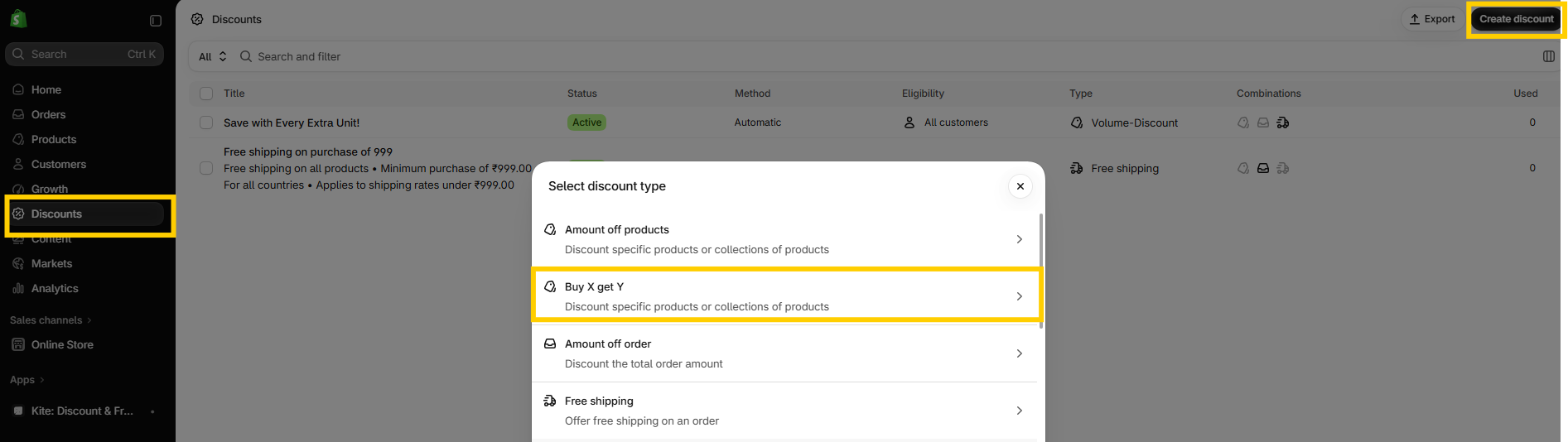
Under Method, choose Automatic discount and enter a title, such as "Buy 2, Get 1 Free."
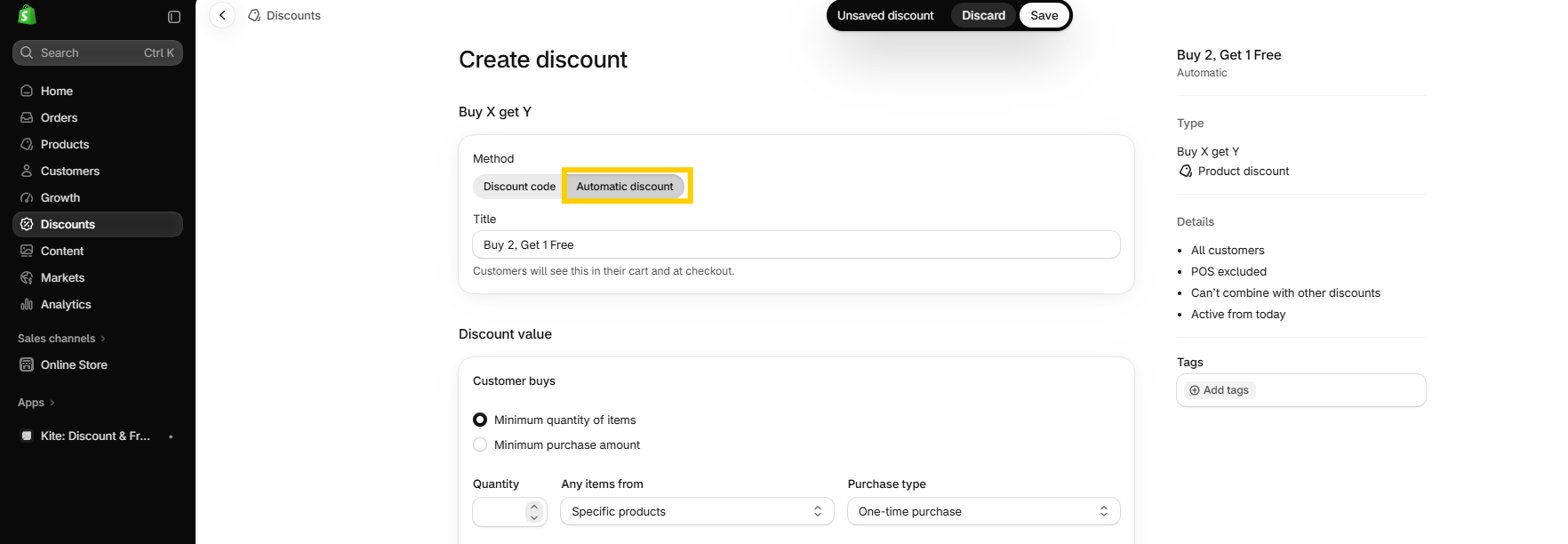
Alternatively, select Discount code and enter a code such as BUY2GET1.
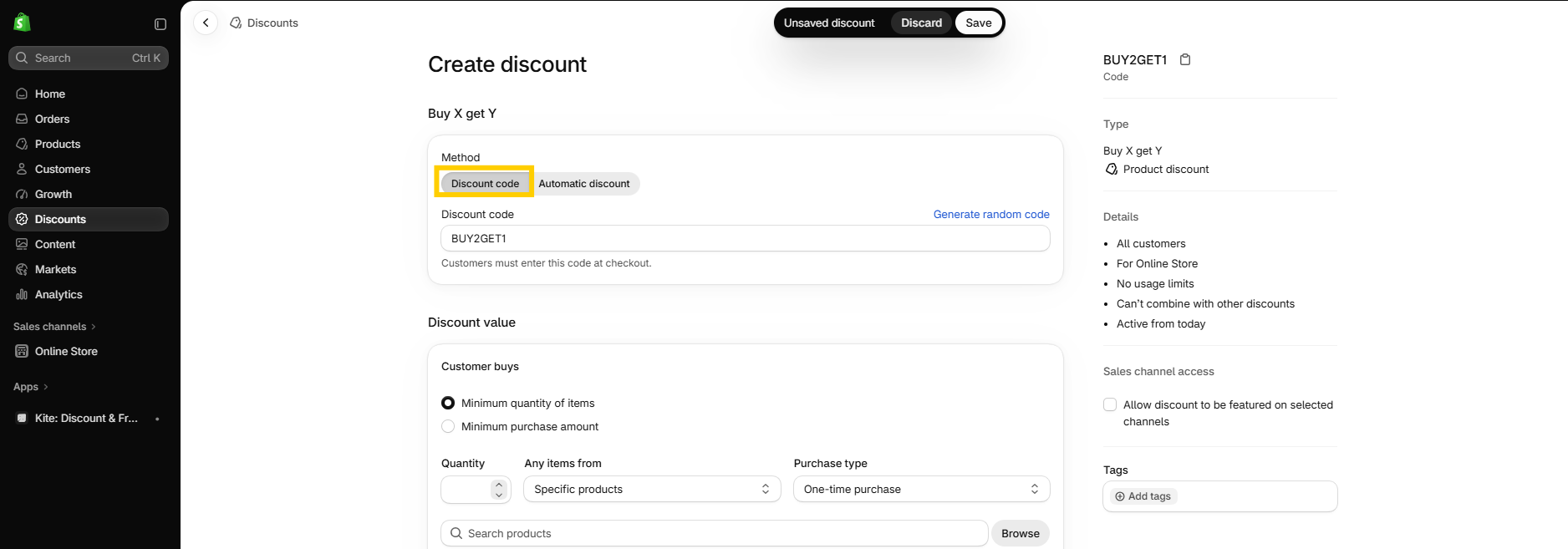
Under Customer buys, select Minimum quantity of items and enter 2. Then select the specific products or collections customers must purchase.
For spend-based promotions, select Minimum purchase amount and enter the qualifying amount. Only eligible products count toward this threshold; shipping and taxes are excluded.
Under Customer gets, enter 1 and select the products or collections customers can receive.
Under At a discounted value, select Free for a free gift. You can also choose Percentage or Amount off each to offer a discounted product instead.
If the qualifying and reward selections include the same collection, Shopify discounts the lower-priced eligible item.
To limit the promotion to one reward per order, select Set the maximum number of uses per order and enter 1.
Under Eligibility, choose who can use the discount. You can also configure overall usage limits for discount codes, where applicable.
Under Combinations, choose whether the promotion can combine with eligible order or shipping discounts.
Shopify applies restrictions to discount stacking, so review the available options and test your intended combinations before launching the offer.
Under Active dates, choose the start date and, optionally, an end date. Then click Save.
Before promoting the offer, test it with the qualifying products and reward item in your cart. For a "Buy 2, Get 1 Free" promotion, customers must add three eligible items: two qualifying items and one reward item.
For clearer storefront messaging, use: "Add 3 eligible items to your cart and get the lowest-priced one free. No code needed." This wording suits an automatic discount when the qualifying and reward products are configured accordingly.
Shopify's native discounts work well for basic Buy X Get Y offers. A dedicated app becomes useful when you want more control over reward products, discount combinations, and how promotions appear on your storefront.
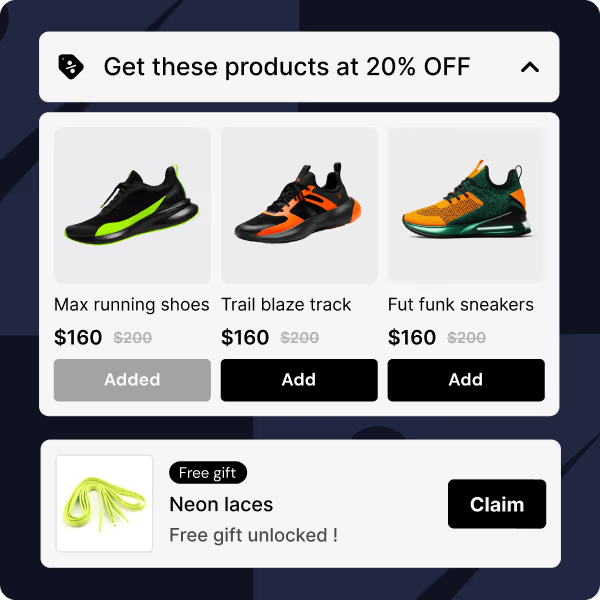
Kite: Discount & Free Gift helps merchants create Buy X Get Y offers and manage promotions with storefront widgets that explain deals before checkout. Its available features vary by plan, so check the current plan details before setting up your campaign. Here's how to create a Buy 2, Get 1 Free offer in Kite.
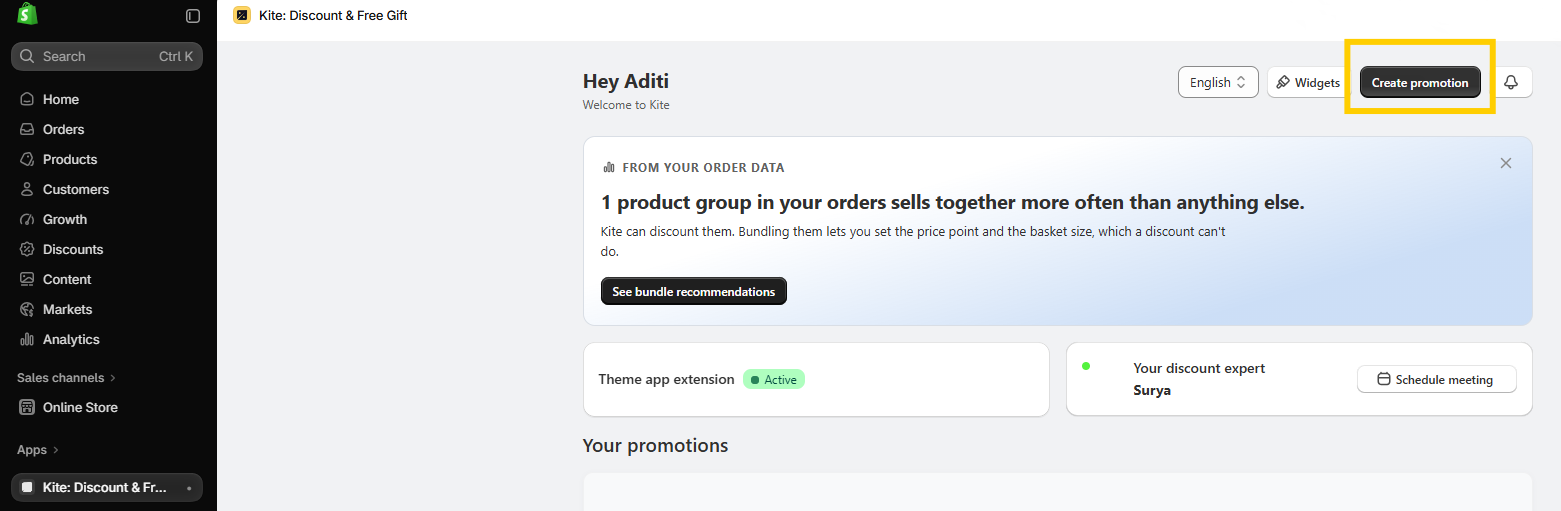
From the Kite home screen, click Create promotion.
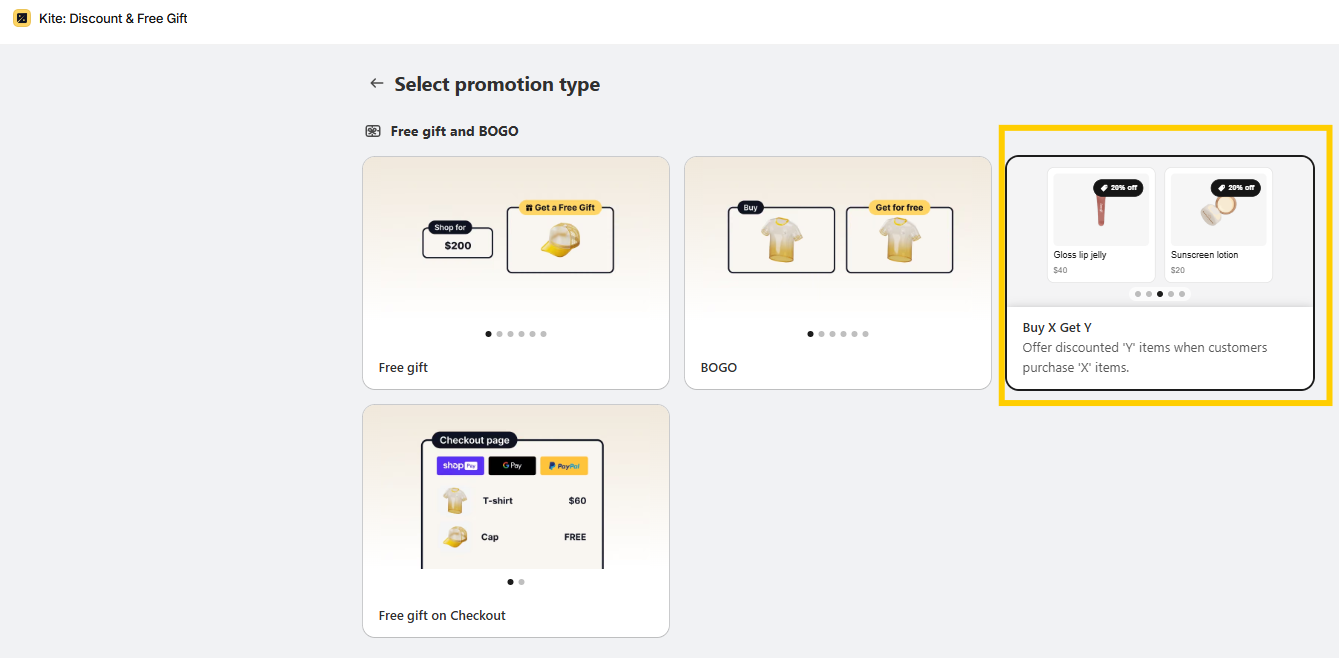
Under Free gift and bogo, select Buy X get Y (BOGO) to open the Offer setup form.
Enter an Offer name, such as "Buy 2, Get 1 Free." The offer applies automatically by default. To use a discount code instead, click Change to discount code → before saving the offer for the first time.
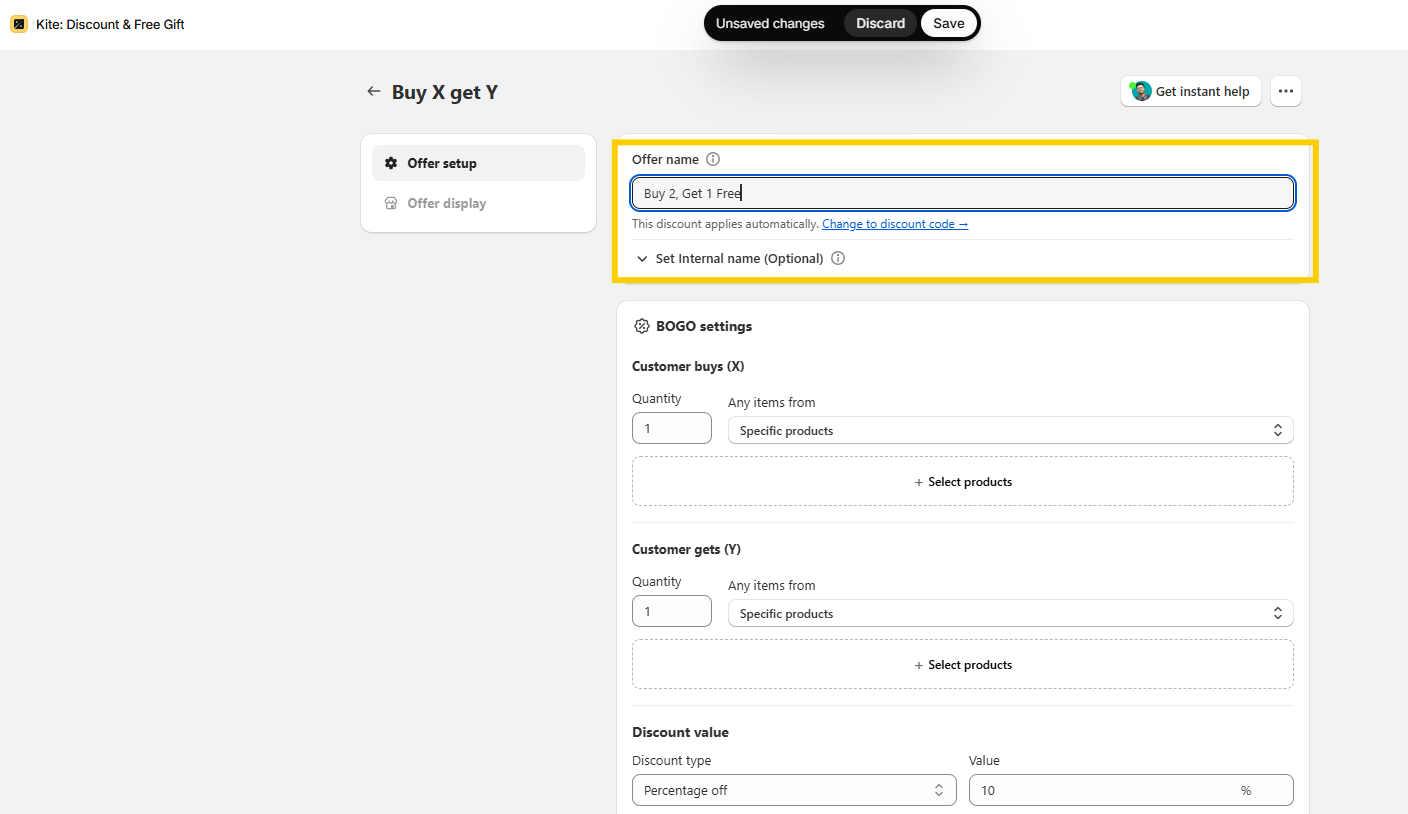
Under Customer buys (X), set Quantity to 2. In Any items from, choose Specific products or Specific collections, then select the products customers must purchase to qualify.
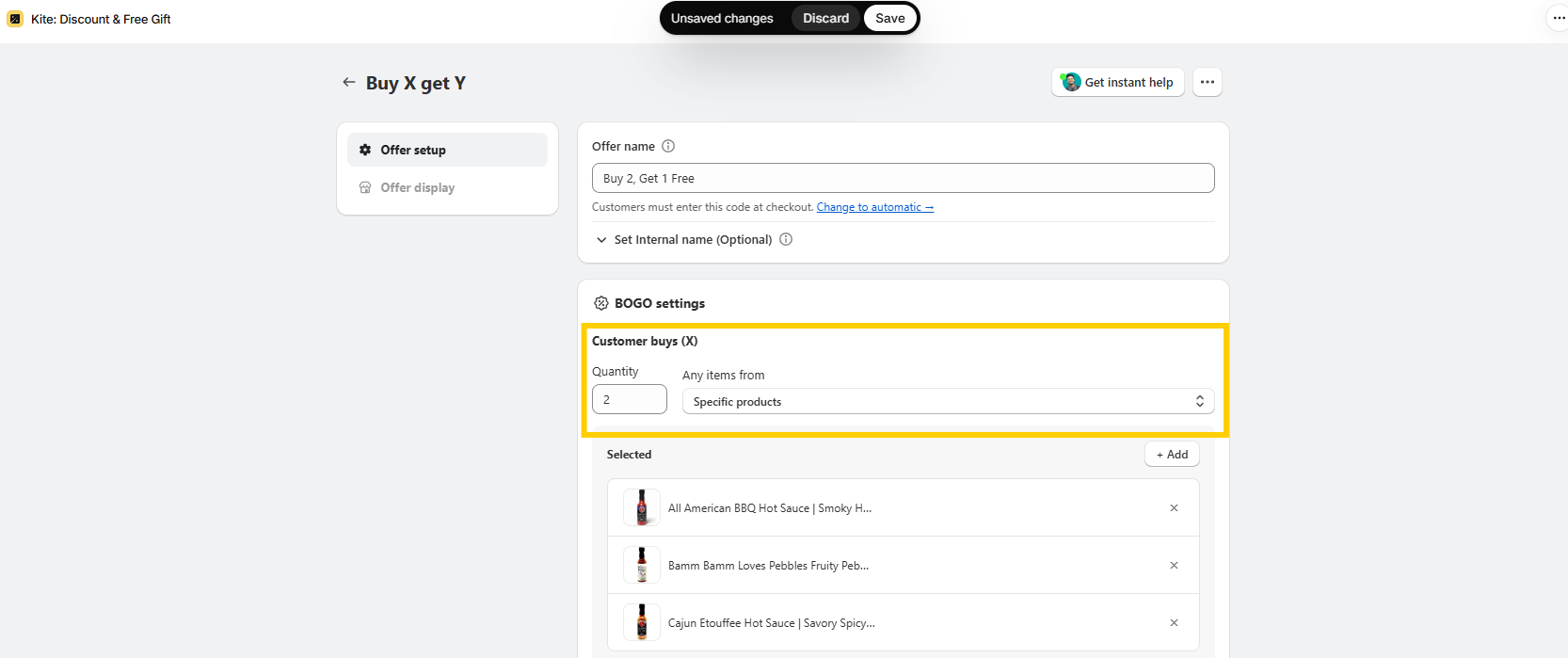
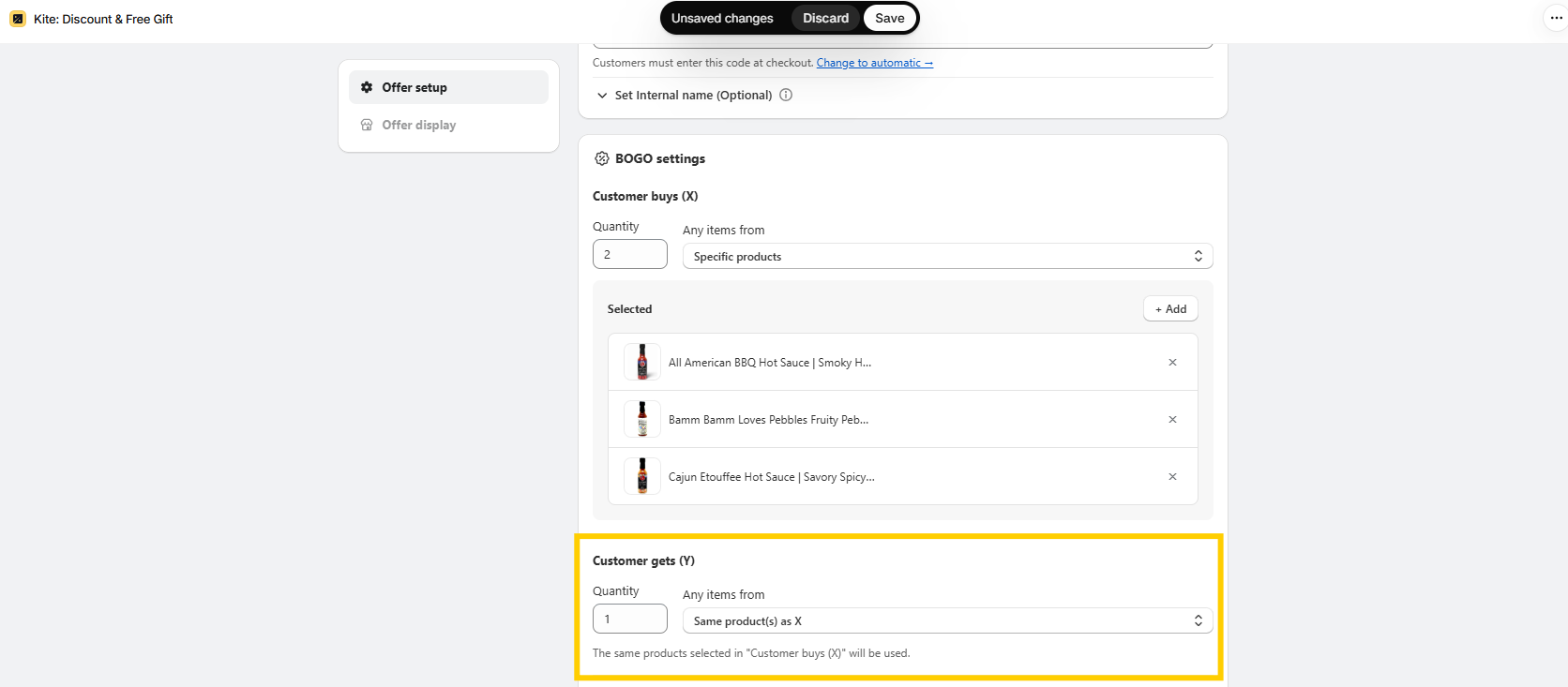
Under Customer gets (Y), set Quantity to 1. Select Same product(s) as X to offer a reward from the qualifying product selection, or choose different products or collections.
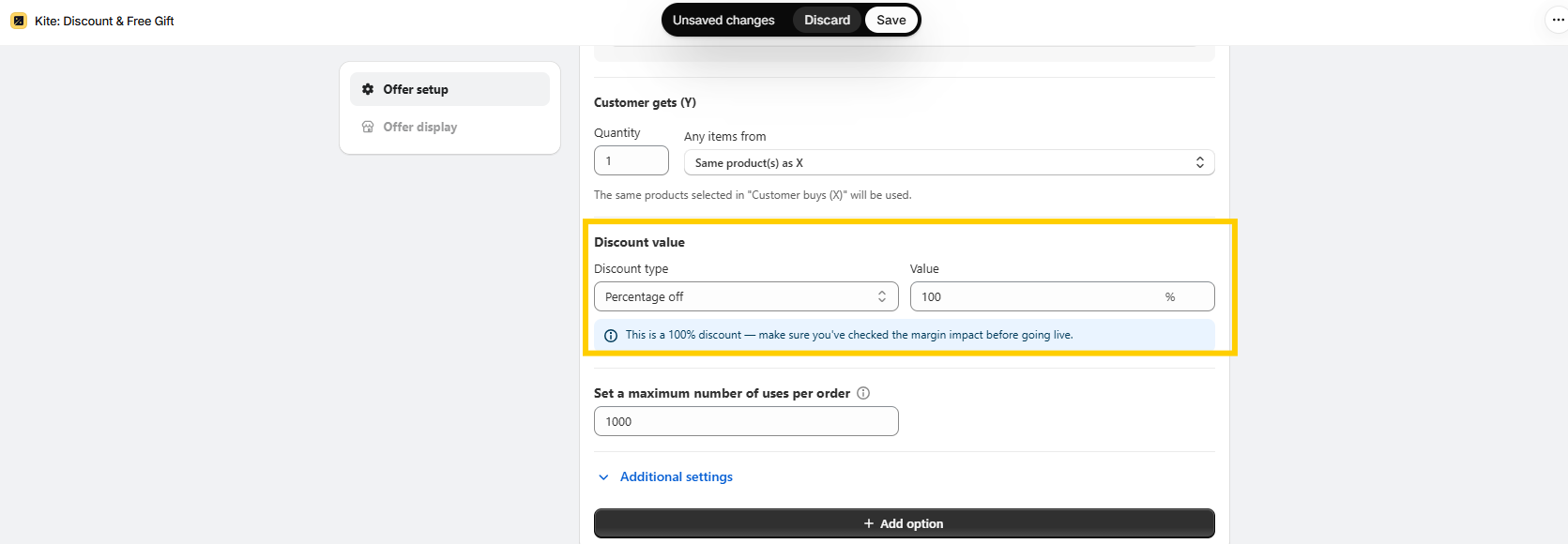
Under Discount value, select Percentage off and enter 100 to make the reward free. For a "Buy 2, Get 1 at 50% Off" promotion, enter 50 instead.
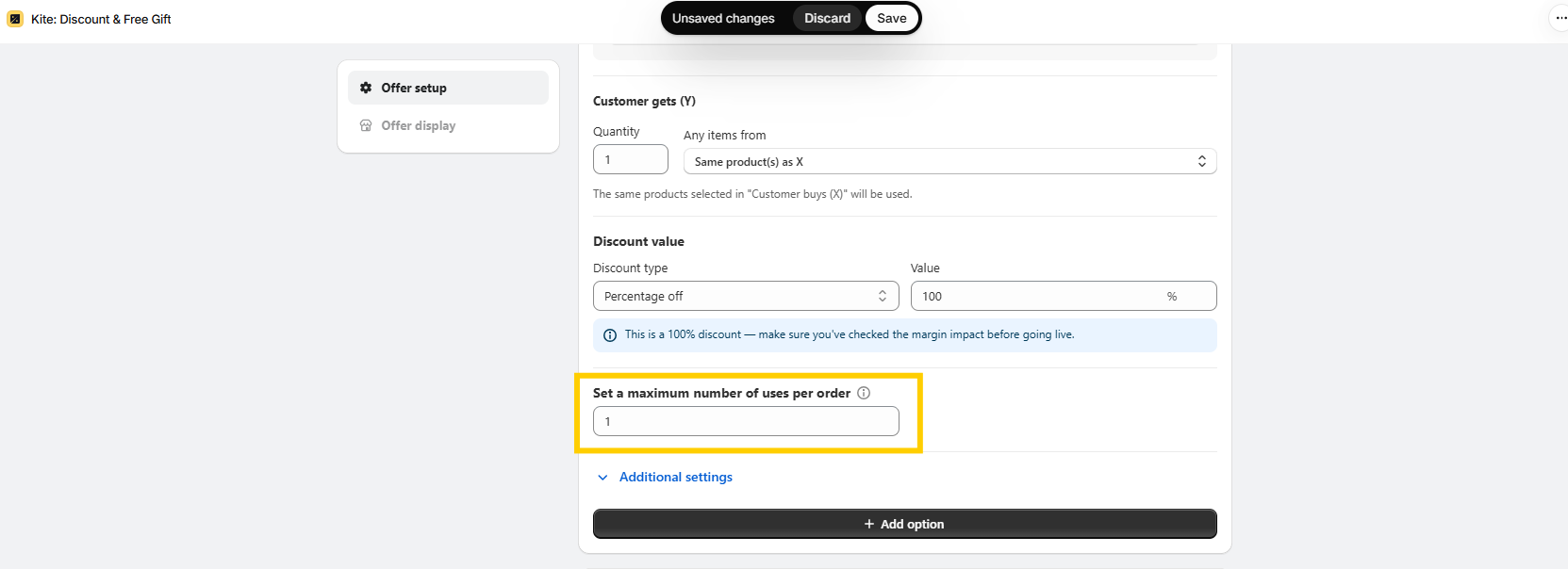
Under Set a maximum number of uses per order, enter 1 if customers should receive the reward only once per order. Kite defaults to 1000, which allows multiple rewards when the cart meets the qualifying conditions.
Review Discount combination settings. Order, product, and shipping discount combinations are enabled by default for this offer type.
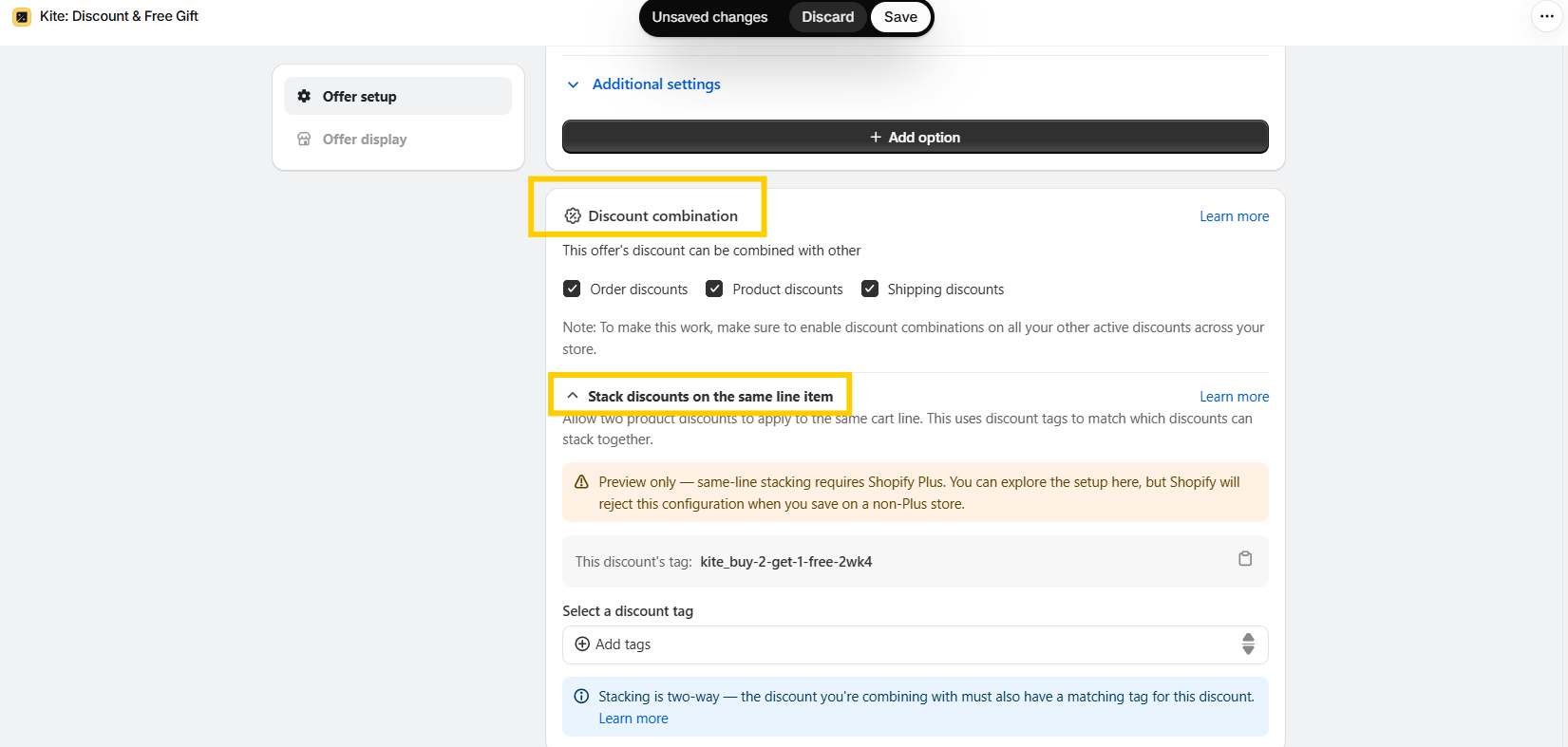
Uncheck any combinations you don't want to allow. Remember that other discounts must also permit the combination for it to work.
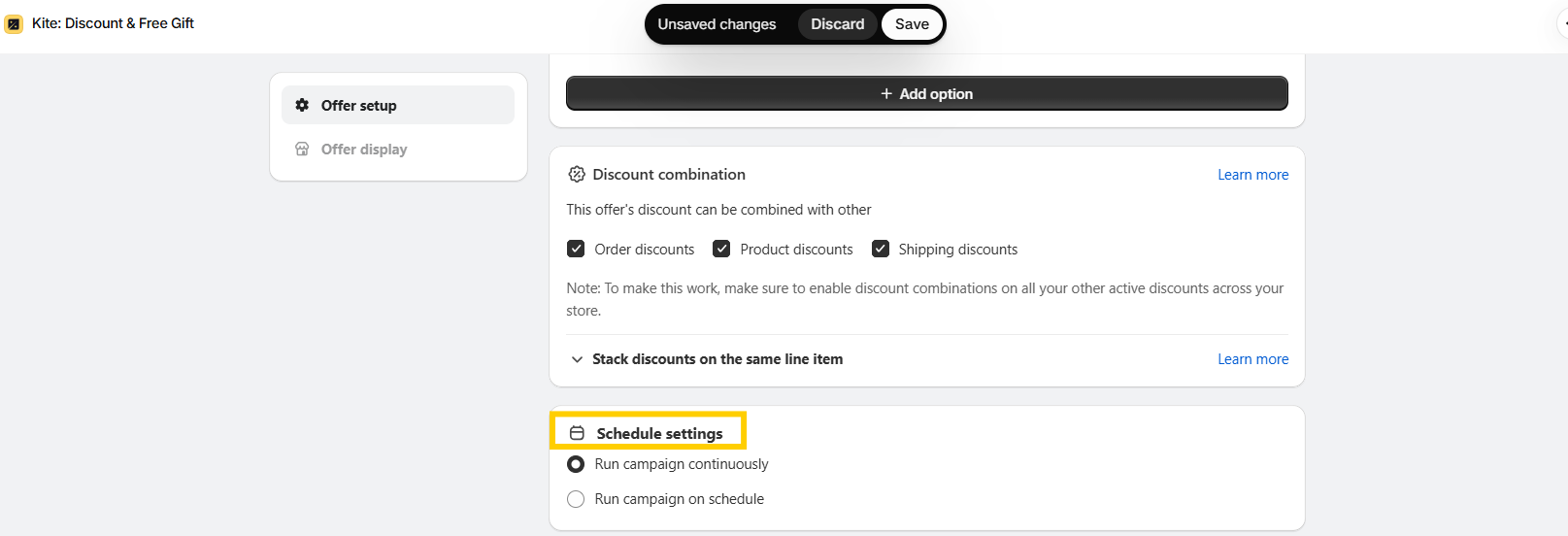
Under Schedule settings, select Run campaign continuously to keep the offer active, or choose Run campaign on schedule and enter the start and end dates and times.
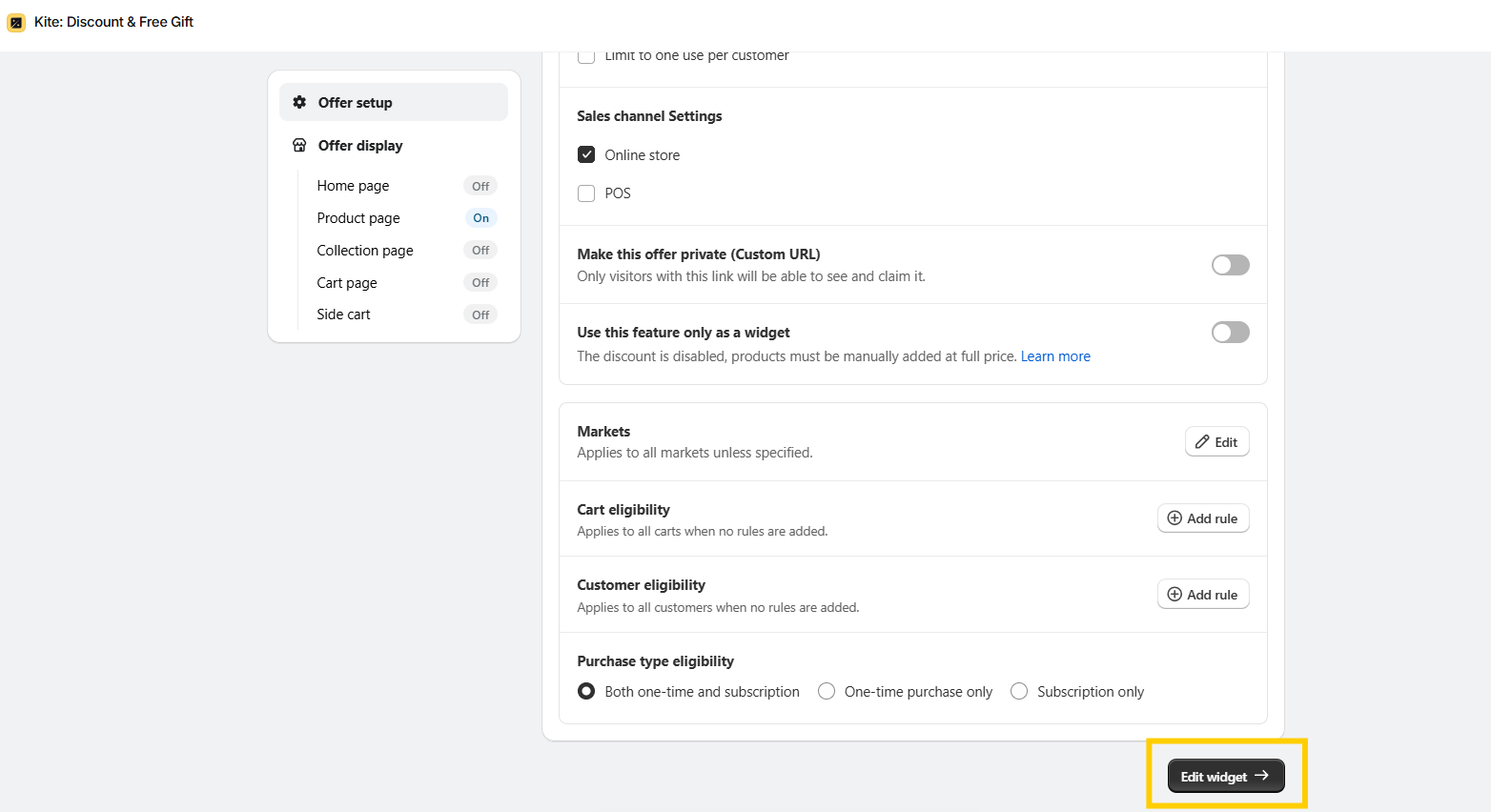
Save the offer first. Then click Edit widget or Offer display to customize the storefront messaging and placement. These controls become available after the initial save.
Keep the messaging specific, such as "Buy 2, Get 1 Free on Selected Products." This tells shoppers exactly what the offer includes.
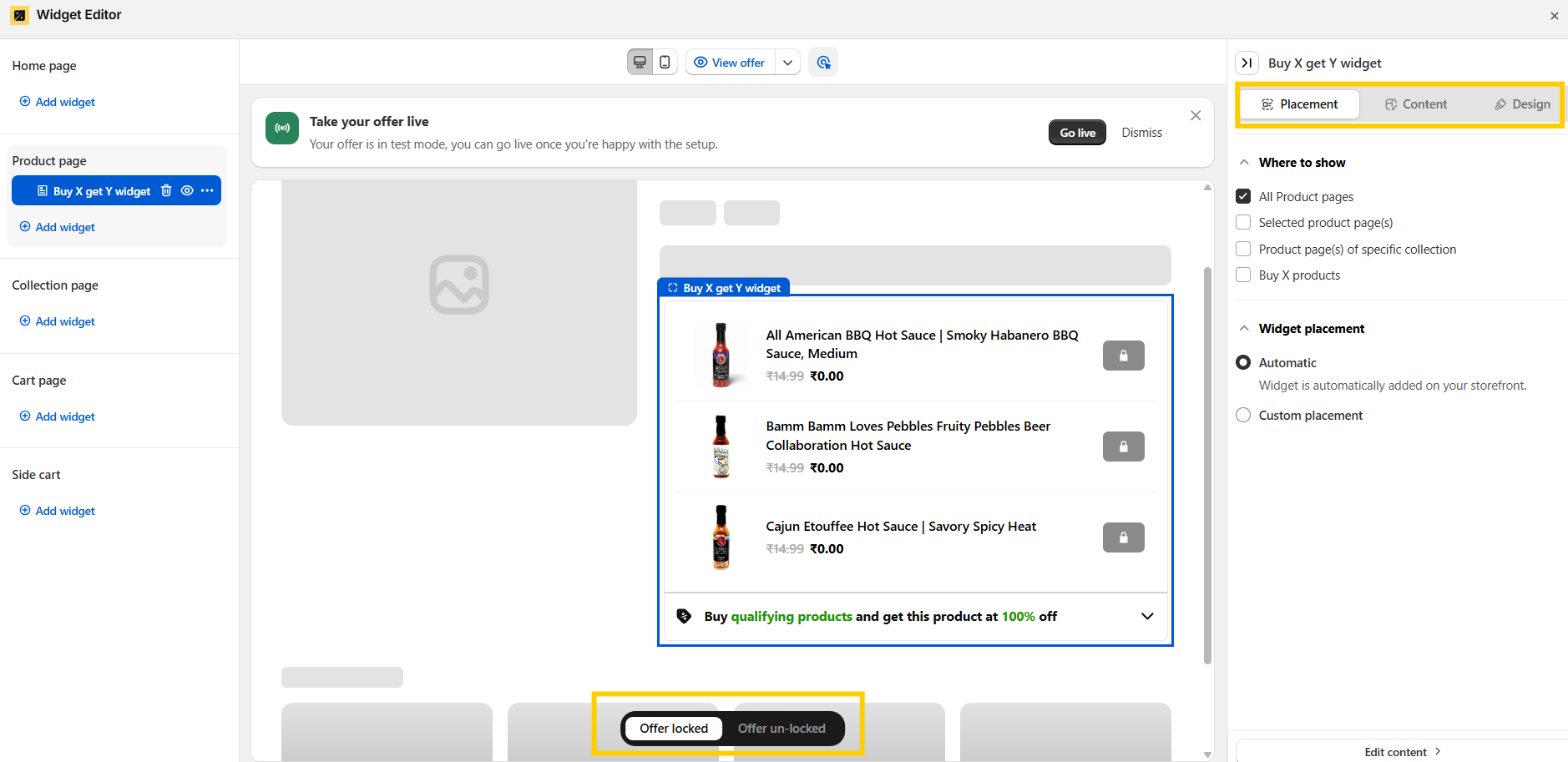
Click View offer to preview the promotion and test it with a qualifying cart before making it available to customers. Check that the correct reward is discounted, the offer appears as expected, and the reward products are in stock.
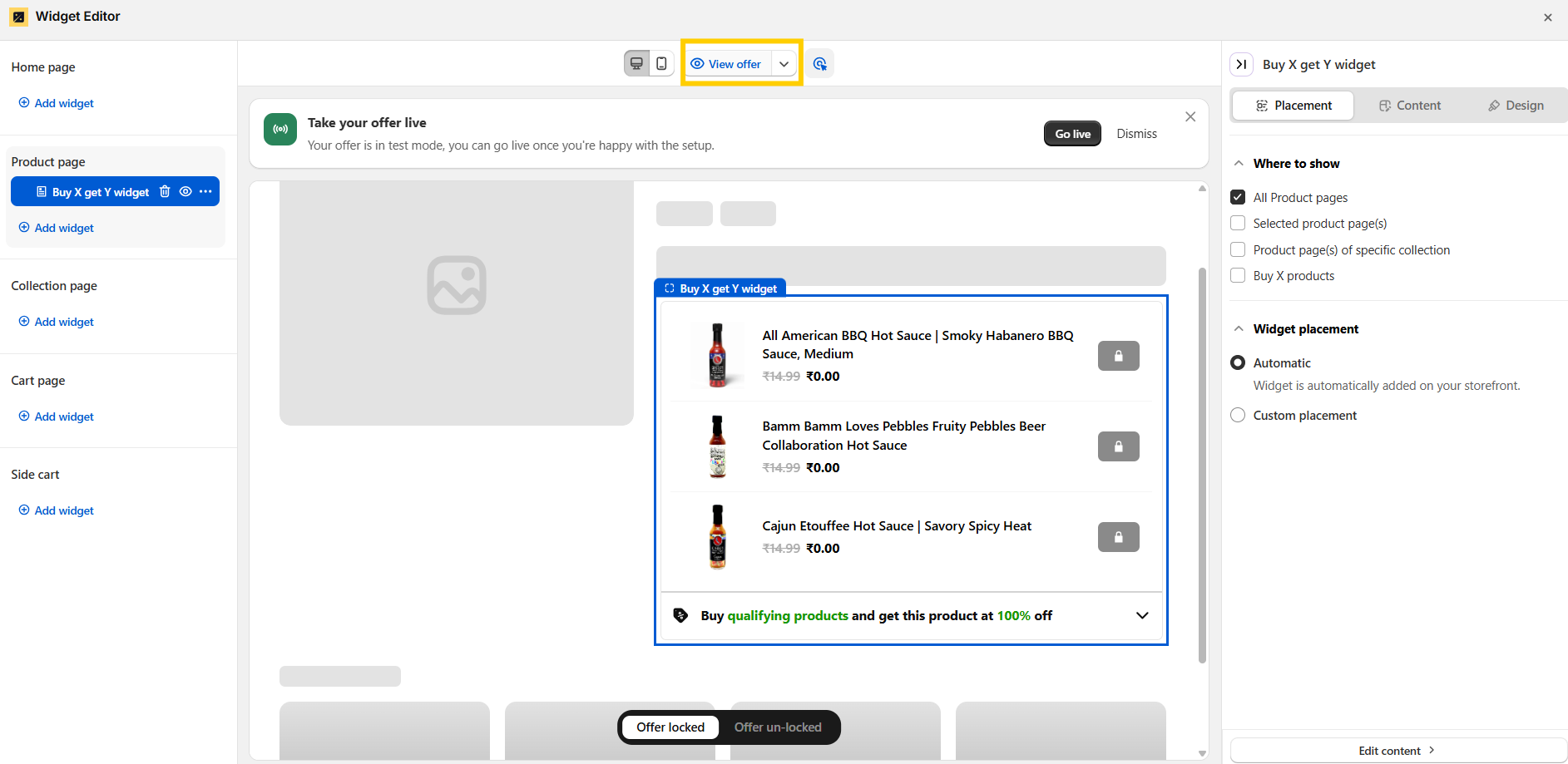
Testing the promotion before launch helps ensure customers can understand and redeem the offer without unnecessary friction.
A well-designed Buy X Get Y Shopify promotion can support several commercial goals without requiring a blanket price reduction across your catalog.
Give customers a reason to add another item to their cart. A relevant reward can make a larger purchase more appealing while helping increase units per order and AOV.
Use selected products as rewards to introduce shoppers to slower-selling inventory. Pair them with popular products to make the offer relevant without relying on a storewide sale.
Create targeted offers for returning customers or loyalty segments. Relevant rewards can strengthen customer relationships and give shoppers another reason to purchase from your store.
Shopify supports both discount methods. The best choice depends on how customers discover the offer and how you want them to redeem it.
Use discount codes for targeted campaigns and automatic discounts when you want a simpler redemption experience. Both require clear offer messaging and correct product configuration.
Native discounts cover common promotional scenarios, but merchants may need more control over how offers work and appear across their storefront. Shopify Buy X Get Y apps can help fill these gaps with features such as automatic gift addition, more flexible promotion rules, and on-site offer messaging.
Shopify's native discount does not automatically add the free or discounted item to the cart. Customers must add it themselves, creating an extra step that can lead to missed rewards. An app with supported automatic gift addition can reduce this friction.
Native settings support defined purchase thresholds, product eligibility, reward values, and customer restrictions. More elaborate campaigns may require additional logic or storefront controls, so check your requirements against Shopify's current capabilities before adding an app.
Discount combinations depend on compatibility rules and Shopify plan limitations. For example, Buy X Get Y reward products have restrictions on receiving additional product discounts. Test the exact combinations you plan to offer rather than assuming all promotions can stack.
Creating a discount does not automatically provide interactive product page messaging, progress indicators, or automatic gift selection. Merchants may need theme customization or an app to deliver these experiences.
A promotion only works when customers understand it and know how to claim the reward.
Use product page messaging, cart announcements, or supported app features to make the offer easier to discover without cluttering the shopping experience.
Review performance against a suitable baseline to determine whether the promotion generates incremental value rather than simply discounting purchases customers would have made anyway.


.avif)