.svg)
.svg)

.svg)
.svg)



%20(1).jpg)
.jpg)
Our Apps Have Driven
5X AOV | 2X Conversions | $30M+ Additional Revenue
5X AOV | 2X Conversions | $30M+ Additional Revenue
.svg)


5.0 (3000+ Reviews)


Shopify Apps





.svg)

Discounts are one of the fastest ways to increase conversions, attract first-time customers, and boost average order value on Shopify. Whether you are running a seasonal sale, launching a new product, or rewarding loyal customers, Shopify gives you several built-in discount options, from percentage discounts and free shipping to Buy X Get Y offers.
But while Shopify's native discount engine is easy to use, it is not designed for every promotion. As your store grows, you may want to create tiered pricing, free gift campaigns, mix-and-match bundles, or combine multiple offers in ways that are not supported out of the box.
In this guide, we will show you how to set up discounts in Shopify, explain where native discounts work well, highlight their limitations, and help you decide when to use a dedicated discount app.
Before touching any settings, this table answers the most common decisions merchants face.
In your Shopify admin, go to Discounts in the left sidebar.
These apply automatically at checkout, no code needed.
Pro tip: Only one automatic discount can apply per order (unless you're on Shopify Plus, which supports discount stacking).
When creating a discount, scroll to the Combinations section to control whether it can stack with:
Shopify lets you generate up to 100,000 unique discount codes from a single discount in one batch. In the Discounts panel, create a new discount code and look for the option to generate multiple codes. Set the code format (random characters or a prefix with a random suffix), choose how many codes to generate, and export as a CSV. This is the native path for influencer campaigns, email sequences, or referral programs where each recipient needs a unique code.
For stores running ongoing influencer programs or large-scale SMS campaigns that need thousands of bulk discount codes regularly, plus the intelligence & features of a dedicated discount app, Kite Discount & Free Gift’'s bulk discount code generator handles generation and export at scale with a 100,000 per job limit (no overall limit) -workflow the native admin requires.
Kite is a Shopify app that helps you create advanced promotions, including free gifts, BOGO offers, tiered discounts, shipping discounts, and progress bars.
For this walkthrough, we’ll show you how to set up a Free Gift With Purchase campaign in which customers automatically receive a free gift after meeting a spending or quantity threshold.
When you first open Kite, you'll see a short onboarding screen
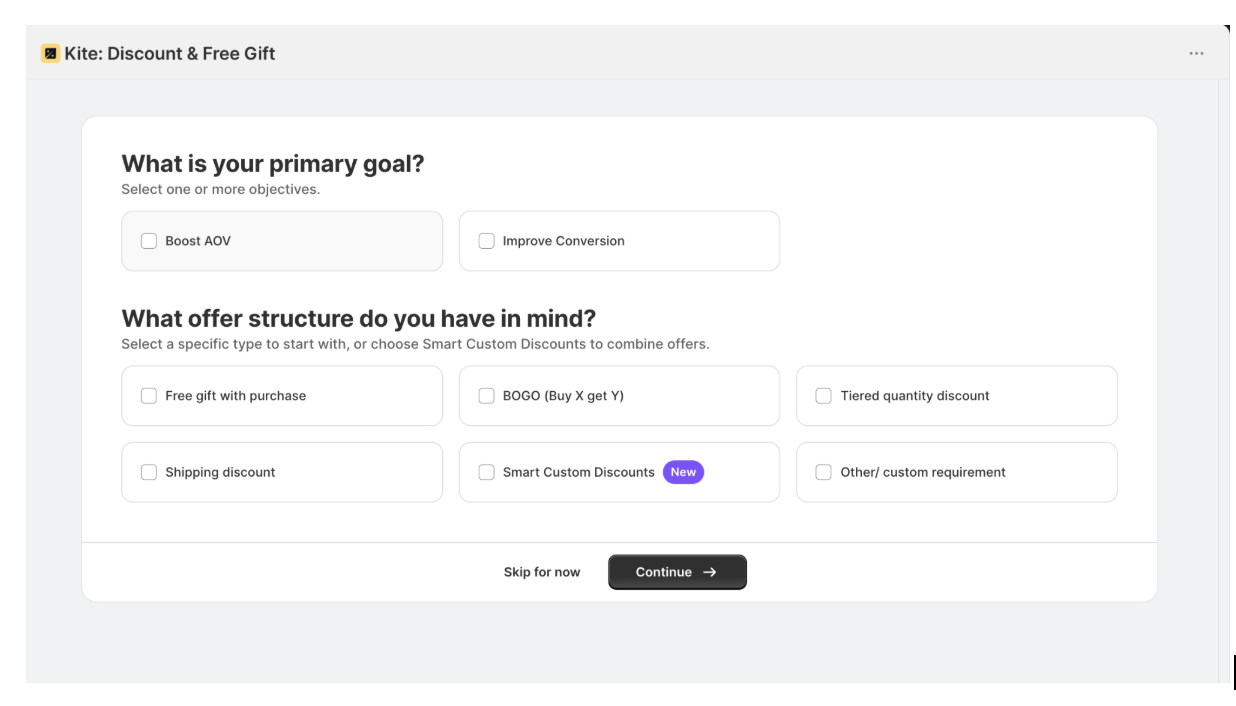
Depending on your goal, you can choose either Boost AOV or Improve Conversion, or both options. For a free gift campaign, Boost AOV would be a good starting point.
If you'd rather jump straight into creating your campaign, click Skip for now.
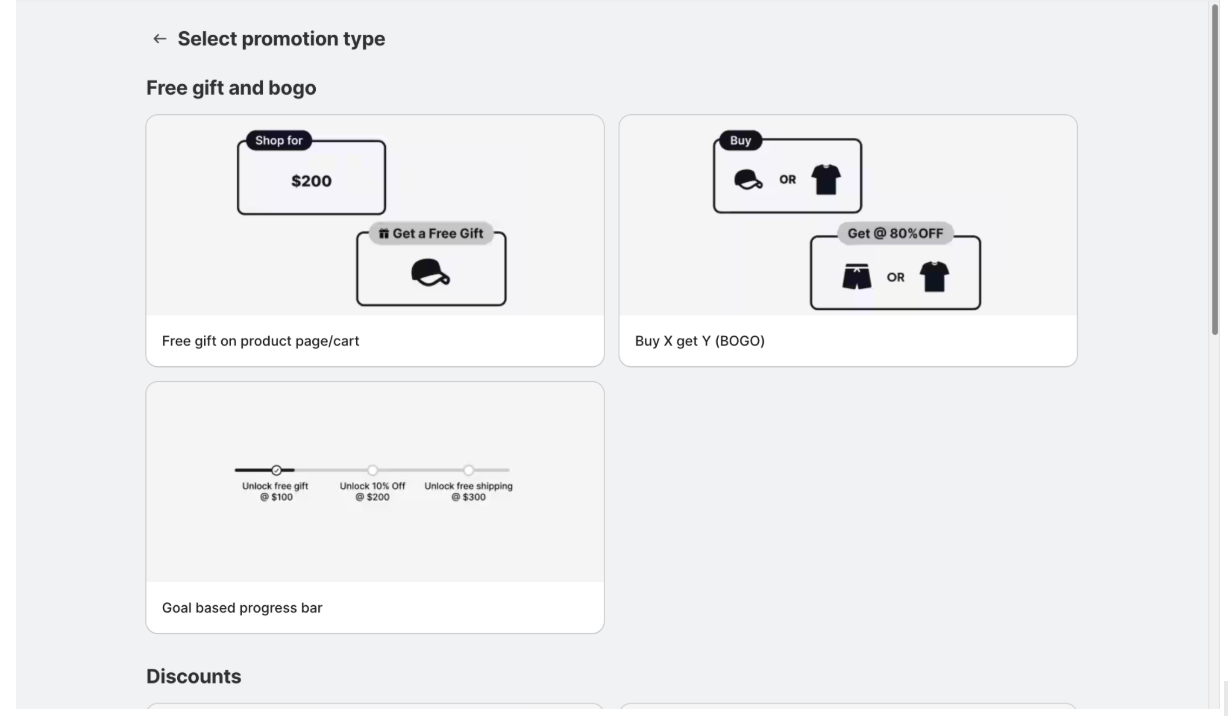
On the Select promotion type screen, go to Free gift and BOGO and select Free gift on product page/cart.
This creates a campaign that automatically adds a free gift when shoppers meet your eligibility criteria. Click the option to continue.
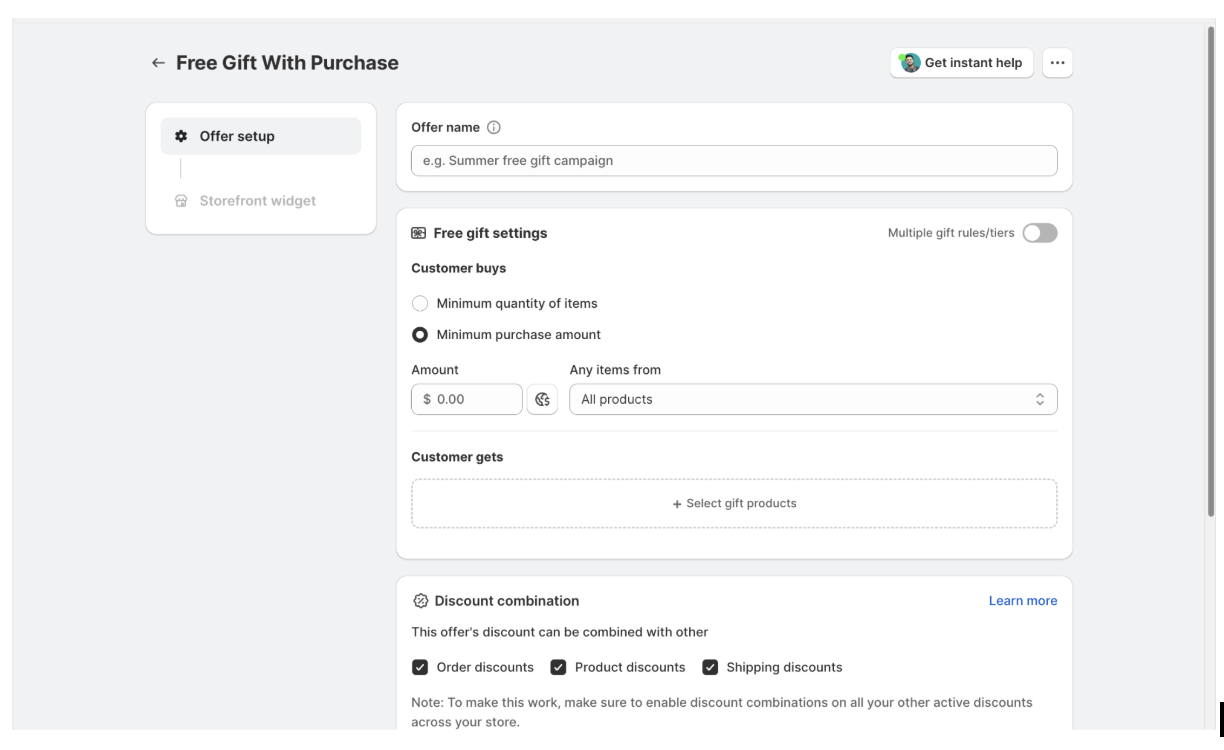
Enter an offer name, then choose how customers qualify for the free gift by setting either a minimum purchase amount or a minimum quantity.
Next, click + Select gift products and choose the product you'd like to offer. If needed, you can also create multiple gift tiers with different spending thresholds.
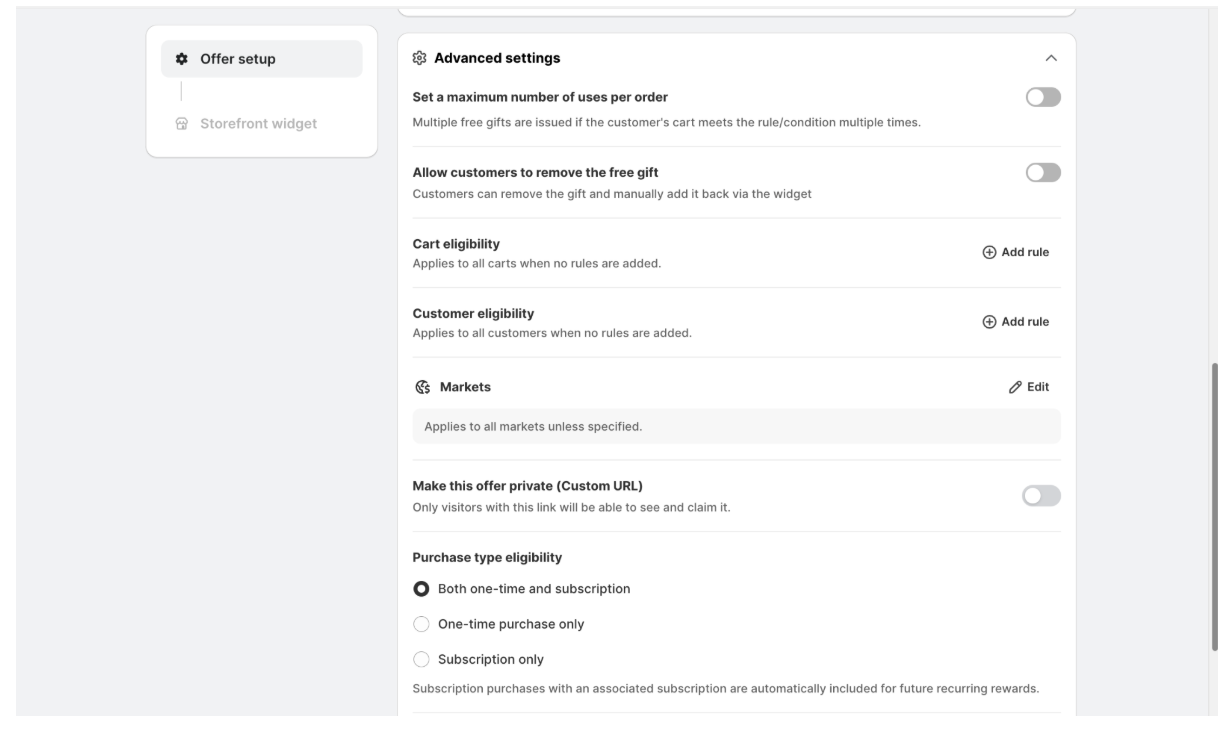
Scroll down to Advanced settings to configure any optional rules for your campaign.
Here, you can:
If you don’t need any of these restrictions, you can leave the default settings as they are.
Click Save when done. The offer is now created in Test mode, meaning it is not visible to real shoppers yet.
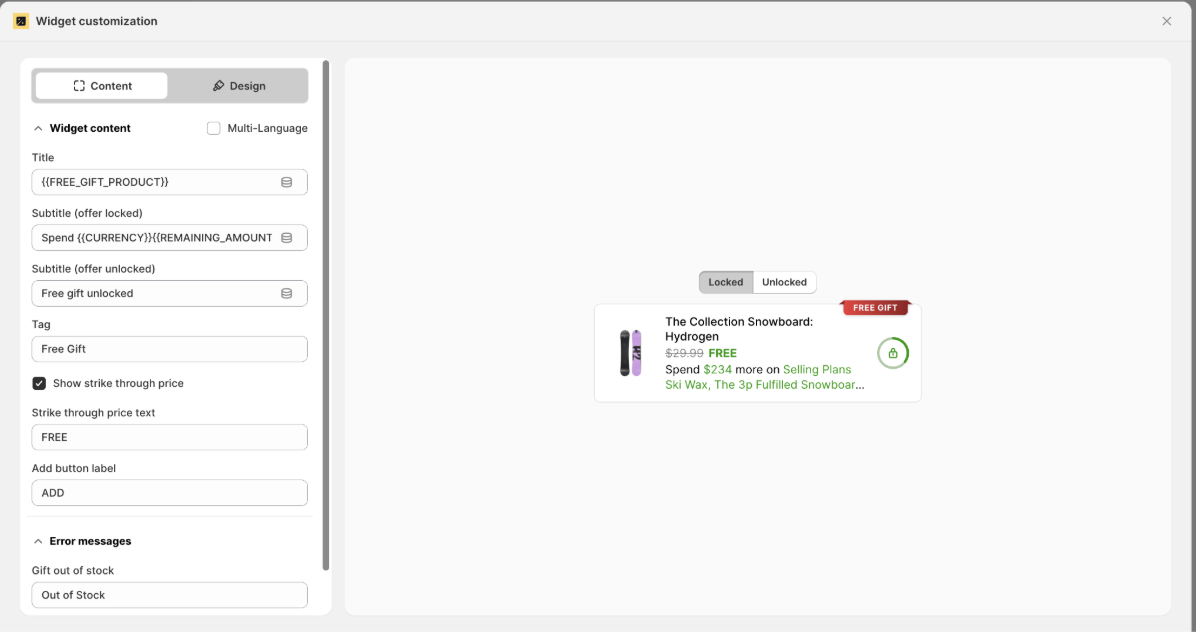
After saving your offer, open the Storefront widget tab. This is where you customize how the promotion appears to shoppers.
You’ll see a live preview of the widget, along with Locked and Unlocked views so you can preview both customer experiences.
Click Edit and style the widget to personalize it. From here, you can:
Once you’re happy with the design, save your changes and continue to choose where the widget should appear on your storefront.
In the Where to display section, choose where you want shoppers to see your promotion.
By default, Kite displays the widget on your product pages, cart page, and side cart. You can keep these settings or limit the widget to specific products or collections if the offer only applies to certain items.
Once you’ve chosen the placement, save your changes.
Step 7: Enable the App on Your Store and Go Live
Click Enable app to open the Shopify theme editor, then turn on Kite’s app embed and save your changes.
Return to Kite and use Test mode to preview the offer and make sure everything works as expected. Once you’re satisfied, switch the offer to Live to make it available to shoppers.
Shopify's native discount system works well for many everyday promotions. However, a few limitations become apparent as your discount strategy grows more sophisticated.
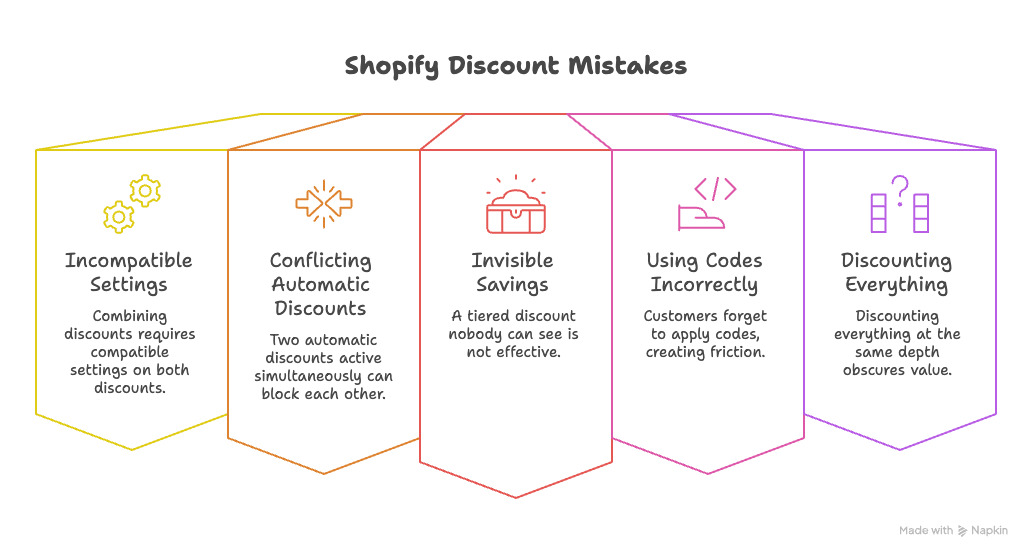
This is the most-searched discount question among Shopify merchants. Shopify does allow a product discount and a free shipping discount to work together natively because they're different discount classes. However, they must be created as two separate discounts with compatible combinesWith settings enabled on both. What Shopify doesn't support is combining both benefits into a single discount code. If you want customers to receive 15% off and free shipping from one code, you'll need a dedicated discount app.
If you run a sitewide automatic 10% discount and also want a volume tier to apply when a customer buys 3 or more units, one of them will not fire. Shopify applies the first matching automatic discount and stops. Merchants typically try to work around this with codes, but that creates friction and relies on customers remembering to enter one.
"Buy 2 save 10%, buy 3 save 15%, buy 5 save 20%" requires either custom Shopify Functions logic or a discount app. Shopify has no native interface for configuring progressive discount tiers. Without a visual progress indicator, customers also have no way to see the savings opportunity before checkout, which is where most of the conversion value is lost.
Native Shopify discounts are an excellent starting point for straightforward promotions like coupon codes, automatic discounts, free shipping offers, and Buy X Get Y campaigns. If your promotional strategy involves multiple conditions, advanced discount logic, or personalized incentives, you will likely need a dedicated Shopify discount app.


.avif)

Free webinar
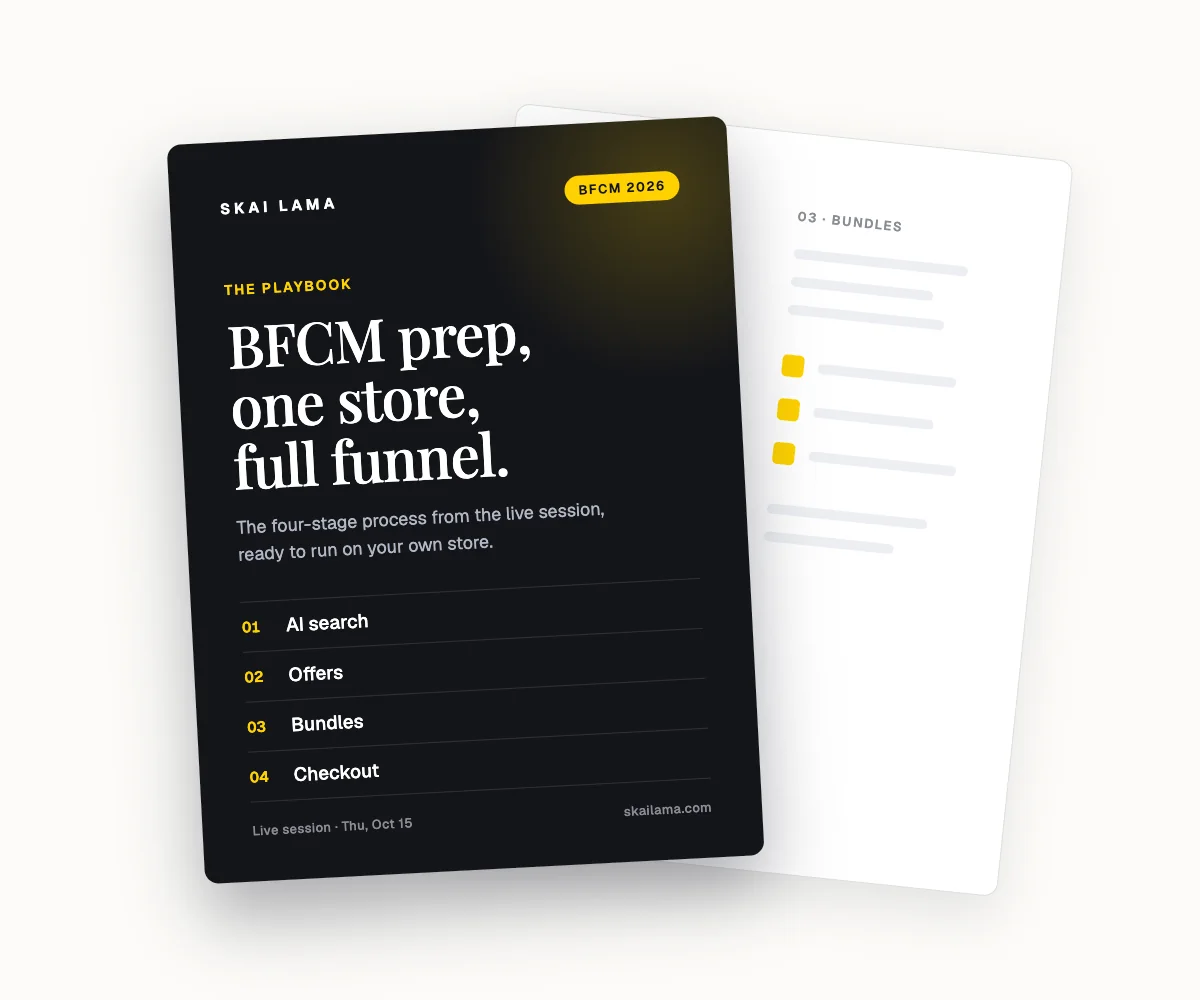
BFCM prep, live on one store.
We take one Shopify store through the whole BFCM funnel on screen, from AI search to checkout. You leave with the playbook to run the same on yours.
Thu, Oct 15
1 PM ET · 10 AM PT
60 minutes
Can't make it live? Register anyway. The recording and the playbook go to everyone who signs up.
Save your free seat
BFCM Prep Live. Thu, Oct 15 at 1 PM ET, 10 AM PT, 6 PM UK. 60 minutes.