.svg)
.svg)

.svg)
.svg)



%20(1).jpg)
.jpg)
Our Apps Have Driven
5X AOV | 2X Conversions | $30M+ Additional Revenue
5X AOV | 2X Conversions | $30M+ Additional Revenue
.svg)


5.0 (3000+ Reviews)


Shopify Apps





.svg)

Buy One Get One (BOGO) promotions are among the highest-converting discount types in ecommerce. They work on a simple psychological principle: "free" feels better than a percentage off, even when the math is identical. A "buy one get one free" offer consistently outperforms "50% off when you buy two" in split tests, despite being economically equivalent.
This guide covers two ways to set up a BOGO sale on Shopify. First, how to do it without an app using Shopify's built-in Buy X Get Y discount (free, straightforward, but limited). Then, how to do it with a dedicated app for advanced features like auto-add behavior, storefront widgets, repeat logic, and customer targeting.
Both methods, step by step.
BOGO promotions are not just a discount format. In a Shopify context, they serve several specific strategic purposes:
Slashing prices can signal low quality or train customers to wait for sales. A Buy One Get One Free offer feels like a gift rather than a clearance, so you clear stock without the perception hit.
Customers add more to their cart to unlock the deal. That directly supports AOV growth without requiring a separate upsell flow.
"Get one free" activates a different psychological response than "50% off." Even when the deal is mathematically identical, customers perceive BOGO as the better offer.
A compelling Buy One Get One Free offer is shareable and attracts first-time buyers who might not have converted on a regular price.
Structure the deal so the "get" item is a different product, nudging customers to try something new from your catalog.
BOGO acts as a lightweight bundle without needing a dedicated bundle app. It pairs naturally with a broader promotional calendar.
For Shopify merchants specifically, BOGO is worth running when you want to:
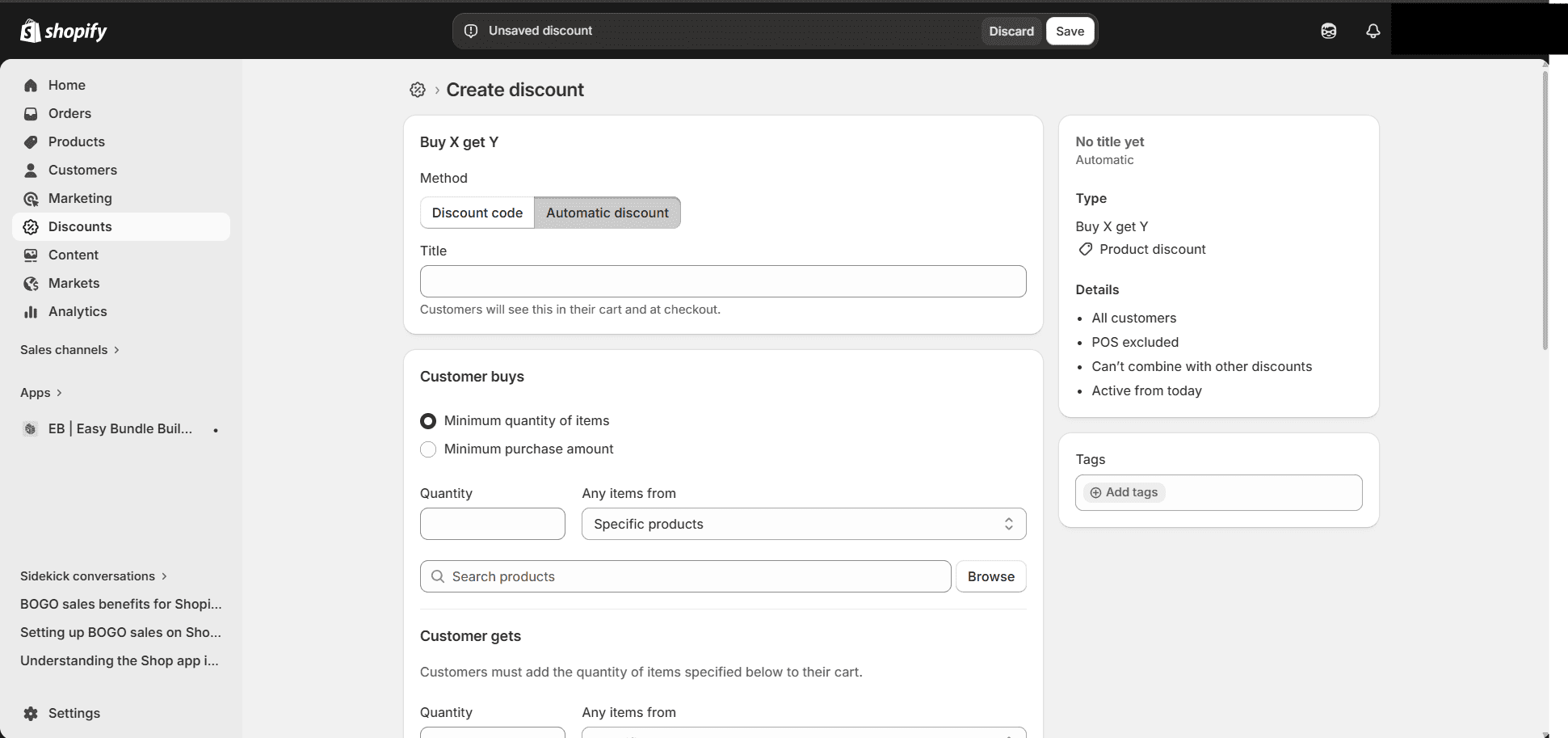
Shopify supports Buy One Get One promotions through its built-in Buy X Get Y discount type, available directly in your admin. No app required. You have two delivery methods: an automatic discount (applies at checkout with no code needed) or a discount code (customer enters it manually at checkout).
Automatic discounts apply as soon as qualifying items are in the cart. Customers do not need to enter anything at checkout.
Save. The discount will now apply automatically at checkout when conditions are met.
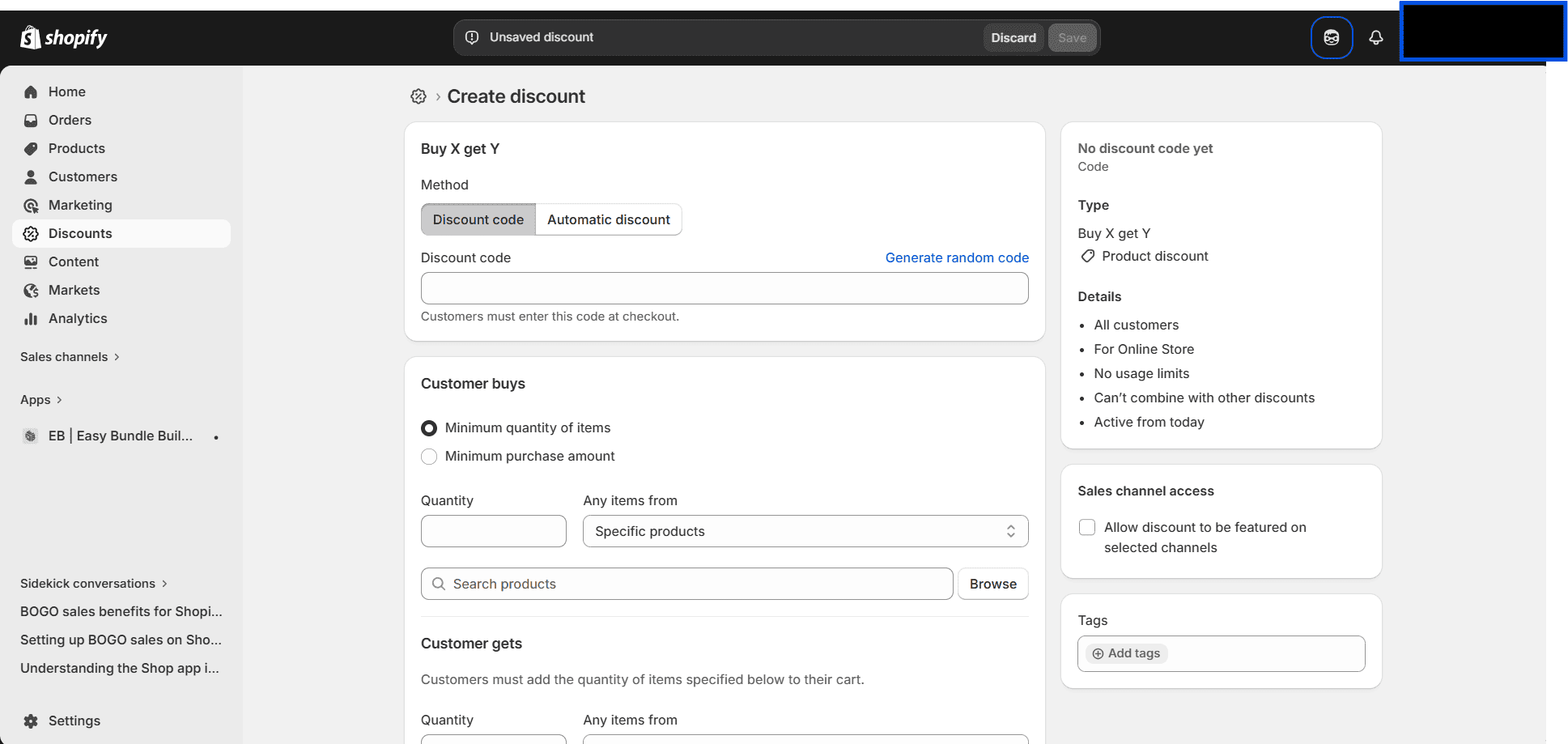
A discount code requires the customer to enter a code at checkout. Use this method for targeted campaigns, influencer partnerships, or email list exclusives where you want more control over who accesses the deal.
Follow the same steps above, but at Step 3, select Discount code instead of Automatic discount. Enter the code customers will use (e.g., BOGO2026 or GETONE). The rest of the configuration is identical.
Discount codes give you a paper trail for performance tracking by campaign and audience.
Shopify's Buy X Get Y handles basic BOGO setups well, but there are meaningful constraints to understand before you rely on it for ongoing campaigns:
These limitations are acceptable for a simple, one-off promotion where you are driving customers to the deal through email or social. But for stores wanting BOGO to work as a persistent, visible, high-conversion campaign, the built-in feature falls short.
A dedicated BOGO app removes all of the limitations above and adds capabilities that Shopify's built-in discount simply does not support. Here is the comparison:
For a full comparison of the top options available, see the guide to best Shopify Buy X Get Y apps.
Kite Discount and Free Gift is the app used for the setup steps below. It is built on Shopify Functions rather than cart manipulation hacks, making it stable, scalable, and compatible with the latest Shopify checkout architecture.
Important: Always test using a standard Add to Cart button. Avoid Buy Now or Apple Pay during testing. These express buttons bypass the cart entirely, which prevents Kite from applying the offer.
%201.jpg)
A basic Buy One Get One is simple: buy one product, get another free or discounted. An Advanced BOGO handles more complex promotional logic that Shopify's built-in discount does not support at all.
Advanced BOGO configurations include:
All of the above is exclusive to Kite Discount and Free Gift. Shopify's native Buy X Get Y does not support repeat logic, cheapest item logic, or any form of customer-level or market-level targeting.
This is one of the most significant differences between Shopify's built-in BOGO and a dedicated app, and it directly affects how many customers actually redeem the offer.
With Shopify's native Buy X Get Y, the free or discounted item is never added to the cart automatically. The customer needs to know the offer exists, find the reward product themselves, and manually add it. If they do not, they check out without ever claiming the reward. The BOGO never converts.
With Kite, the reward item is automatically added to the cart the moment qualifying conditions are met. If the customer removes a qualifying item or drops below the required quantity, the reward is automatically removed as well. The process is seamless and frictionless.
This matters for two reasons. First, redemption rates are higher when customers do not have to do any manual work to claim the deal. Second, customers discover the offer through the product page widget while they are still browsing, not only at checkout. That earlier discovery is where most of the conversion impact happens.
If auto-add is a core requirement for your store, also see the full comparison of Shopify auto-add to cart apps and free gift with purchase apps for Shopify.
Beyond Buy One Get One, Kite supports a full range of discount and free gift campaign types:
1. Set usage limits to protect margins. Always cap BOGO offers per customer and per order. Without limits, some customers will game the system and stack rewards well beyond what is profitable. Limit to one redemption per customer or two sets per order as a starting point.
2. Only run Buy One Get One Free on high-margin products. BOGO Free only works financially when your gross margin is above 50%. For lower-margin products, use BOGO 50% off instead. The Skai Lama guide on BOGO examples and types covers margin thresholds in more detail.
3. Make the offer visible before checkout. Shopify's built-in Buy X Get Y is invisible on product pages. If discovery is part of your conversion strategy, a product page widget is essential. Customers who see the deal while browsing convert at a meaningfully higher rate than those who only encounter it at checkout.
4. Use scheduling and hard end dates to create urgency. Time-limited BOGO campaigns consistently outperform open-ended ones. Set a clear expiry date and build that urgency into your email and on-site messaging.
5. Test with Add to Cart, not Buy Now. Buy Now, Apple Pay, and Shop Pay express buttons bypass the cart entirely. BOGO discounts from both Shopify native and app-based setups will not apply through express checkout. Always verify your setup with a standard Add to Cart flow before launching.
6. Use customer tags for targeted offers. Running a Buy One Get One Free for VIP customers only, or for a specific loyalty segment, increases perceived exclusivity for that group without discounting to your entire customer base.
BOGO is an umbrella term covering several different promotional structures. For a deeper look at how real brands use each of these, see the full guide to BOGO examples and Buy One Get One promotions. You can also explore the broader types of discounts available on Shopify for context on where BOGO fits in your overall strategy.
Classic BOGO Free — Buy one item, get the same item free. Best for same-product volume plays: supplements, skincare staples, apparel basics. Requires margin above 50% to be profitable.
BOGO 50% Off — Buy one, get the second at 50% off. Better for lower-margin products where giving one away entirely cuts into profitability. The offer still feels compelling without costing as much.
Cross-Product BOGO — Buy Product X, get a different Product Y free or discounted. Excellent for introducing customers to new launches or complementary products. This is the "product discovery" BOGO. For a complete walkthrough of this format, see the ultimate guide to Buy X Get Y on Shopify.
Repeat BOGO — Buy 2 Get 2, Buy 3 Get 1, Buy 4 Get 4. The deal repeats for every qualifying set of items in the cart. High-value for consumable categories where customers buy in multiples. This is Kite-specific and not supported by Shopify's native discount.
Volume-Based BOGO — Spend $X or buy a set quantity and receive a free item. Works well as a cart value incentive paired with a free gift widget. For more on quantity-based discounts, see the guide to setting up volume discounts on Shopify.
Tiered BOGO — Buy 1 get 10% off, buy 2 get 25% off, buy 3 get one free. A structured approach for high-repeat categories like consumables or subscription-ready products. See ecommerce tiered discount examples for real-store implementations.
Different product categories lend themselves to different Buy One Get One structures:
Beauty and Skincare — Buy one hero product, get a trial-size or complementary product free. Works well for introducing new launches or moving slow-moving SKUs alongside bestsellers. Cross-product BOGO is the most common structure here.
Fashion and Apparel — Classic Buy One Get One Free on seasonal or end-of-line styles, or cross-category BOGO (buy jeans, get a tee free). Useful for clearing end-of-season inventory without running a blanket sitewide sale.
Food and Beverage — Multipacks and repeat BOGO (Buy 2 Get 2) work well given the consumable nature of the category. BOGO also pairs naturally with subscription products, where the "get one free" offer functions as a trial incentive.
Supplements and Health — A high repeat-purchase category where Buy 2 Get 1 Free is a proven structure. Customer tag targeting lets you run loyalty-exclusive rates for your most valuable customers without discounting to new visitors.


.avif)

Free webinar
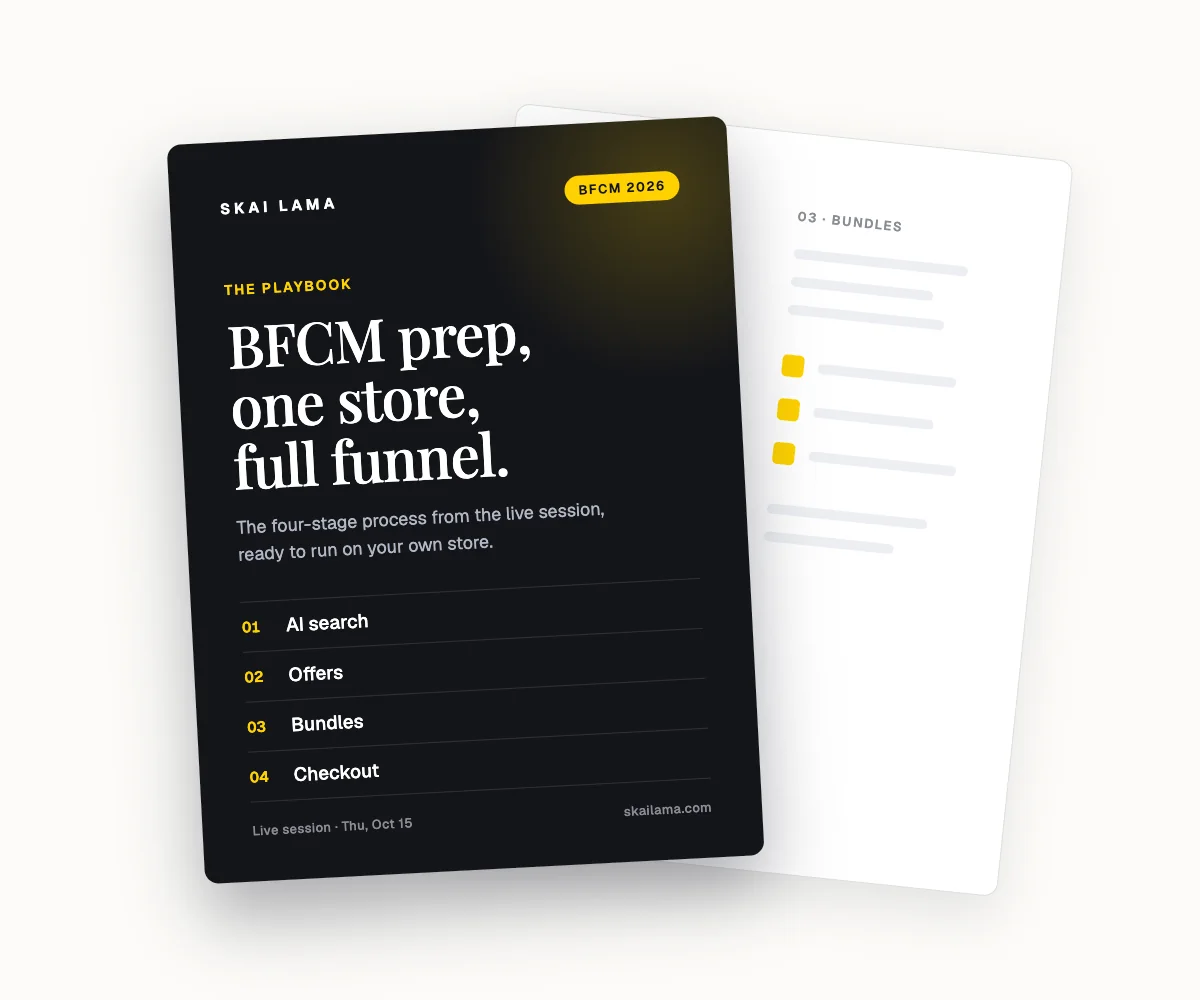
BFCM prep, live on one store.
We take one Shopify store through the whole BFCM funnel on screen, from AI search to checkout. You leave with the playbook to run the same on yours.
Thu, Oct 15
1 PM ET · 10 AM PT
60 minutes
Can't make it live? Register anyway. The recording and the playbook go to everyone who signs up.
Save your free seat
BFCM Prep Live. Thu, Oct 15 at 1 PM ET, 10 AM PT, 6 PM UK. 60 minutes.