.svg)
.svg)

.svg)
.svg)




%20(1).jpg)
.jpg)
Our Apps Have Driven
5X AOV | 2X Conversions | $30M+ Additional Revenue
5X AOV | 2X Conversions | $30M+ Additional Revenue
.svg)


5.0 (3000+ Reviews)


Shopify Apps





.svg)

Your Shopify store can have strong traffic, a good product, and a healthy acquisition strategy, yet still leave substantial revenue on the table. As per research, 70.22% of online shopping carts are abandoned, showing just how much room there is to improve the path between product discovery and purchase.
The problem is rarely one isolated element. A weak product page, unclear shipping information, poor mobile experience, or unnecessary checkout friction can each add enough resistance to stop a customer from buying.
A Shopify CRO audit helps you find those points of friction systematically, so you can focus on the changes most likely to improve conversion rate, average order value, and revenue rather than simply pushing for more traffic.
A Shopify CRO audit is a structured review of a Shopify store designed to identify anything that may prevent visitors from completing a desired action. For most ecommerce brands, the primary goal is to increase completed purchases, but a CRO audit can also examine actions such as product views, add-to-cart clicks, checkout starts, email signups, and other steps in the buying journey.
A good audit looks at both quantitative and qualitative evidence. Analytics can show you where customers are dropping off, while heatmaps, session recordings, customer feedback, and usability reviews can help explain why those drop-offs are happening. These findings can inform ecommerce CRO testing and help create a prioritized list of opportunities rather than a collection of subjective design recommendations.
A Shopify CRO audit should review the full buying journey, from landing pages and product discovery to product pages, cart, and checkout, with particular attention to mobile usability, offer clarity, customer confidence, and technical performance. Findings should be assessed across relevant customer and traffic segments rather than relying only on store-wide averages. Each opportunity should connect evidence to a clear hypothesis and be prioritized by likely impact, confidence, and implementation effort, with a plan to measure whether the change improves purchases and business outcomes, not just intermediate clicks.
A Shopify CRO audit helps you identify where visitors drop off and investigate barriers to purchase. It combines Shopify Analytics with customer feedback, usability reviews, and behavioral research where available. Analytics shows where drop-offs occur; qualitative evidence helps explain possible reasons.
The audit reviews the journey from landing pages and product discovery through product pages, cart, and checkout. It checks navigation, product information, calls to action, mobile usability, delivery and returns clarity, trust signals, and checkout friction. Shopify’s Conversion rate breakdown report tracks sessions with cart additions, sessions that reached checkout, and sessions that completed checkout. Reviewing performance by device, traffic source, and landing page helps uncover issues hidden by store-wide averages. Shopify’s web performance reports assess loading speed, responsiveness, and visual stability.
The main benefit is knowing what to address first. Findings should be prioritized by potential impact, supporting evidence, and implementation effort. Fix clear functional problems, test uncertain improvements where traffic permits, and measure purchases alongside revenue per session and average order value, rather than treating more clicks as success. This helps you get more value from existing traffic instead of relying only on attracting more visitors.
A Shopify CRO audit combines performance data with a review of the customer journey to identify barriers to purchase. Start by validating your data, use it to choose which journeys to investigate, and turn your findings into prioritized fixes and testable hypotheses.
Choose a primary goal, such as increasing completed purchases, and supporting metrics such as revenue per session and average order value. Set a reporting period and a comparable baseline, allowing for differences in campaigns, seasonality, promotions, and product availability.
Focus on the Online Store journey rather than mixing it with sales from other channels. Before interpreting drop-offs, check whether tracking limitations could affect your findings. Cookie consent and browser blocking can reduce tracked sessions even when orders are recorded. Shopify’s session-based funnel metrics are not order counts, so they should not be expected to match exactly.
Use consistent definitions throughout the audit. For example, revenue per session and revenue per visitor have different denominators and should not be used interchangeably. If you compare periods spanning Shopify’s September 2026 session-measurement update, account for the measurement change before attributing a shift to customer behavior.
Use Shopify’s Conversion rate breakdown report to review sessions, sessions with cart additions, sessions that reached checkout, and sessions that completed checkout. Check whether the report uses an open or closed funnel. An open funnel includes customers who enter at different stages, while a closed funnel includes only sessions that complete the steps in order. This matters when customers use purchase paths that bypass the cart.
Distinguish each stage’s share of total sessions from the conversion rate between consecutive stages. These answer different questions: how much of your traffic reaches checkout, and how many customers who reach checkout go on to purchase.
Break down performance by device, traffic source, and landing page where the data supports it. Examine product-level behavior when suitable tracking is available, rather than assuming every metric is available in the same Shopify report. Do not confuse returning visitors with returning purchasers.
Use the findings to select priority journeys and increase conversion rate through evidence-based improvements. A high-traffic product page with few cart additions may need a review of product information, offer relevance, or variant selection. Strong cart activity followed by weak checkout completion calls for investigation of delivery options, payment, errors, and total costs. These patterns guide the investigation; they do not establish the cause.
Start with high-traffic landing pages, important product templates, best sellers, and pages showing weak performance. Check whether the promise made in an ad, email, or promotion matches the landing page’s products, prices, availability, and offer conditions.
Follow realistic discovery tasks through navigation, collections, search, and filters. Use Shopify’s search reports to identify queries with no results or no clicks, then reproduce those searches on the storefront. Where Shopify Search & Discovery powers the experience, review product relevance, synonyms, product boosts, filters, and recommendations. Confirm that configured filters actually display and work in the theme. If a third-party app powers search, assess its behavior and reporting instead.
On product pages, check whether customers can understand the product’s value, price, availability, options, and delivery expectations without hunting for information. Review media, descriptions, specifications, sizing guidance, and relevant reviews against the questions customers need answered.
Test functionality as well as content. Changing a variant should display the correct price, image, and availability, and the chosen variant should reach the cart. Include unavailable combinations, quantity limits, and any bundles, subscriptions, or personalization used by the store. Do not assume that adding more content or media will improve conversion; identify the information gap first.
Build a small test matrix using representative products, quantities, destination addresses, devices, and purchase paths. Include cart drawers and cart pages where used, guest and signed-in journeys where available, and accelerated checkout options where offered.
Check whether customers can edit quantities, remove items, understand recalculated totals, and see the conditions attached to promotions. Test eligible and ineligible discounts, intended discount combinations, and threshold-based offers. If gifts, bundles, or promotions are managed by an app, verify that they remain correct when the cart changes.
Continue through checkout using representative delivery addresses and mixed-product carts. Confirm that eligible customers receive valid delivery options and that charges and delivery expectations match the storefront messaging. Test invalid addresses, rejected discounts, and failed-payment scenarios to assess whether errors explain the problem and allow recovery.
Keep recommendations within Shopify’s available controls. Checkout is not as freely editable as a theme page, and app UI extensions on the information, shipping, and payment pages require Shopify Plus. Identify whether a proposed fix belongs in checkout settings, product or delivery configuration, an app, or supported development work.
Plan payment testing carefully. Payment-provider test mode can prevent live card purchases, so do not enable it casually on a production store. Simulated payments also do not verify every live payment method. Follow the relevant provider’s testing guidance and confirm that successful purchases produce clear order confirmation and next steps.
Test your store on different mobile screen sizes, especially the main path from product page to checkout. Make sure navigation, buttons, product images, variant selectors, forms, pop-ups, and sticky elements work properly and do not get in the way. Then check for performance issues caused by large images, too many apps, third-party scripts, or other unnecessary elements.
Include basic accessibility checks such as keyboard navigation, visible focus, readable contrast, form labels, zoom, and understandable error messages. These can reveal barriers that a visual review misses.
Use Shopify’s web performance reports to assess loading speed, responsiveness, and visual stability through Largest Contentful Paint, Interaction to Next Paint, and Cumulative Layout Shift. Review affected page URLs and device types to narrow the investigation.
Treat large assets, app features, and third-party scripts as possible contributors, not automatic causes. Identify evidence of their impact before recommending removal. Prioritize changes that improve the shopping experience without removing useful functionality.
Check whether customers have enough information to feel comfortable buying. Review ratings, reviews, customer photos, payment information, shipping details, returns, guarantees, and contact information. Then identify unanswered questions around things like delivery, sizing, quality, or returns, and place those answers where customers are most likely to need them.
Use customer-support questions, reviews, feedback, and usability observations to identify what customers are uncertain about. Common barriers include sizing, compatibility, quality, delivery timing, returns, and how to contact the business.
Where available, heatmaps and session recordings can help identify repeated interaction problems. Use them alongside analytics and customer feedback to form hypotheses, rather than treating a recording as proof of why someone abandoned.
Document each finding with the affected page or journey, supporting evidence, proposed action, and success metric. Separate confirmed functional problems from suspected optimization opportunities.
Fix clear blockers, such as broken purchase controls or missing delivery options for eligible customers, directly. For uncertain improvements, define a hypothesis and use a controlled experiment where traffic and tooling permit. A before-and-after comparison can help monitor results, but it does not isolate the effect of a change as reliably as a controlled test.
Prioritize findings by expected impact, confidence in the evidence, and implementation effort. Give each action an owner and identify how it will be evaluated. Measure completed purchases alongside relevant business outcomes, such as revenue per session, average order value, and margin where available, so that more clicks or a higher conversion rate are not mistaken for a more profitable result.
The audit should end with an actionable roadmap: immediate fixes, improvements requiring further research, and experiments to run next.
Use this checklist to record what was tested, what happened, and what needs attention. Mark each item Pass, Fail, Not applicable, or Needs investigation. For findings, record the evidence, affected page or journey, device, priority, and owner.
Apply the checks to representative products, templates, devices, and customer journeys. Conditional features such as subscriptions, bundles, international selling, and app-managed promotions only need review where used. A pass confirms functionality or clarity, not that the experience cannot be improved.
Not every finding from an audit should immediately become a permanent website change. When there is enough traffic and a clear hypothesis, use controlled experiments to determine whether a proposed change actually improves performance. This helps separate genuine conversion improvements from changes that simply look better to the internal team.
On Shopify, merchants can use native Rollouts experiments on Grow or higher for supported theme and checkout-and-accounts changes, or dedicated testing apps for other supported use cases. Choose the testing method according to the change, required metrics, and compatibility with the store’s theme, apps, and checkout.
Potential experiments include headlines, CTA copy and placement, media layouts, review placement, delivery messaging, recommendations, navigation, and page layouts. Distinguish testing a message from changing the underlying offer: testing free-shipping wording is different from testing the actual threshold, which requires a tool that can deliver the intended shipping behavior to each group.
Each experiment should address a specific customer problem, define a primary success metric, and establish its audience and stopping rule before launch. Test both experiences, run them concurrently, and evaluate purchases and business outcomes rather than clicks alone. A before-and-after comparison can help monitor a change, but it is not equivalent to a controlled A/B test.
After rolling out a tested improvement, continue monitoring purchases and relevant business metrics to check for regressions or unexpected trade-offs. Account for promotions, seasonality, traffic mix, and product availability when interpreting results. Post-launch monitoring checks whether performance holds; it does not independently prove that the change caused the result.
A Shopify CRO audit can uncover more opportunities than a team can address at once. Prioritization turns those findings into a practical plan, focusing resources on the problems with the strongest evidence and greatest likely business impact.
Address confirmed functional problems first. A broken purchase button, incorrect variant reaching the cart, or missing delivery options for an eligible address can prevent customers from buying. Fix these issues and retest the affected journey rather than waiting for an A/B test.
Treat less certain findings as opportunities for investigation or experimentation. Unclear delivery messaging, low review visibility, or a different product-page layout may deserve attention, but they are not automatically proven conversion barriers. Record the evidence and identify whether the next action is a fix, further research, or a controlled test.
Assess each finding using three factors:
For Shopify stores, effort should include where the change needs to happen: theme settings, product data, delivery configuration, an app, supported checkout controls, or custom development. Confirm plan and app requirements before committing to a solution.
Prioritize well-supported, high-impact opportunities that are relatively straightforward to implement. Schedule larger initiatives separately, and avoid assuming that a redesign will have more value than a targeted fix. A small change is only a meaningful quick win when it addresses a real problem.
Give each initiative an owner, an implementation route, and a clear validation plan. Record what will change, the evidence behind it, the affected journey, and the metric used to judge the outcome. A Shopify CRO agency can help translate audit findings into prioritized fixes and experiments when your internal team lacks the resources to implement them.
For example, if customers using a particular product template cannot select an available variant on mobile, the action is to repair the selector and verify that the correct variant reaches checkout. If customers appear uncertain about delivery timing, the next step may be customer research or a test of clearer messaging, not an immediate page redesign.
Separate immediate fixes, research tasks, and experiments in the roadmap. Review priorities as new evidence emerges, and assess outcomes using purchases and relevant business metrics rather than clicks alone. Prioritization decides what to work on first; testing and validation establish whether the work helped.
No single tool can tell you why customers are not converting. A strong ecommerce CRO audit combines store analytics, behavioral insights, and customer feedback to identify potential friction points. Experimentation tools then help you evaluate whether proposed changes improve performance.
Start with Shopify Analytics to understand conversion patterns, storefront search behavior, and web performance. Add Google Analytics 4 (GA4) for acquisition and event analysis, and a behavioral analytics tool to investigate specific usability questions. Choose an experimentation platform based on your store's traffic, technical setup, and testing requirements.
Shopify Analytics is a useful starting point for establishing your store's conversion baseline. Its Conversion rate breakdown report visualizes the journey from store sessions to cart additions, checkout, and completed purchases. This helps you identify stages that deserve closer investigation.
You can also review searches by query, searches with no results, searches with no clicks, and search conversions over time. These reports can reveal product discoverability issues and gaps between what shoppers are looking for and what your store offers.
Web performance reports provide Core Web Vitals data, including Largest Contentful Paint (LCP), Interaction to Next Paint (INP), and Cumulative Layout Shift (CLS). You can analyze performance by page URL, page type, and device to identify potential technical improvements.
GA4 adds visibility into acquisition channels, landing pages, and configured events across the customer journey. It can help you compare how different traffic sources perform and investigate where visitors drop out of the funnel.
Shopify's documented setup uses the Google & YouTube sales channel to connect a GA4 property. Certain ecommerce events are collected automatically after setup, while other recommended or custom events may require additional implementation.
Validate event collection, purchase tracking, and consent-related behavior before relying on the data. GA4 is not a complete record of every customer interaction, so use it alongside Shopify Analytics and investigate discrepancies rather than assuming both platforms will report identical figures.
Microsoft Clarity provides session recordings and behavioral insights that help you investigate how visitors interact with storefront elements. You can look for repeated rage clicks, dead clicks, unexpected scrolling, or navigation patterns that suggest a page element may not be working as intended.
Treat these patterns as investigation signals, not proof of why a customer abandoned a purchase. Review multiple sessions, compare findings with analytics, and test the relevant interactions yourself before recommending a change.
Hotjar combines heatmaps, supported session recordings, surveys, and feedback features to help you investigate visitor behavior and customer expectations.
For example, a heatmap might show that shoppers rarely interact with a product information section. A targeted survey could help you determine whether the information is difficult to find, insufficient, or simply unnecessary to those visitors. Combining behavioral observations with customer feedback produces stronger audit findings than relying on click patterns alone.
Audit tools help you investigate problems. Experimentation tools help you compare proposed changes against a control and evaluate their impact. The following options vary in scope, implementation requirements, and Shopify compatibility.
Shopify Rollouts provides a native option for scheduling store changes and running experiments without relying exclusively on third-party testing platforms.
Experiments compare a treatment with a control. Supported changes include editing or replacing the main theme, replacing checkout and customer accounts configurations, activating or deactivating product catalogs, and activating or deactivating discounts.
Rollouts are available on Shopify's Basic plan or higher, but experiments require Grow or higher. Shopify provides analytics for supported online store, cart, and checkout experiences, although headless storefronts and Shopify POS are not included in rollout results. Confirm that your proposed change is supported before designing an experiment.
VWO is an option for teams that want to test storefront variations and measure their impact against defined conversion goals. Its Shopify integration supports theme testing and Shopify event tracking, subject to the implementation and features available in your account.
VWO's documented SmartCode installation excludes Checkout, Post Purchase, and Order Status pages. Do not assume that a storefront test automatically covers the entire purchase journey. Verify the current subscription, integration, supported test types, and required tracking before implementation.
Optimizely is worth evaluating for businesses with more mature experimentation requirements. Its Shopify-related offerings include integrations for ecommerce data and experimentation workflows, but capabilities vary by product and implementation.
Before choosing it, confirm whether the relevant Optimizely product supports your intended storefront changes, audience targeting, event tracking, and purchase paths. Check the current subscription and integration requirements rather than assuming every feature works with every Shopify configuration.
Convert Experiences supports controlled experimentation through its Shopify app, which provides script installation and Shopify event integration. Events such as Add to Cart and Purchase can be tracked after configuration, but corresponding conversion goals must still be created in Convert.
Before adopting it, verify the current plan's capabilities, integration requirements, supported pages, and test types. Validate the events and goals needed to measure your chosen outcome before launching an experiment.
Intelligems focuses on ecommerce experimentation, including pricing, shipping rates, free-shipping thresholds, and delivery options. These capabilities can help Shopify brands investigate how commercial decisions affect conversion, average order value, and profitability.
Be specific about what you intend to test. Changing the wording of a shipping message is not the same as testing an actual shipping rate or free-shipping threshold. Intelligems supports both types of experiments, but availability depends on the feature and your Shopify plan.
Its current documentation states that shipping-rate testing requires Shopify Advanced or Plus, while checkout tests and personalizations require Shopify Plus. Verify the relevant Intelligems module, subscription, and implementation requirements before selecting a test.
The right tools depend on your store's traffic, technical setup, and CRO maturity. Smaller stores can start with Shopify Analytics, GA4, and one behavioral analytics tool.
Before installing any tool, check its Shopify integration, supported pages, and checkout compatibility. Storefront coverage doesn't guarantee checkout coverage. Use analytics to identify conversion drops, behavioral tools to investigate potential causes, and experiments to validate proposed changes.
There’s no fixed schedule for a Shopify CRO audit. A full review every six to twelve months, with lighter quarterly checks, gives most stores a practical rhythm, while high-volume brands should treat CRO as an ongoing process.
Run an additional audit after major changes such as a redesign, theme migration, new apps, checkout updates, or expansion into new markets. These changes can introduce new friction, so reviewing performance early helps you catch issues before they start costing conversions.
A DIY Shopify CRO audit can help smaller teams spot obvious conversion blockers using the data and tools they already have. It is a practical starting point for reviewing product pages, navigation, mobile UX, and checkout without bringing in an external team. The limitation is perspective: when you work in the same store every day, it is easy to miss the friction that a new customer notices immediately.
For brands with higher traffic, complex funnels, or persistent conversion gaps, a professional audit can turn scattered data into a clear set of priorities.
We, at Skai Lama, also offer a free CRO audit to help Shopify brands identify conversion leaks, uncover high-impact opportunities, and pinpoint where customers are dropping off. It gives your team a practical starting point before investing in larger CRO initiatives, redesigns, or experimentation programs.
A Shopify CRO audit is not about changing every button, banner, or product page. It is about finding the friction that gets in the way of a purchase and fixing what matters most.
Start with your data, identify where customers drop off, and use behavioral insights to understand why. Then prioritize the highest-impact opportunities, test your changes, and measure what moves conversion, AOV, and revenue.
The best CRO work makes the path to purchase clearer, faster, and easier, while giving your team a repeatable way to keep improving the store.


.avif)

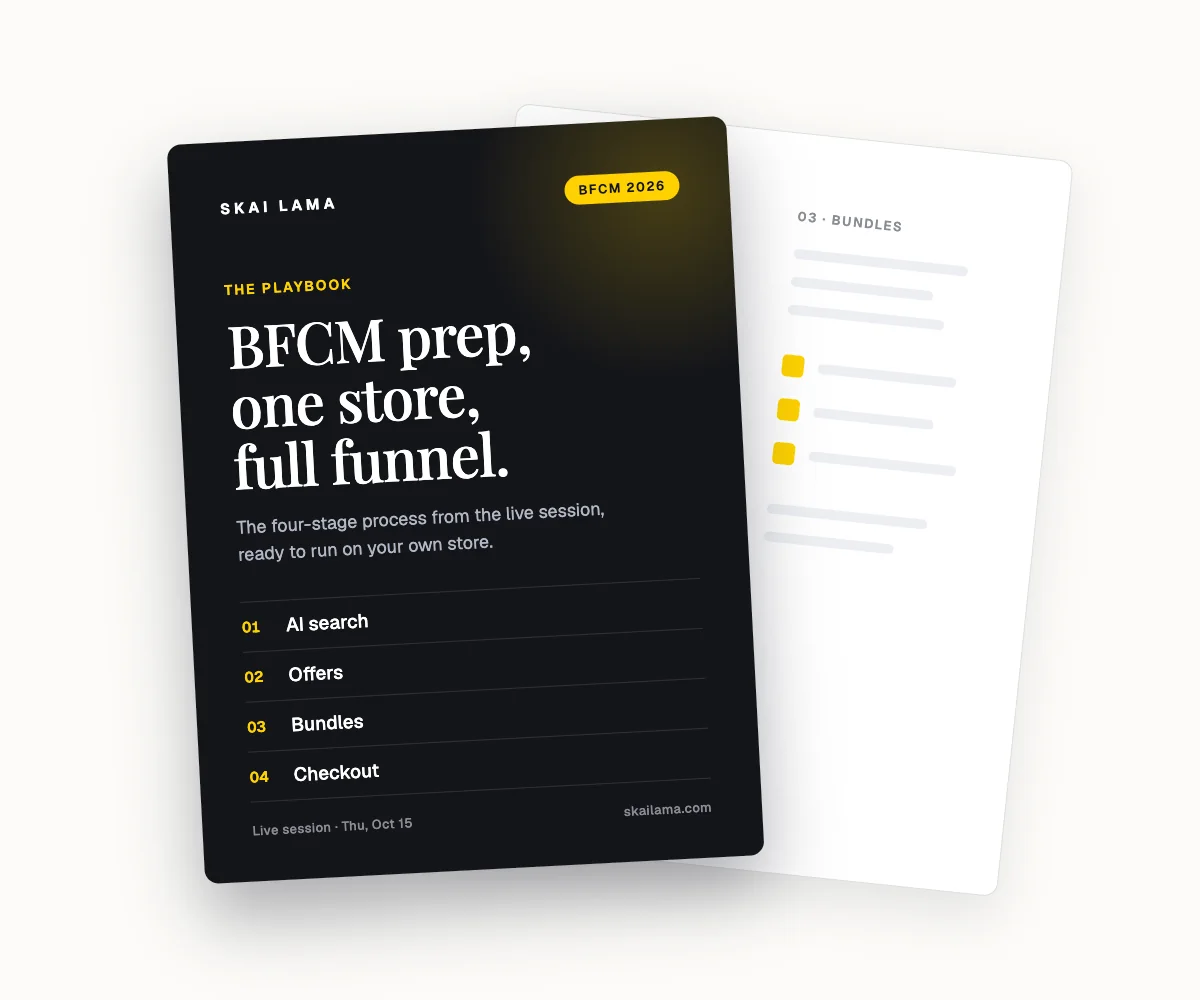
Free webinar
BFCM prep, live on one store.
We take one Shopify store through the whole BFCM funnel on screen, from AI search to checkout. You leave with the playbook to run the same on yours.
Thu, Oct 15
1 PM ET · 10 AM PT
60 minutes
Can't make it live? Register anyway. The recording and the playbook go to everyone who signs up.
Save your free seat
BFCM Prep Live. Thu, Oct 15 at 1 PM ET, 10 AM PT, 6 PM UK. 60 minutes.