The right bundle offer depends on what you want to achieve. This guide breaks down the best bundle types and discount settings for goals like increasing AOV, improving margins, attracting new customers, driving repeat purchases, and clearing inventory. You’ll also find ready-to-use Easy Bundle Builder AI prompts and setup steps for each offer.
For most Shopify brands, bundle discounts are an essential part of creating a bundle on their store. . As you would know, bundles help increase AOV, clear inventory, protect margins, or drive repeat purchases. Overall, many Shopify brands have used bundles to create a dedicated revenue stream.
Easy Bundle Builder is a Shopify bundle app that lets merchants create product bundles and set up different discount settings in these bundles. These “bundle offers” as they are usually called, help the store achieve certain business business goals. In this article, I will cover in-depth the different discount offers you can set up on Easy Bundle Builder. I will also pick the write bundle offer as per your different business goals.
What Types of Bundle Discount Settings Are Available in Easy Bundle Builder?
Easy Bundle Builder offers different bundle discount settings that determine how the discount or pricing incentive is applied to the bundles you create. These settings are separate from the bundle format, which defines how customers select or receive products.
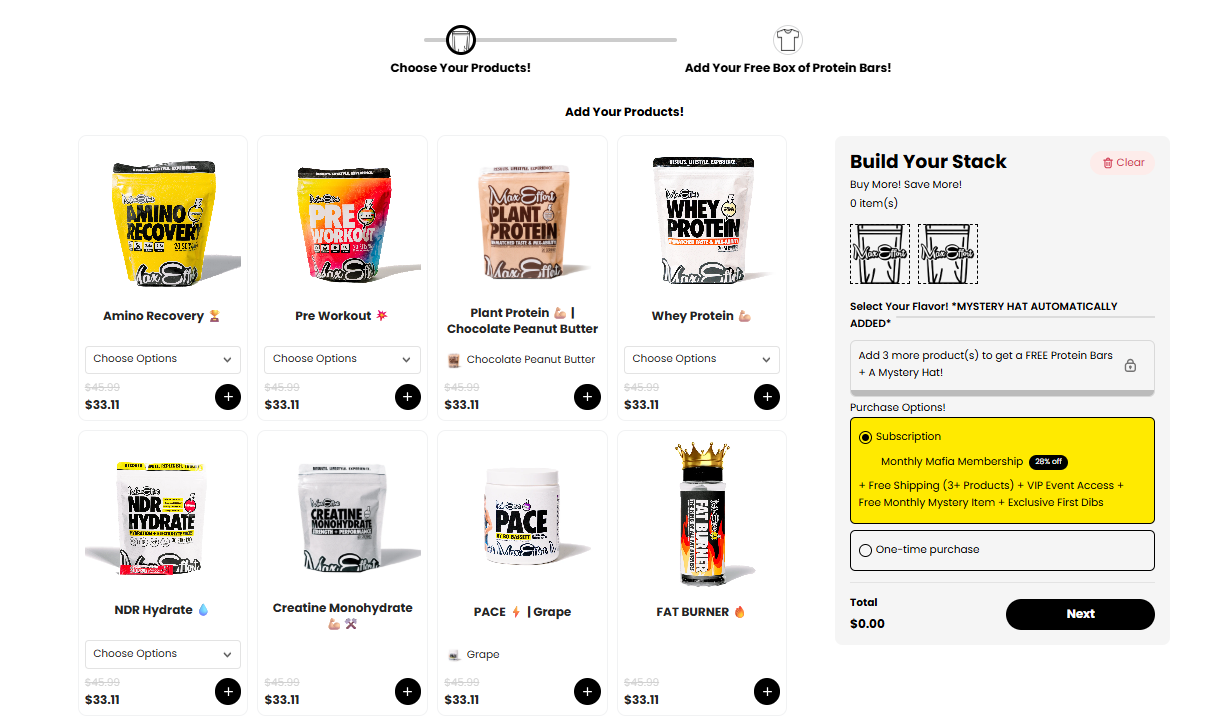
For example, Build Your Own, Mix & Match, Build-a-Box, and Subscription are bundle types. Percentage discounts, fixed amounts, fixed bundle prices, Buy X Get Y, and free gifts are bundle discount settings that determine how the bundle offers are priced. Together they form a bundle offer.
1. Percentage Off
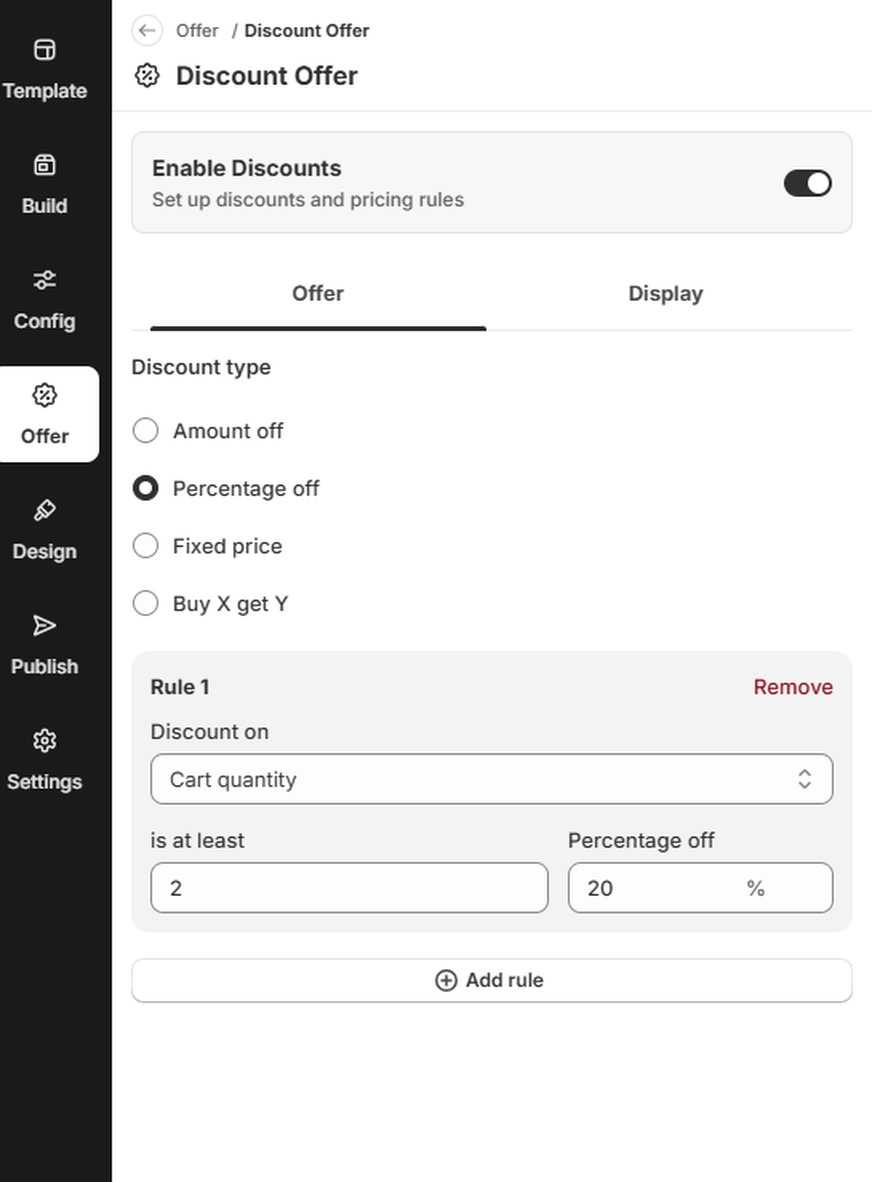
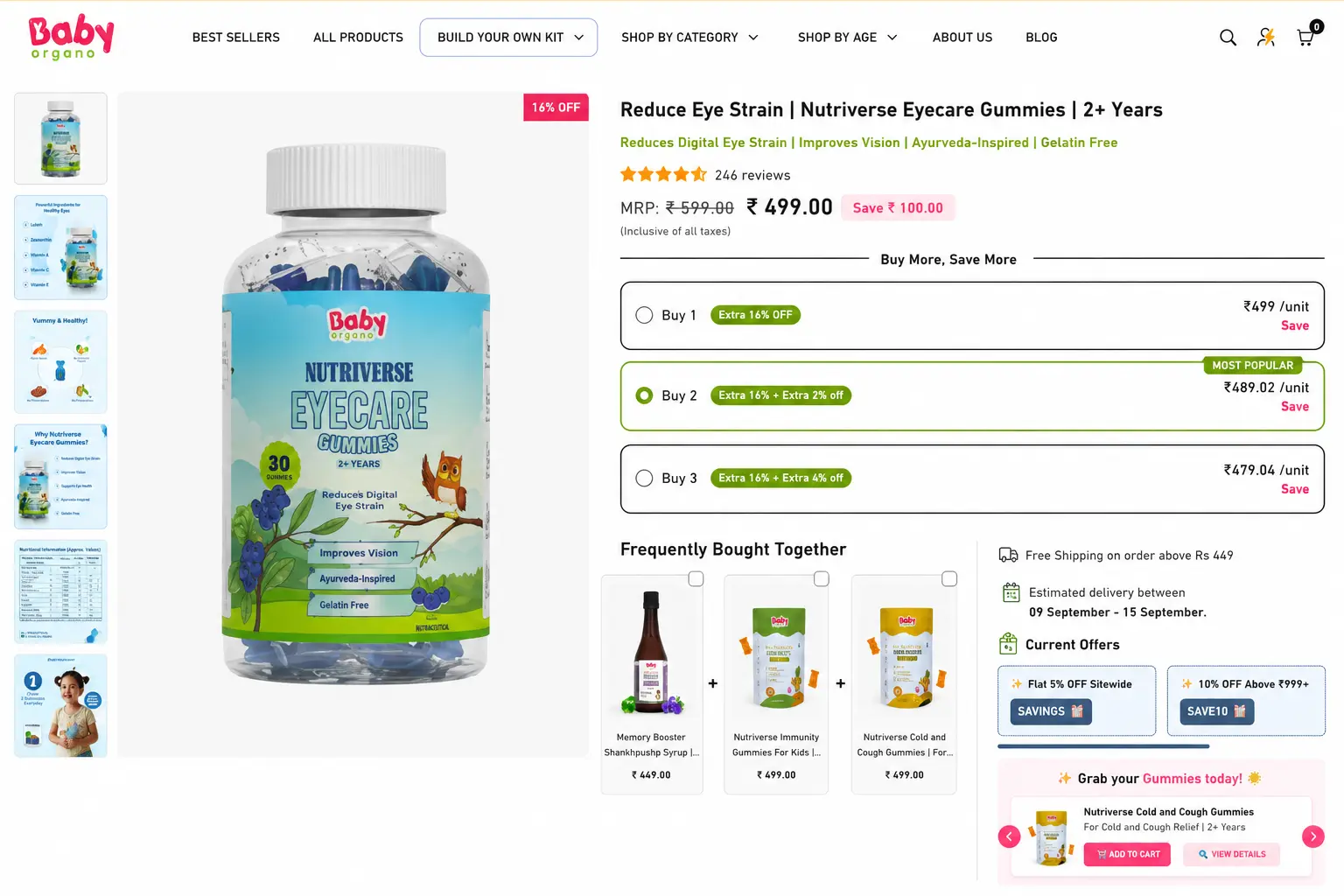
A percentage-off discount reduces the price of qualifying products or the bundle by a set percentage. You can also use different discount percentages based on the quantity a customer purchases.
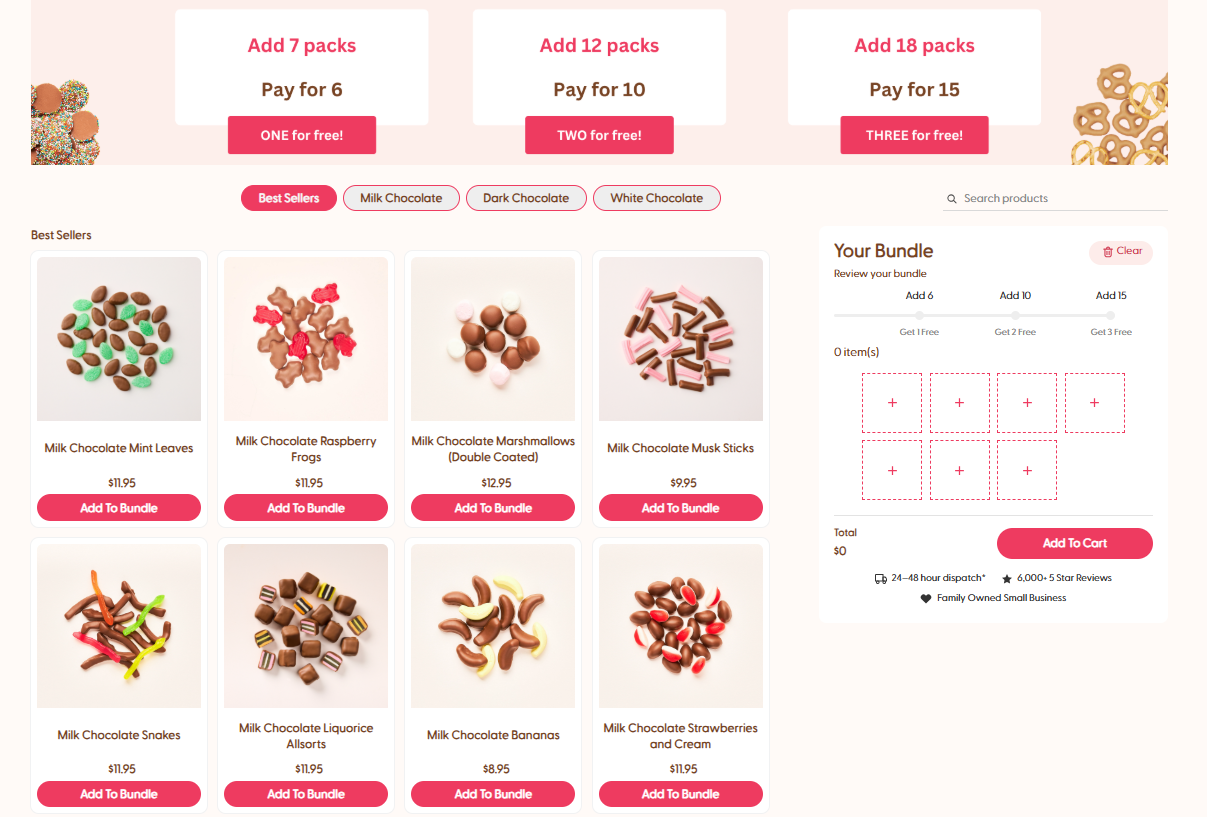
For example, offer 10% off when customers buy three items and 20% off when they buy five. This Bundle discount setting works well when you want to encourage customers to add more products to unlock greater savings.
2. Fixed Amount Off
A fixed-amount discount reduces the qualifying purchase by a specific monetary amount. Instead of calculating the savings as a percentage, customers see exactly how much they can save.
For example, you could offer $5 off when a customer completes a qualifying bundle. This bundle discount works well when you want to promote a clear, fixed saving.
3. Fixed Bundle Price
A fixed bundle price lets you set one discounted price for the entire bundle, regardless of the individual prices of the selected products.
For example, customers could choose any five eligible products and pay $29.99 for the complete bundle. This bundle discount setting gives you more control over the final selling price and is useful when maintaining a specific bundle margin is important.
4. Buy X, Get Y
Buy X, Get Y rewards customers when they purchase a specified quantity and receive a free product or additional quantity. The reward is unlocked once the customer meets the required purchase condition.
For example, you could offer “Buy 3 T-shirts, Get 1 T-shirt Free” or “Buy 2 T-shirts, Get a Cap Free.” This bundle discount can encourage customers to add more products to their order and works well for products that are commonly purchased together or in multiples.
5. Free Gifts
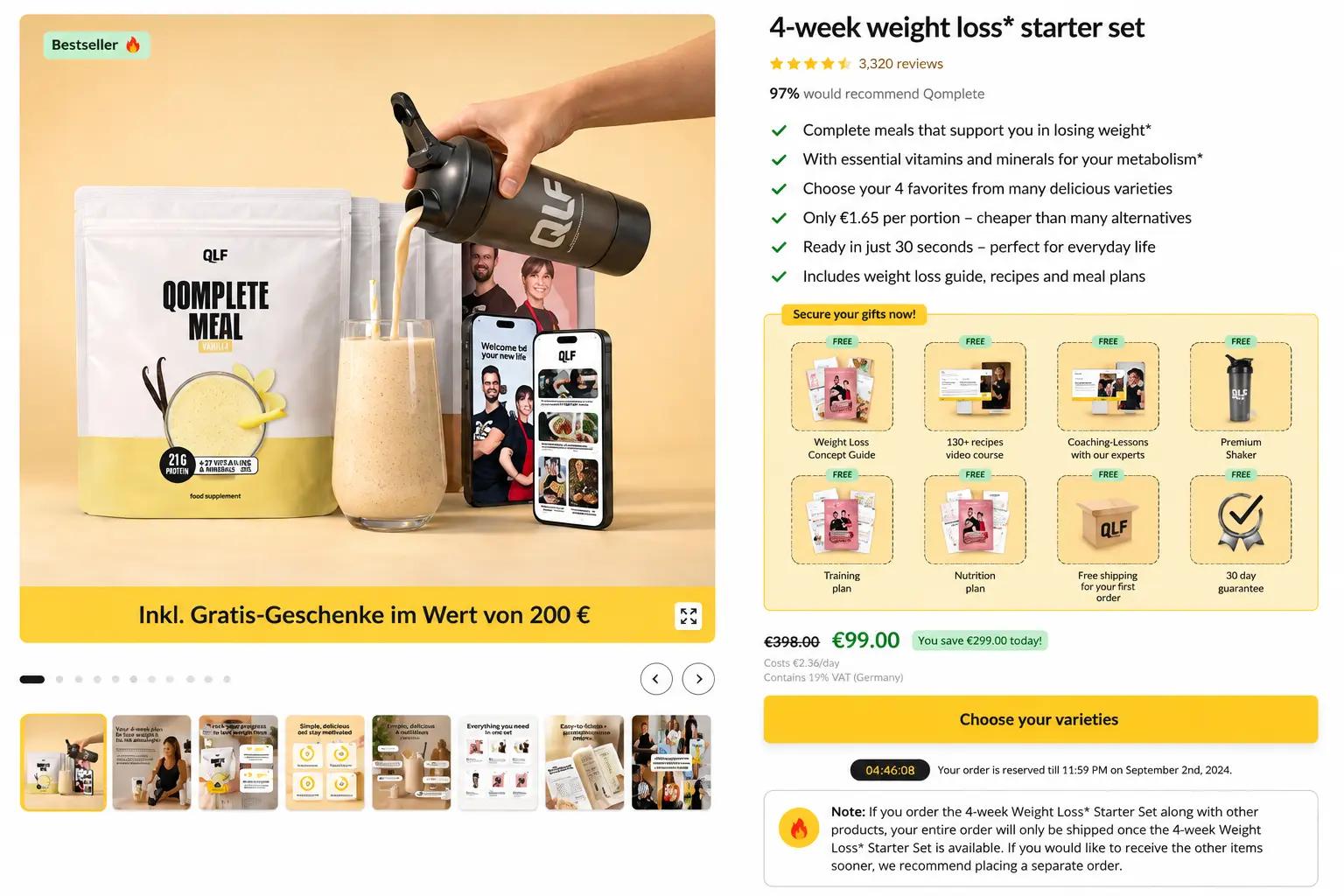
A free-gift offer gives customers a free product when they meet a specific purchase condition. The condition can be based on factors such as spending a minimum amount or purchasing a qualifying quantity.
For example, a beauty brand could offer a free travel-size product when a customer reaches a specific purchase value. This Bundle discount setting can increase the perceived value of an offer while helping customers discover another product from your catalog.
How to Create Bundle Offers in Easy Bundle Builder?
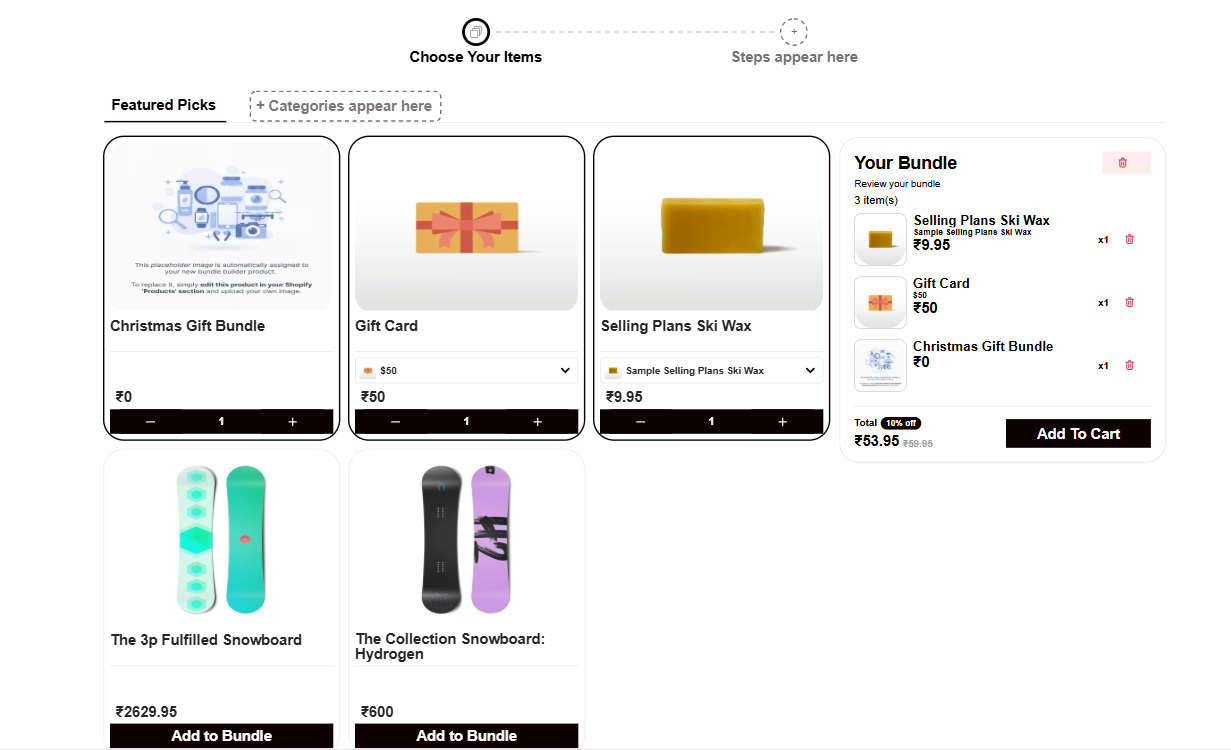
Creating a bundle offer is part of the overall bundle-building process in Easy Bundle Builder. You can build your bundle manually or use AI to set it up. As you create the bundle, you can select the products, choose your discount setting, and configure the offer based on your goals.
Build Bundle with AI in Easy Bundle Builder
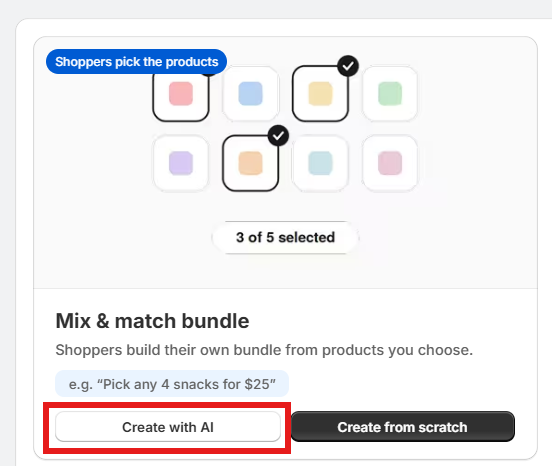
Easy Bundle Builder offers a "Create with AI" method to help you set up your bundle.
Select “Create with AI” and enter a prompt describing the bundle you want to create. Include details such as the bundle type, products, quantity, pricing, and discount where applicable.
The table below includes ready-to-use prompts for different bundle offers, along with the bundle type and business goal they support.
Pick your industry for the bundle offers built for it above.
Each prompt template is ready for Easy Bundle Builder's "Create with AI"
box method. Copy it, fill in the brackets, and paste it in to set up the
bundle type, discount setting and offer in one step.
Increase profit margin
Fixed price build your ownFixed bundle price
Build your own [bundle name], pick any [number] [products/items] for a fixed bundle price of [currency] [price].
Clear excess or seasonal stock
Buy X, Get Y FreeBuy X, Get Y
Create a Buy X Get Y offer where customers who purchase [quantity] [products/items] receive [free quantity] [product/item] free.
Promote discovery of under-discovered products
Product add-onFixed amount off
Create an add-on offer where customers can add a [complementary product/add-on item] to their purchase for [currency] [price].
Increase profit margin
Fixed price build your ownFixed bundle price
Build your own [bundle name], pick any [number] [products/items] for a fixed bundle price of [currency] [price].
Cross-sell complementary products
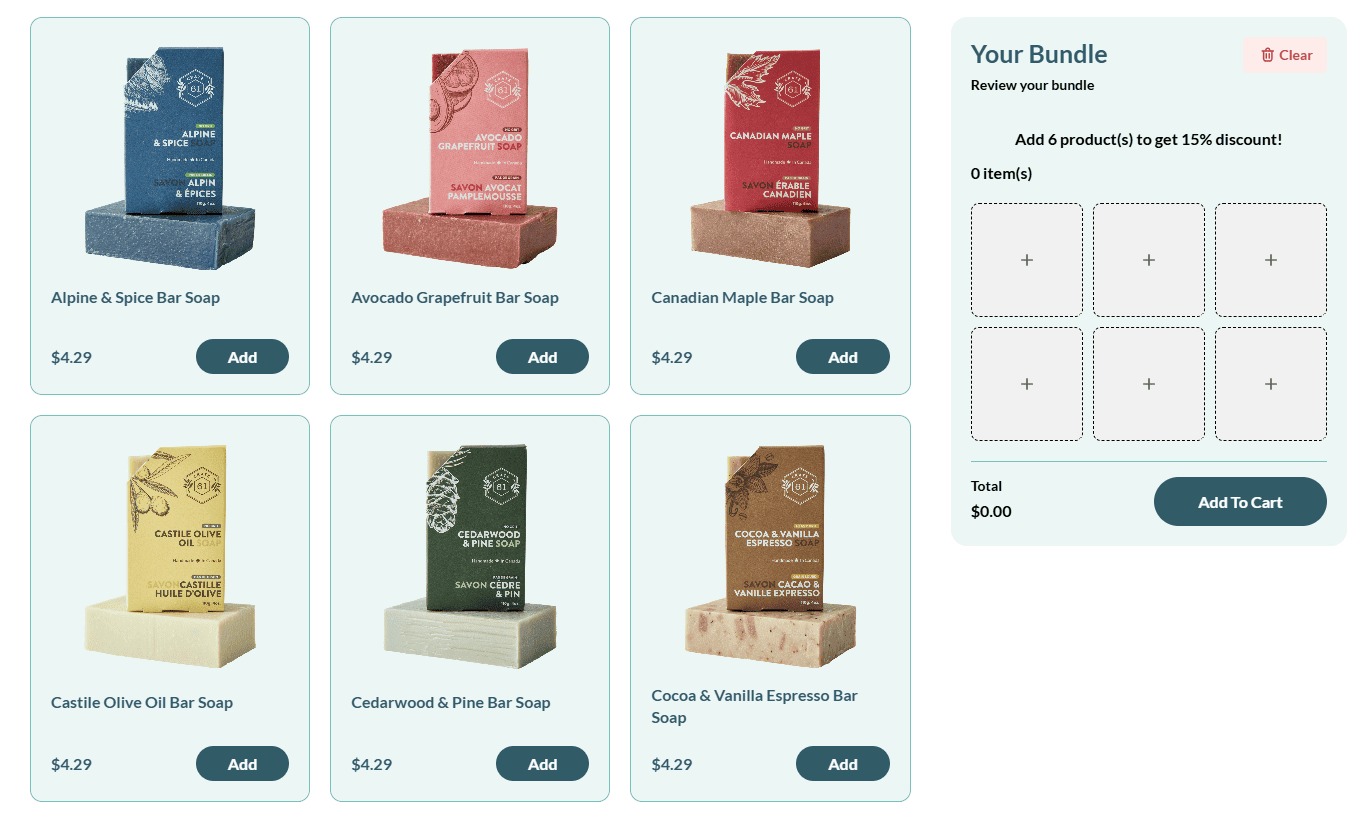
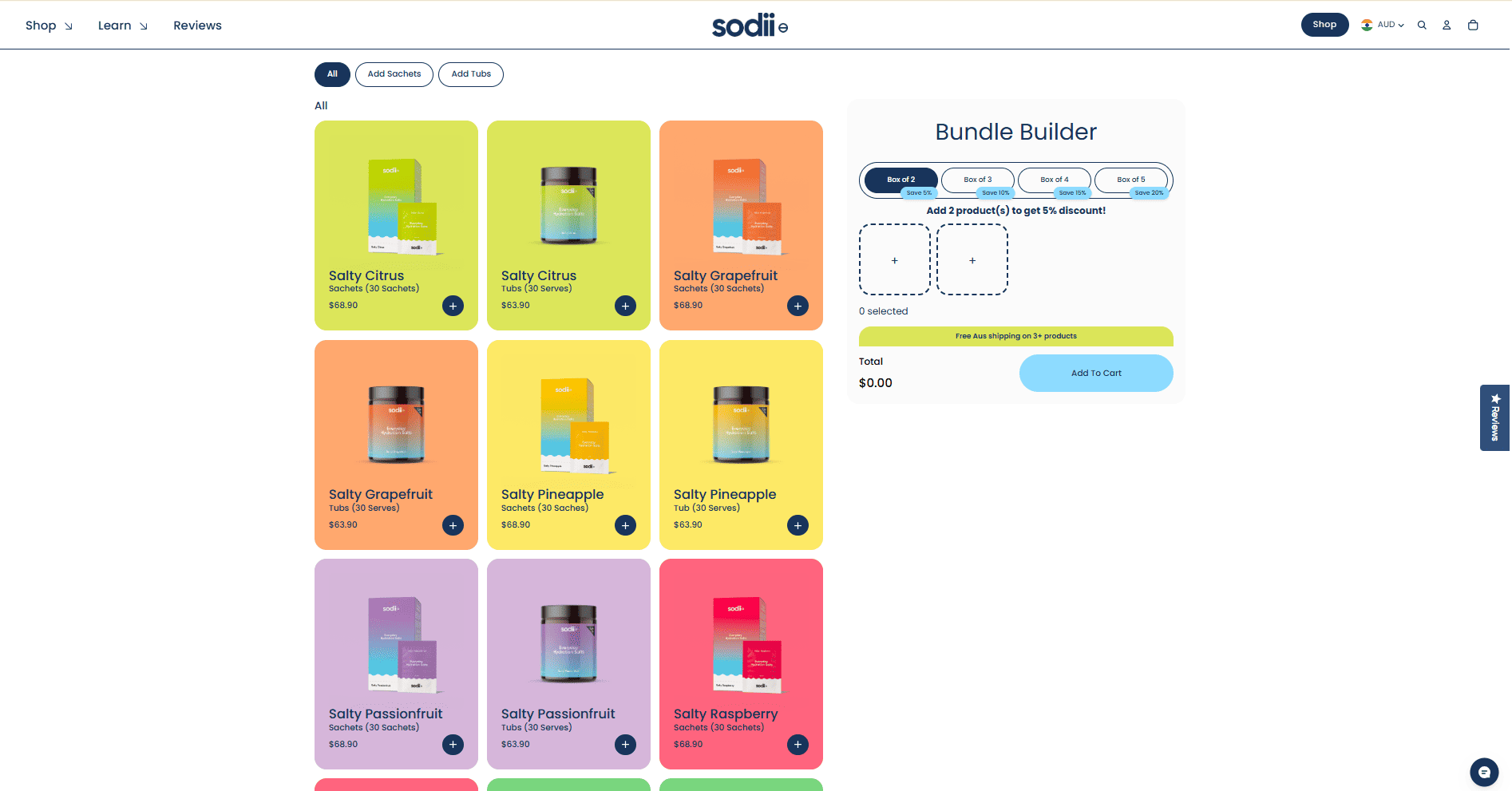
Mix & matchPercentage off / Amount off
Build your own [bundle name] — pick any [item] from [Category 1], [item] from [Category 2], and [item] from [Category 3] for [currency] [price].
Acquire new or first-time customers
Starter kitPercentage off
Build your [starter kit/bundle name] — pick any [number] [products/items] from [collection/category] and save [discount]%.
Create a subscription bundle where customers can select any [number] [products/items] and receive their bundle every [delivery frequency].
Increase product discovery
Free gift with purchaseFree gift
Create a free gift offer where customers receive a free [gift/product] when they spend [currency] [minimum amount] or purchase [quantity] [products/items].
Promote discovery of under-discovered products
Product add-onFixed amount off
Create an add-on offer where customers can add a [complementary product/add-on item] to their purchase for [currency] [price].
Increase average order value (AOV)
Quantity breaksPercentage off
Buy [quantity] [products/items] for [discount]% off, or buy [higher quantity] for [higher discount]% off.
Acquire new or first-time customers
Starter kitPercentage off
Build your [starter kit/bundle name] — pick any [number] [products/items] from [collection/category] and save [discount]%.
Create a subscription bundle where customers can select any [number] [products/items] and receive their bundle every [delivery frequency].
Increase average order value (AOV)
Quantity breaksPercentage off
Buy [quantity] [products/items] for [discount]% off, or buy [higher quantity] for [higher discount]% off.
Boost gifting revenue and premium AOV
Build-a-boxPercentage off
Create a build-your-own box bundle where customers can choose a [box/container type], select [number/range] [products/items], and add [personalization option/add-on].
Clear excess or seasonal stock
Buy X, Get Y FreeBuy X, Get Y
Create a Buy X Get Y offer where customers who purchase [quantity] [products/items] receive [free quantity] [product/item] free.
Increase product discovery
Free gift with purchaseFree gift
Create a free gift offer where customers receive a free [gift/product] when they spend [currency] [minimum amount] or purchase [quantity] [products/items].
Cross-sell complementary products
Mix & matchPercentage off / Amount off
Build your own [bundle name] — pick any [item] from [Category 1], [item] from [Category 2], and [item] from [Category 3] for [currency] [price].
Promote discovery of under-discovered products
Product add-onFixed amount off
Create an add-on offer where customers can add a [complementary product/add-on item] to their purchase for [currency] [price].
Boost gifting revenue and premium AOV
Build-a-boxPercentage off
Create a build-your-own box bundle where customers can choose a [box/container type], select [number/range] [products/items], and add [personalization option/add-on].
Clear excess or seasonal stock
Buy X, Get Y FreeBuy X, Get Y
Create a Buy X Get Y offer where customers who purchase [quantity] [products/items] receive [free quantity] [product/item] free.
Boost gifting revenue and premium AOV
Build-a-boxPercentage off
Create a build-your-own box bundle where customers can choose a [box/container type], select [number/range] [products/items], and add [personalization option/add-on].
Boost gifting revenue and premium AOV
Build-a-boxPercentage off
Create a build-your-own box bundle where customers can choose a [box/container type], select [number/range] [products/items], and add [personalization option/add-on].
Increase product discovery
Free gift with purchaseFree gift
Create a free gift offer where customers receive a free [gift/product] when they spend [currency] [minimum amount] or purchase [quantity] [products/items].
Increase product discovery
Free gift with purchaseFree gift
Create a free gift offer where customers receive a free [gift/product] when they spend [currency] [minimum amount] or purchase [quantity] [products/items].
Promote discovery of under-discovered products
Product add-onFixed amount off
Create an add-on offer where customers can add a [complementary product/add-on item] to their purchase for [currency] [price].
Manually Build Your Bundle
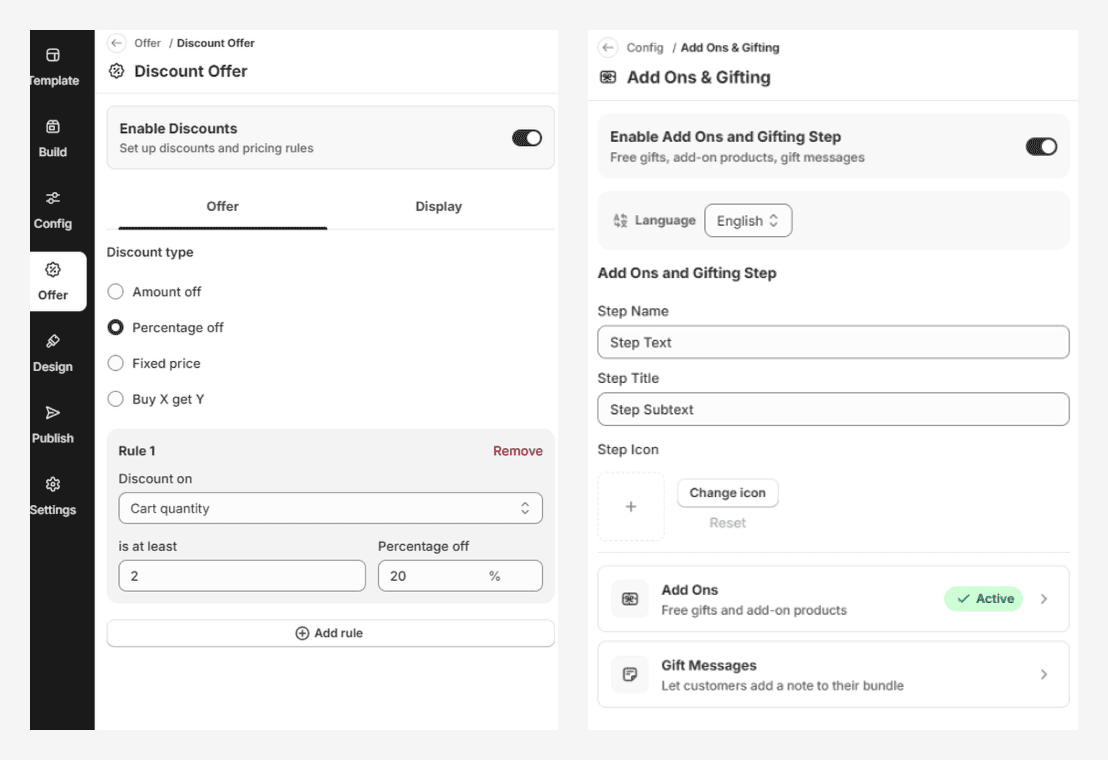
To manually create a bundle, open Easy Bundle Builder and go to the Create Bundle tab. Create and configure your bundle by selecting the products and setting up the bundle details. Once the bundle is created, go to the Offer tab and select Discount Offer. From there, choose the discount type and configure the offer based on your requirements.
How to Pick the Right Bundle Offer for Your Business Goal?
The right bundle offer depends on the business goal you want to achieve. Choose the bundle format that fits the shopping experience, then select the Bundle discount setting that supports your bundle offers.
Increase Profit Margin
Bundle Details
Recommendation
Bundle Type
Fixed Price Build Your Own Bundle
Bundle Discount Setting
Fixed Price (Discounted)
Bundle Offer
A single- or multi-step fixed-price bundle where shoppers can select a set number of products from one or multiple categories at a discounted bundle price.
Best Suited for Industry
Fashion & Apparel, Beauty & Cosmetics
A fixed-price Build Your Own Bundle lets customers choose the products they want while giving merchants control over the final bundle price. This can help increase products per order while making margins more predictable, since you set the price based on the products included and the profit you want to maintain. It can also reduce the need for deeper percentage-based discounts.
EBB AI Prompt: “Build your own [bundle name], pick any [number] [products/items] for a fixed bundle price of [currency] [price].”
Increase Average Order Value (AOV)
Bundle Details
Recommendation
Bundle Type
Quantity Breaks / Build Your Bundle Quantity Breaks
Bundle Discount Setting
Percentage Off
Bundle Offer
Customers unlock progressively higher discounts as they purchase more qualifying products.
Best Suited for Industry
Supplements & Vitamins, Beverages, Food & Gourmet
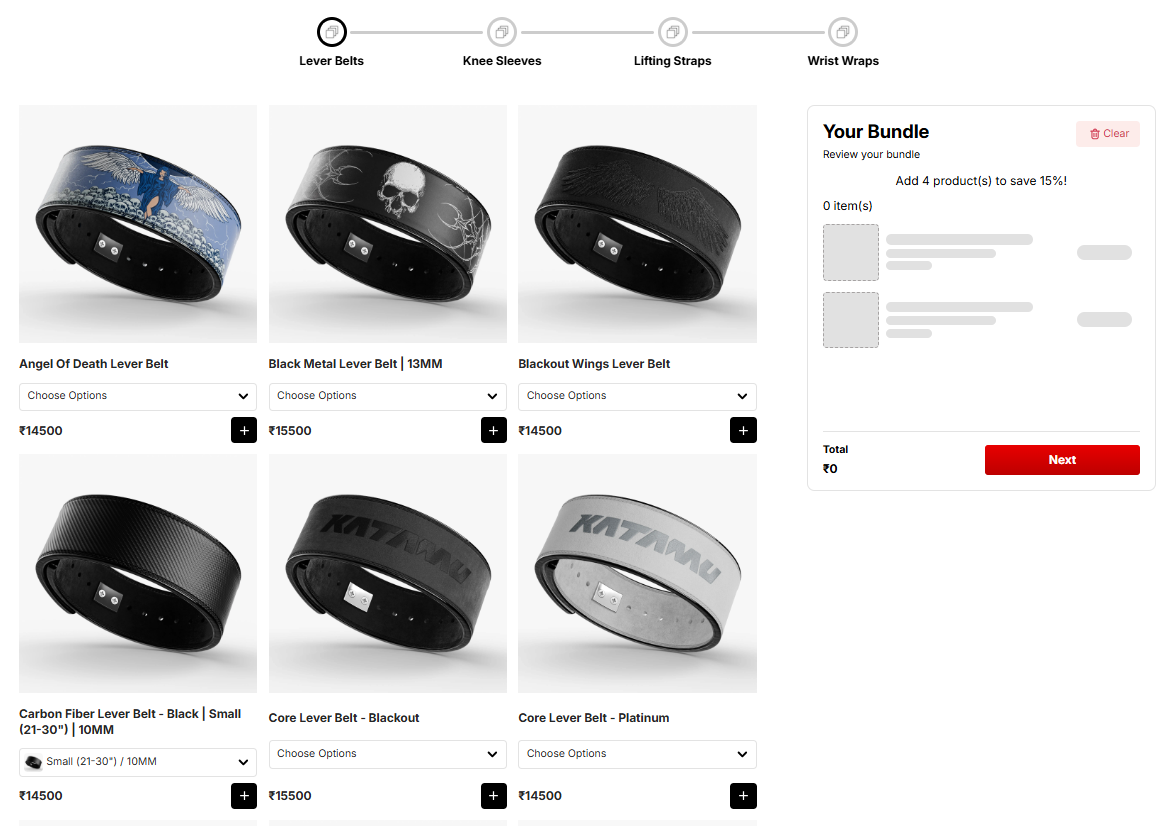
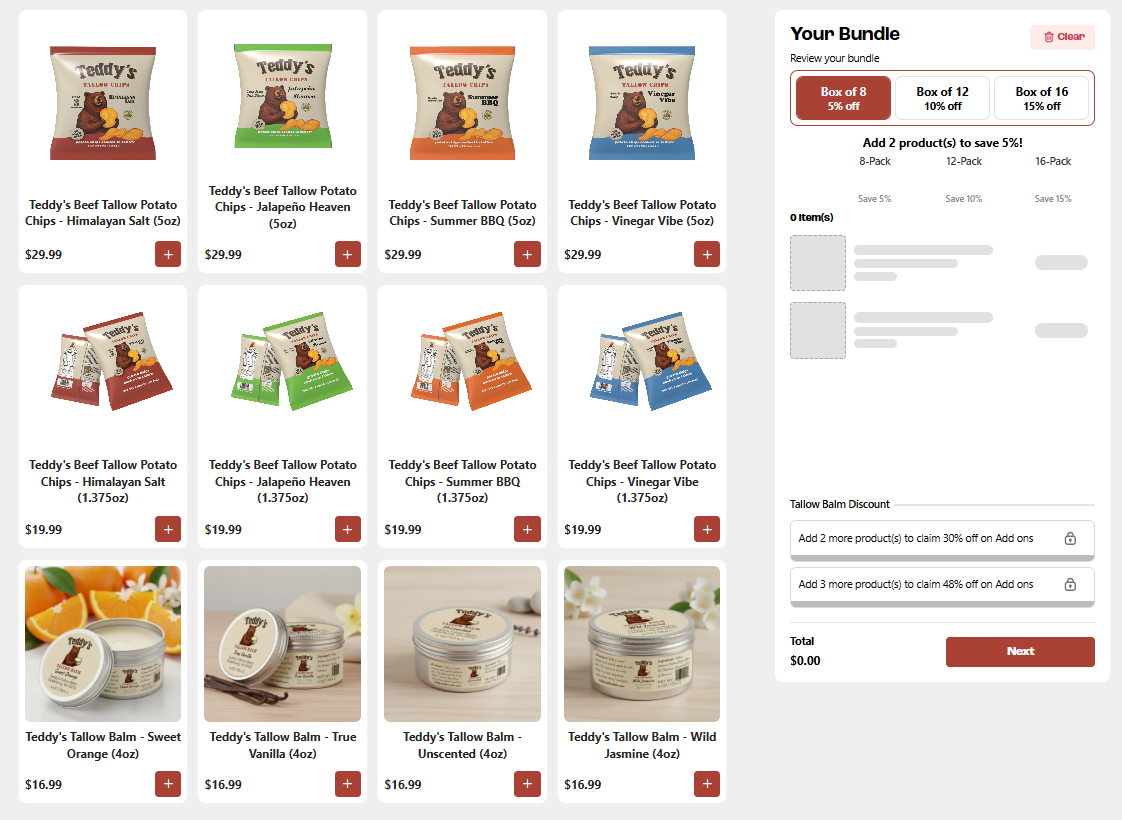
Quantity Breaks can increase AOV by giving customers a clear incentive to add more items to unlock a bigger discount. As the discount improves at higher quantities, customers have a reason to move from a smaller purchase to a larger one. For example, offer 10% off at three items and 20% off at five, encouraging customers to reach the next tier.
EBB AI Prompt: “Buy [quantity] [products/items] for [discount]% off, or buy [higher quantity] for [higher discount]% off.”
Cross-Sell Complementary Products
Bundle Details
Recommendation
Bundle Type
Mix & Match / Product Add-Ons
Bundle Discount Setting
Percentage Off / Amount Off
Bundle Offer
Customers can combine complementary products from different categories or add recommended products to their purchase.
Best Suited for Industry
Beauty & Cosmetics, Pet Supplies
Mix & Match lets shoppers combine products that naturally go together, while Product Add-Ons recommend complementary products alongside the main purchase. A discounted fixed price can give customers an additional reason to purchase the products together.
EBB AI Prompt: “Build your own [bundle name] — pick any [item] from [Category 1], [item] from [Category 2], and [item] from [Category 3] for [currency] [price].”
Acquire New or First-Time Customers
Bundle Details
Recommendation
Bundle Type
Starter Kit Bundle
Bundle Discount Setting
Percentage Off
Bundle Offer
A curated selection of products offered together at a discounted price to give new customers an easy starting point.
Best Suited for Industry
Beauty & Cosmetics, Supplements & Vitamins
A starter kit brings relevant products together for customers who may be unfamiliar with your catalog. A percentage discount can make the first purchase more accessible while introducing shoppers to multiple products.
Build-a-Box lets shoppers choose the products they want in a gift while keeping the buying process structured. A fixed discounted price makes the total cost clear and can support higher-value gifting purchases.
EBB AI Prompt: “Create a build-your-own box bundle where customers can choose a [box/container type], select [number/range] [products/items], and add [personalization option/add-on].”
Generate Recurring, Predictable Revenue
Bundle Details
Recommendation
Bundle Type
Subscription Bundle
Bundle Discount Setting
Applicable Subscription Discount
Bundle Offer
A recurring bundle that lets customers select products and receive their chosen combination on a set delivery schedule.
Best Suited for Industry
Beverages, Supplements & Vitamins, Beauty
Subscription Bundles let customers select products they regularly need and receive them on a recurring schedule. This gives merchants an opportunity to turn one-time bundle purchases into repeat orders.
EBB AI Prompt: “Create a subscription bundle where customers can select any [number] [products/items] and receive their bundle every [delivery frequency].”
Clear Excess or Seasonal Stock
Bundle Details
Recommendation
Bundle Type
Buy X, Get Y Free / Quantity Breaks
Bundle Discount Setting
Buy X, Get Y / Percentage Off
Bundle Offer
Customers receive a free product or a larger discount after reaching a required purchase quantity.
Best Suited for Industry
Food & Gourmet, Baby & Kids, Fashion & Apparel
Buy X, Get Y rewards customers for reaching a required quantity with an additional product. Quantity Breaks can increase the discount at higher quantities, making both options useful for moving more units in a single order.
EBB AI Prompt: “Create a Buy X Get Y offer where customers who purchase [quantity] [products/items] receive [free quantity] [product/item] free.”
Increase Product Discovery
Bundle Details
Recommendation
Bundle Type
Free Gift With Purchase / Curated Bundle
Bundle Discount Setting
Free Gift
Bundle Offer
Customers receive a free product after meeting a qualifying purchase condition.
Best Suited for Industry
Beauty & Cosmetics, Personal Care, Food & Gourmet, Home Decor
A free gift can introduce shoppers to products outside their original purchase. For example, a beauty brand can offer a trial-size product when customers meet a minimum purchase requirement.
EBB AI Prompt: “Create a free gift offer where customers receive a free [gift/product] when they spend [currency] [minimum amount] or purchase [quantity] [products/items].”
Promote Discovery of Under-Discovered Products
Bundle Details
Recommendation
Bundle Type
Product Add-Ons
Bundle Discount Setting
Fixed Amount Off
Bundle Offer
Customers can add complementary products to their primary purchase using a specific add-on price or discount.
Best Suited for Industry
Electronics, Beauty & Cosmetics, Fashion & Apparel, Pet Supplies
Product Add-Ons show relevant products alongside the primary purchase. A specific add-on price or discount can give customers an additional reason to add complementary products to the same order.
Hurrify customers to buy within a given timeframe with a sales countdown timer & improve conversions
Another popular Shopify checkout app is Checkout Promotions. The app comes with the ability to leverage a collection of highly robust visibility rules that help show customers one-click post purchase upsell promotions after an order payment has been made. Some of its key features include:
Features
AI recommended and manual recommendations for upselling.
Complete branding control.
Checkout Upsell for increasing AOV.
AI recommended and manual recommendations for upselling.
Pricing
Development
Free
Monthly Plan
$99/ month
Plus Plan
$99/ month
Plus Plan
$99/ month
Common Questions
What bundle discount settings are available in Easy Bundle Builder?
How do bundle discounts work in Easy Bundle Builder?
How can I use bundle discounts for different business goals?
I created Quantity Breaks, but my AOV is still flat. What could be wrong?
My fixed-price bundle is getting sales, but my margins are still low. What should I check?
My subscription bundle is getting sign-ups. How can I encourage customers to choose higher-value plans?
Surya V
Surya leads Product Management at Skai Lama. He talks about Shopify Checkout, Conversion Optimization, and growth tactics for Shopify Plus stores.

.svg)
.svg)

.svg)
.svg)


.jpg)
.svg)









.svg)



.avif)