.svg)
.svg)


%20(1).png)
Our Apps Have Driven
5X AOV | 2X Conversions | $30M+ Additional Revenue
5X AOV | 2X Conversions | $30M+ Additional Revenue
.svg)


5.0 (3000+ Reviews)


Shopify Apps





.svg)

Getting more visitors to an ecommerce store does not automatically mean getting more sales. Shoppers can leave because the page does not match their intent, product information is unclear, navigation is difficult, or checkout introduces unexpected friction.
Unbounce found that mobile visitors make up more than 2.5× the traffic of desktop visitors in ecommerce, yet convert almost 18% less often. This gap shows why the experience shoppers get after they arrive can matter as much as the traffic itself.
CRO on-page optimization focuses on the pages and elements that influence those decisions. It covers messaging, product information, navigation, CTAs, trust signals, mobile UX, forms, and other parts of the experience that can affect conversion.
The goal is not to redesign every page or change buttons for the sake of testing. It is to understand what shoppers need at each stage and make it easier for them to take the next step.
CRO stands for conversion rate optimization. On-page CRO focuses on improving individual website pages so more visitors complete a desired action.
For ecommerce stores, that action could be viewing a product, adding an item to the cart, starting checkout, completing a purchase, or signing up for a promotion. The right optimization depends on what the page is designed to help the visitor do.
A strong CRO process combines analytics, customer behavior, UX, messaging, and testing. The aim is to improve the experience while connecting changes to measurable business outcomes.
On-page CRO does not belong to one part of the funnel. Its role changes as a shopper moves from discovering a brand to evaluating products, completing a purchase, and returning later.
Ads, social posts, search results, and other acquisition channels bring visitors to the site. The landing page then needs to match that initial promise and quickly communicate what the brand offers.
Focus on headline relevance, page speed, mobile usability, and a clear value proposition. Bounce rate and engagement can provide context, but always consider the visitor's traffic source and intent.
At this stage, shoppers are exploring and narrowing their options. Clear navigation, useful filters, sensible sorting, relevant product cards, and visible trust signals can help them find the right product faster.
Track collection-page clicks, product-page views, internal search usage, and exits. Search queries can also reveal products, categories, or attributes that shoppers expect to find but struggle to locate.
Product pages answer the questions that stand between interest and purchase. Shoppers may need information about features, sizing, reviews, delivery, returns, availability, or how the product works.
Use strong imagery and video, benefit-led copy, clear pricing, reviews, shipping information, FAQs, and an obvious add-to-cart CTA. Add-to-cart rate is a useful metric for understanding whether product-page visitors are moving toward purchase.
Purchase intent is higher here, but friction can still cause abandonment. Unexpected costs, unclear delivery information, limited payment options, complicated forms, or forced account creation can interrupt the purchase.
Make costs and delivery information clear, simplify the checkout experience, and offer appropriate payment options. Measure cart abandonment and checkout completion rather than individual clicks alone.
CRO does not necessarily end after payment. Thank-you pages, order-status pages, and customer accounts can support reviews, referrals, account creation, education, or another purchase.
The metrics here shift toward repeat purchases, review submissions, referrals, and customer lifetime value. The experience should support the customer's current needs instead of immediately pushing another sale.
Before changing a page, establish what the page needs to accomplish. These six questions help turn a broad ecommerce CRO review into a focused assessment.
Review traffic sources, devices, new versus returning visitors, and other useful segments. A product page receiving high-intent organic traffic may need different messaging from one receiving broad social traffic.
Identify the primary next action. That might be finding a category, comparing products, selecting a variant, adding an item to the cart, or completing a form.
Identify the questions that could prevent the next step. Depending on the product, these may involve sizing, ingredients, delivery, pricing, compatibility, availability, or returns.
Look for confusing copy, missing information, difficult interactions, unexpected costs, weak product imagery, or navigation problems. Recordings, reviews, support conversations, and analytics can help reveal these moments.
Separate observations from assumptions. A design element that “looks weak” is not necessarily a conversion problem, while repeated customer complaints or a measurable drop-off gives you something more concrete to investigate.
Define the intended outcome before making the change. A PDP may focus on add-to-cart rate, while a cart experiment may focus on checkout starts or completed purchases.
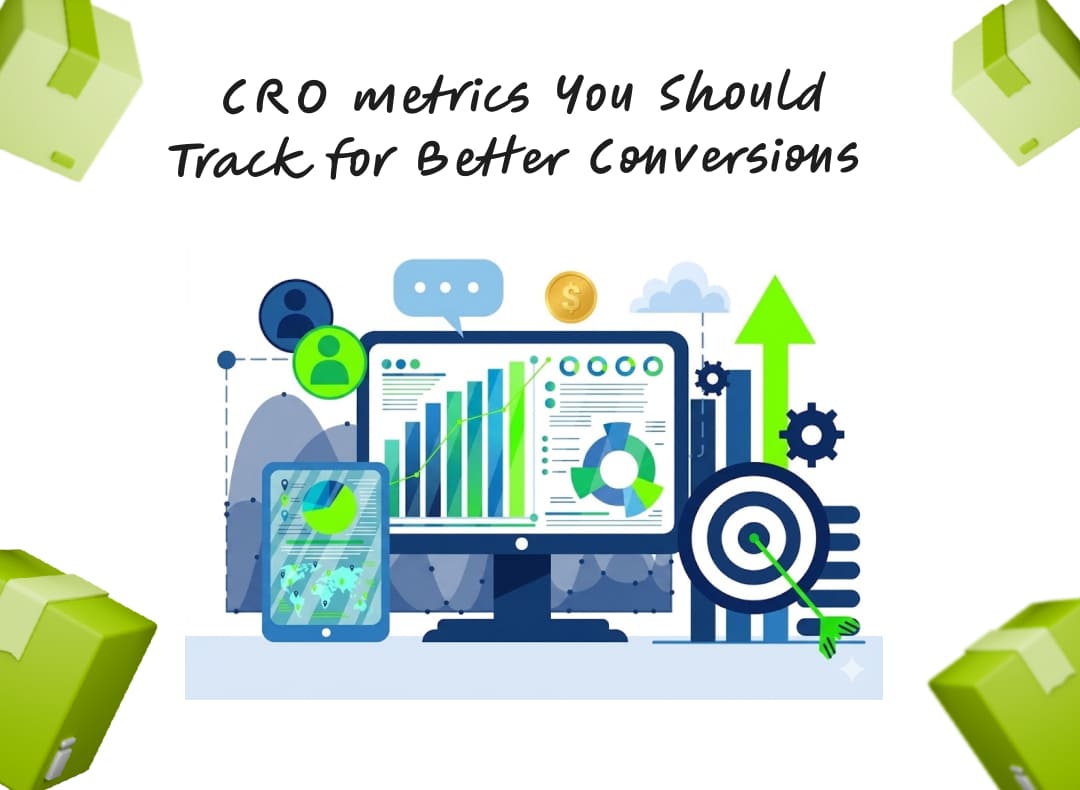
No single metric explains whether a page is performing well. Look at the metric that matches the page's role and connect it to downstream behavior.
Bounce rate and engagement can show whether visitors continue interacting with a page. Time on page can provide additional context, but a longer visit is not automatically positive.
CTR tells you whether visitors interact with an element. It does not tell you whether those clicks lead to purchases, so use it alongside downstream conversion data.
For forms, track the full journey from views to starts to completed submissions. This helps identify whether visitors lack motivation or whether something within the form creates friction.
If abandonment increases sharply at one field, investigate that field before changing the entire page.
Cart abandonment shows how many shopping sessions end without a completed purchase after items are added. Baymard's compilation currently puts average documented ecommerce cart abandonment at 70.22%, but this should be treated as broad industry context rather than a target.
For your store, investigate shipping costs, delivery timing, taxes, payment methods, discount behavior, technical errors, and account requirements. Segment the data by device and customer type where volume allows.
These figures come from different datasets and should not be treated as universal targets. Your own historical performance and customer mix are usually more useful for setting CRO priorities.
Different pages have different jobs, so they should not be evaluated using the same CRO checklist. Use the relevant points below as a starting audit, then prioritize the page type with the clearest conversion opportunity.
The homepage should quickly explain what the brand sells and guide visitors toward relevant products.
The homepage does not need to explain everything. Its main job is to create enough clarity for visitors to continue exploring.
Collection pages should help shoppers narrow their options and compare products.
The default product order also matters. If relevant or popular products are difficult to find, shoppers may leave before reaching a strong product page.
Search users often have a specific product or category in mind, making search a high-intent touchpoint.
Review internal search terms regularly. They can reveal gaps in navigation, merchandising, and product discovery.
The PDP needs to answer the questions that affect the buying decision.
The right PDP structure depends on the product. Fashion shoppers may need fit information, while furniture shoppers may care more about dimensions, materials, and delivery.
The goal here is to reduce surprises and unnecessary effort.
Do not let upsells compete with the primary purchase action. A higher AOV is not useful if the additional content makes customers abandon checkout.
The same elements appear across many ecommerce pages, but their effectiveness depends on context. The goal is to make the information and action relevant to the visitor at that point in the journey.
A headline should quickly establish relevance. “Premium skincare for modern lifestyles” tells visitors little, while “Barrier-supporting skincare for dry, sensitive skin” gives them a clearer reason to continue.
Review whether your headline reflects the customer, problem, product, benefit, or differentiator that actually matters. Supporting copy should then provide enough context to make the next action logical.
CTA copy should clearly communicate what happens next. “Add to Cart,” “Get My Free Audit,” and “Start Your Free Trial” generally provide more context than generic labels such as “Submit.” Forms should follow the same principle. Remove unnecessary fields, explain unfamiliar requests, use clear labels, and make validation errors easy to understand.
Reviews, ratings, testimonials, customer photos, and product-specific proof can help reduce purchase uncertainty.
Detailed reviews can be particularly useful for products where shoppers have questions about fit, quality, performance, or results. Use urgency only when it reflects something real. Accurate stock information, genuine sale deadlines, and actual delivery cutoffs can help customers decide without relying on artificial scarcity.
Returns, warranties, delivery information, payment details, guarantees, and customer support can reduce perceived purchase risk. Their placement matters because reassurance is most useful when the customer is making the decision.
A concise returns summary near the purchase area can be more useful than forcing shoppers to search through the footer. The level of reassurance needed also varies with price, product complexity, and brand familiarity.
Personalization can make an experience more relevant when there is a meaningful difference between visitor groups. It becomes less useful when brands create variations without a clear reason for doing so.
First-time visitors may need more education and trust signals than returning customers. Returning shoppers may benefit more from recently viewed products, relevant recommendations, or faster access to familiar categories.
Useful segments can include traffic source, customer status, product interest, geography, device, and purchase history. Start with differences that can reasonably affect the buying decision.
AI can speed up research by summarizing reviews, identifying recurring customer language, generating copy variations, and helping teams explore test ideas. It can reduce the time spent turning large amounts of qualitative feedback into usable themes.
The resulting changes still need a clear reason for being tested. A polished AI-generated headline is not automatically a CRO improvement.
Repeated product views, high-intent searches, variant selection, and interaction with delivery information can indicate stronger purchase intent. These signals can inform recommendations, merchandising, or targeted experiences.
Evaluate predictive features against meaningful outcomes rather than clicks alone. If a system generates more interactions but does not improve purchases or revenue, its commercial value may be limited.
Technical problems can undermine otherwise strong CRO work. Page speed, mobile usability, accessibility, and implementation quality should therefore be part of the page review.
Review Core Web Vitals, image sizes, third-party scripts, app impact, layout shifts, and unnecessary code. Shopify stores should pay particular attention to app bloat because additional widgets and scripts can increase page complexity.
Do not remove useful functionality based on performance alone. Consider whether the feature contributes enough to the customer experience to justify its technical cost.
Mobile shoppers need more than a smaller desktop layout. Check image galleries, filters, search, variant selectors, popups, forms, and CTAs on actual devices where possible.
A page can look correct in a responsive preview while still being awkward to navigate on a real phone. Test the important purchase paths rather than checking only the homepage.
Review keyboard navigation, form labels, button names, focus states, contrast, error messages, image alternatives, and other accessibility fundamentals. Clearer interactions can improve usability for a much wider audience.
Accessibility should be considered during CRO work rather than added after design decisions are already fixed. A more understandable interface can also reduce friction for customers who never identify accessibility as a concern.
CRO tools give teams the data and experimentation capabilities needed to diagnose conversion issues, understand customer behaviour, and validate changes.
The right stack depends on the questions you need to answer, the scale of your programme, and the depth of analysis required.
Analytics platforms provide the foundation for CRO by showing how visitors move through the site and where conversion events occur. Google Analytics 4 (GA4) covers core traffic and ecommerce reporting, while Adobe Analytics and Mixpanel support deeper behavioural and product analysis for more complex requirements.
Behavioural analytics tools add context to quantitative data by showing how users interact with specific pages and experiences. Hotjar, Microsoft Clarity, FullStory, and Contentsquare provide capabilities such as heatmaps, session recordings, and behavioural analysis to help teams investigate friction behind conversion drop-offs.
A/B testing platforms support CRO testing by helping teams validate changes through controlled experiments rather than relying on assumptions or simple before-and-after comparisons. VWO, Optimizely, AB Tasty, and Adobe Target support experiment creation, audience allocation, measurement, and analysis, making them useful for structured CRO testing programmes.
Customer research tools help uncover the motivations and barriers that behavioural data alone cannot explain. Typeform and SurveyMonkey support structured feedback collection, while UserTesting and Maze can help teams evaluate usability and understand how customers experience specific tasks or journeys.
Reporting platforms consolidate CRO data into dashboards that make performance easier to monitor and communicate across teams. Looker Studio, Power BI, and Tableau can combine data from multiple sources, while GA4 provides reporting directly from website and ecommerce analytics.
A useful hypothesis connects an observation to a problem, proposed change, and expected outcome. For example:
This gives the team a specific question to test rather than a vague instruction such as “improve the PDP.” It also creates a clear basis for deciding what to investigate next if the change does not produce the expected result.
A/B testing is useful when a store has enough traffic and conversions to produce a meaningful comparison. Define the control, variation, primary metric, relevant secondary metrics, and decision framework before launching the test.
Do not call a winner because one variation looks better after two days. Similarly, a higher CTA click rate does not necessarily mean a better ecommerce experience if completed purchases fall.
The metric should match the page's role. PDP experiments may focus on add-to-cart rate, while checkout experiments should consider completed purchases and landing pages may need to consider lead quality alongside submissions.
CRO should become an ongoing learning process rather than a one-time redesign. The first few months should establish baselines, identify opportunities, run focused tests, and build a backlog of useful questions.
Review analytics, funnel behavior, key page templates, customer feedback, recordings, search behavior, and technical performance. Then select one high-confidence opportunity rather than creating a long list of unrelated recommendations.
The first test does not need to be the biggest visual change. It needs to answer a useful question.
Move through a repeatable cycle of hypothesis, implementation, testing, analysis, and prioritization. Some changes will improve performance, while others will produce little difference.
A result without a lift can still provide useful information if the team records what it learned. That learning should influence the next experiment rather than being treated as wasted work.
After several cycles, CRO should produce more than individual wins. You should have a clearer understanding of customer objections, high-friction interactions, useful page patterns, and differences between important visitor groups.
That knowledge makes future optimization more focused and gives the team a stronger experimentation backlog.
There is no fixed price for CRO on-page optimization. A basic audit may cover analytics, UX, page structure, and conversion issues, while an ongoing engagement can include research, copy, design, development, testing, and reporting.
Companies such as Seed App, for example, price a CRO audit at around $1,000. More comprehensive CRO audits can cost $3,000-$12,000. For ongoing work, pricing for mid-market CRO programmes can be around $6,000-$15,000 per month as well.
The cost also depends on your store. A standard Shopify store will need fewer resources than one with custom functionality, multiple apps, complex merchandising, or checkout requirements. When comparing providers, look at what is included in the fee: research, recommendations, implementation, A/B testing, and reporting.
CRO on-page optimization is not about changing every button, headline, or section on an ecommerce website. It is about understanding what visitors need at each stage and removing the friction that prevents them from taking the next step.
Start with the funnel and identify where meaningful drop-offs occur. Then use analytics, customer research, behavioral data, and technical analysis to understand the problem before turning it into a focused change or experiment.
The biggest opportunities can sit anywhere from the homepage and collections to search, PDPs, cart, and checkout. The strongest CRO process does not simply create more tests; it builds a better understanding of customers and uses those insights to improve the store over time.